Data Menu
Pocket-3D Reference Guide
3-44
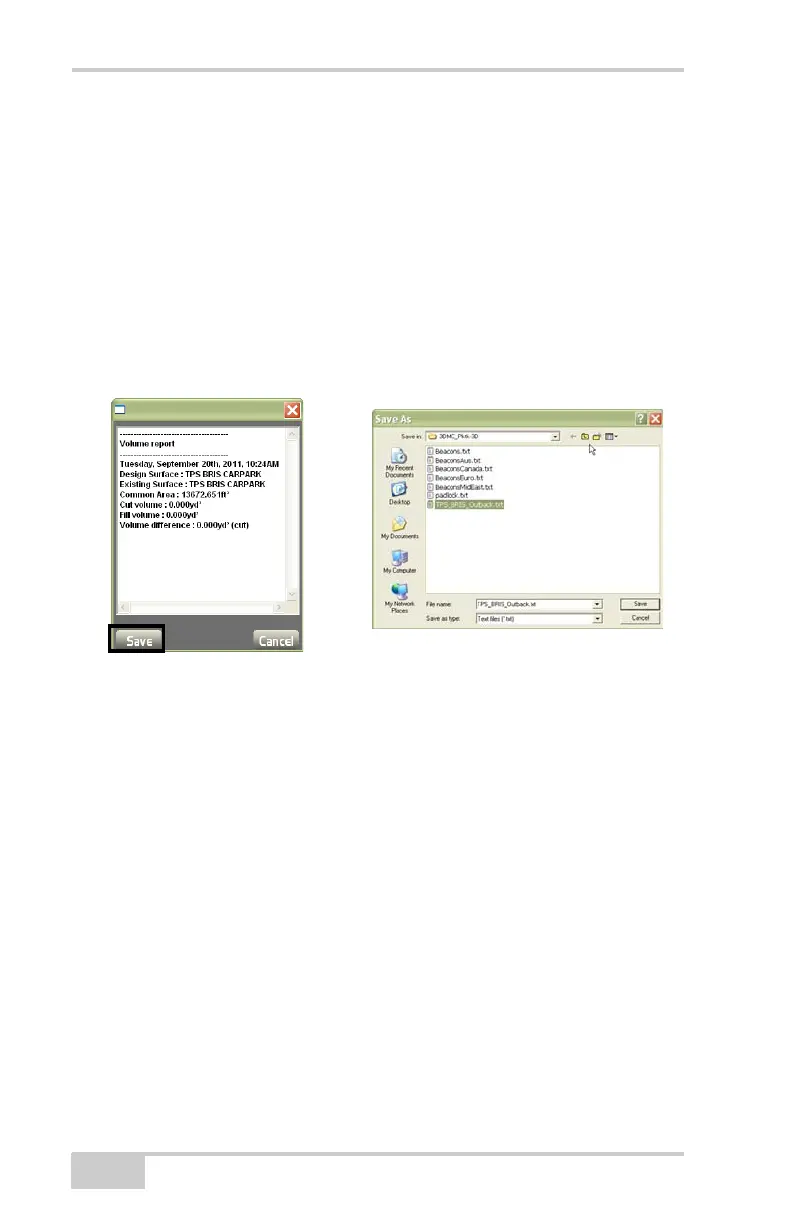
Press Report to display the Vol ume results dialog box. The report
screen displays the following results (
Figure 3-64): Date, Name of
Design Surface, Name of Existing Surface, Common Area, Cut vol-
ume, Fill volume, and Volume difference.
To save the information:
1. Press Save on the Volume report dialog box.
2. Enter the name of the text file.
3. Select a folder and location in which to store the text file.
4. Press Ok.
Figure 3-64. Compare Surface Report
Press Display to select the desired parameters for the surface display
(
Figure 3-65 on page 3-45), then press Ok.
• Show contours – enable to display the contour lines at a set
interval on the surface.
• Show solid colors – enable to display solid colors at a set interval
on the surface.
• Interval – enter the desired contour interval.



 To Next Page