Linework
P/N 7010-0628
3-65
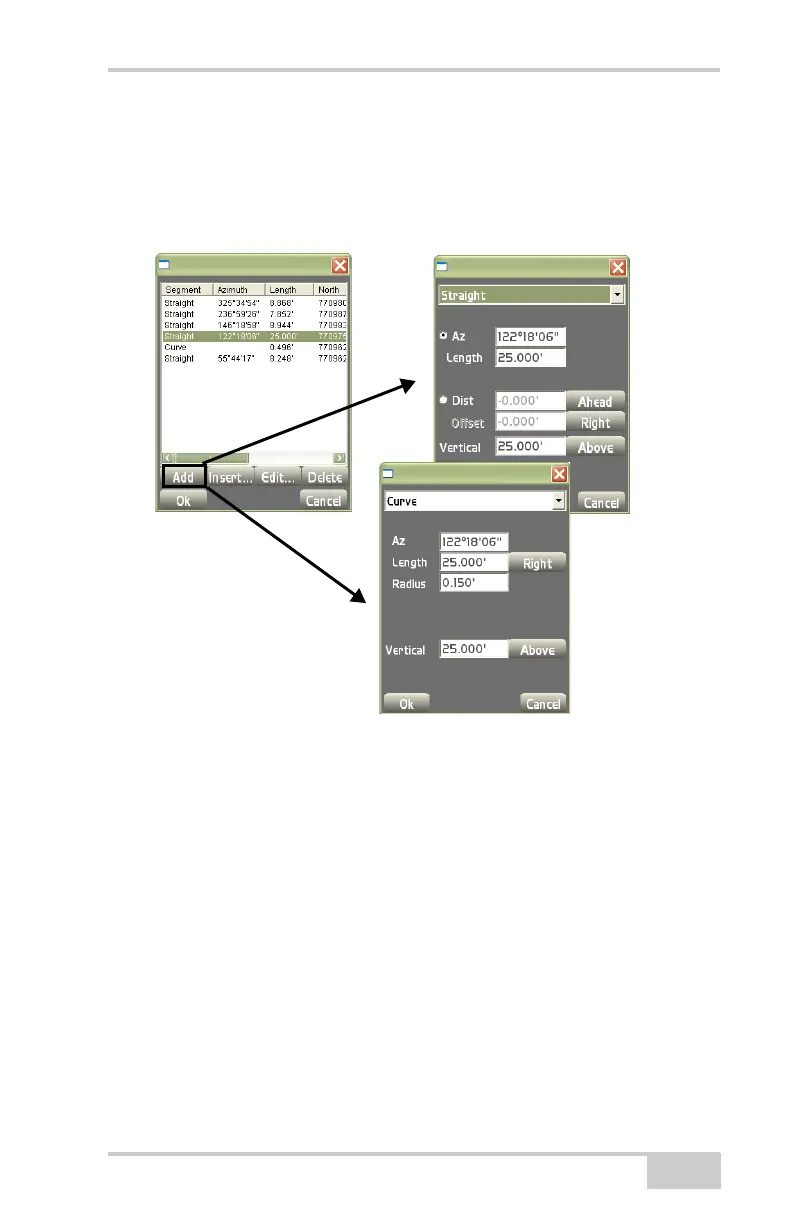
On the segments dialog box (Figure 3-95), highlight a segment
and press Add to edit either a Curved segment or a Straight
segment.
Figure 3-95. Segment Dialog Boxes – Curved/Straight
• Delete – on the layer files dialog box (Figure 3-94 on page 3-64),
highlight a layout to remove and press Delete.
• Layer – press to display the Add to layer dialog box. From the
drop-down list, select a layer to add a new polyline (
Figure 3-96
on page 3-66).
Curved Segment
Parameters
Straight Segment
Parameters



 To Next Page