Points
P/N 7010-0628
3-79
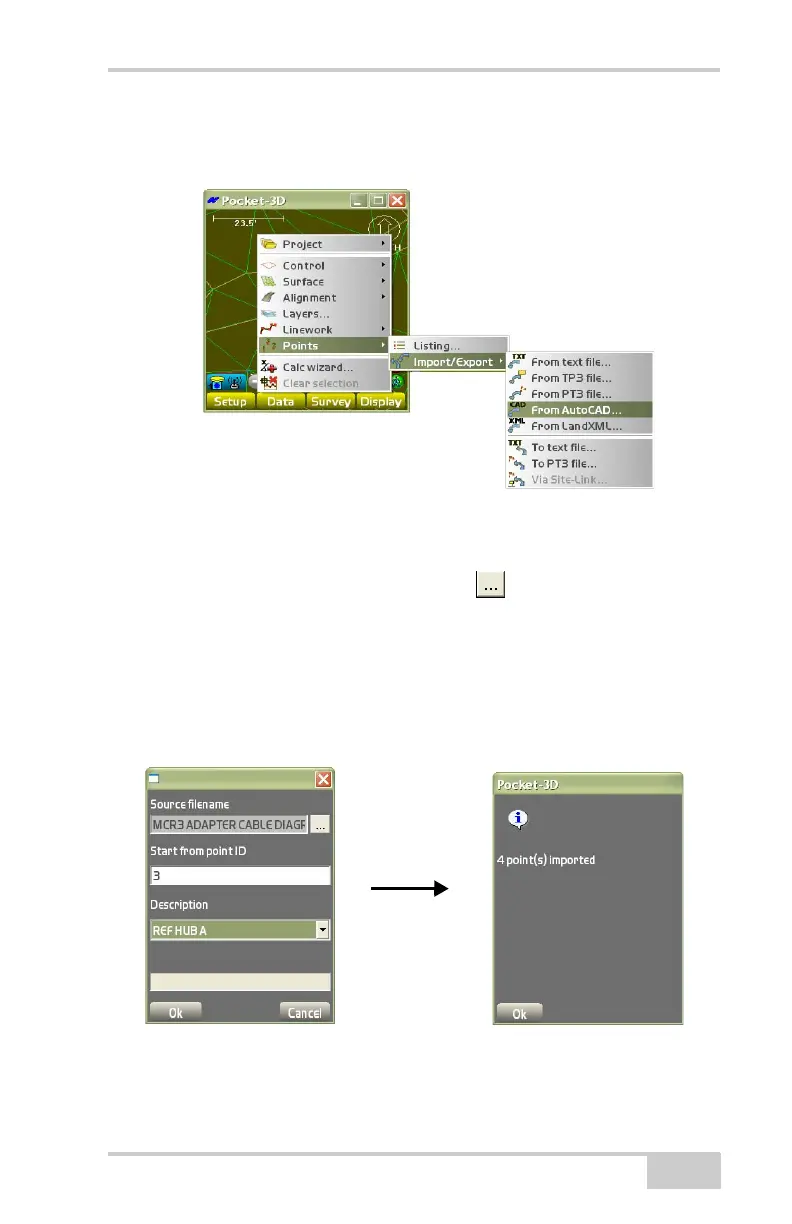
From AutoCAD To import points from an AutoCAD (.dxf) file, tap
Data
PointsImport/ExportFrom AutoCAD (Figure 3-117).
Figure 3-117. Import Points From an AutoCAD File
The Source filename dialog box displays (Figure 3-118).
• Source filename – press the browse ( ) button to import the
points from the AutoCAD (.dxf) file. The AutoCAD file will then
display in the Source filename entry box.
• Start from point ID – enter a point ID for the point number at
which the imported points will begin.
• Description – enter a description for the imported points.
Figure 3-118. Import Points From an AutoCAD File



 To Next Page