Installing Pocket-3D
Pocket-3D Reference Guide
1-8
•Segment (Figure 1-15 on page 1-10) – Add, insert, edit, delete,
create or select entire polyline(s).
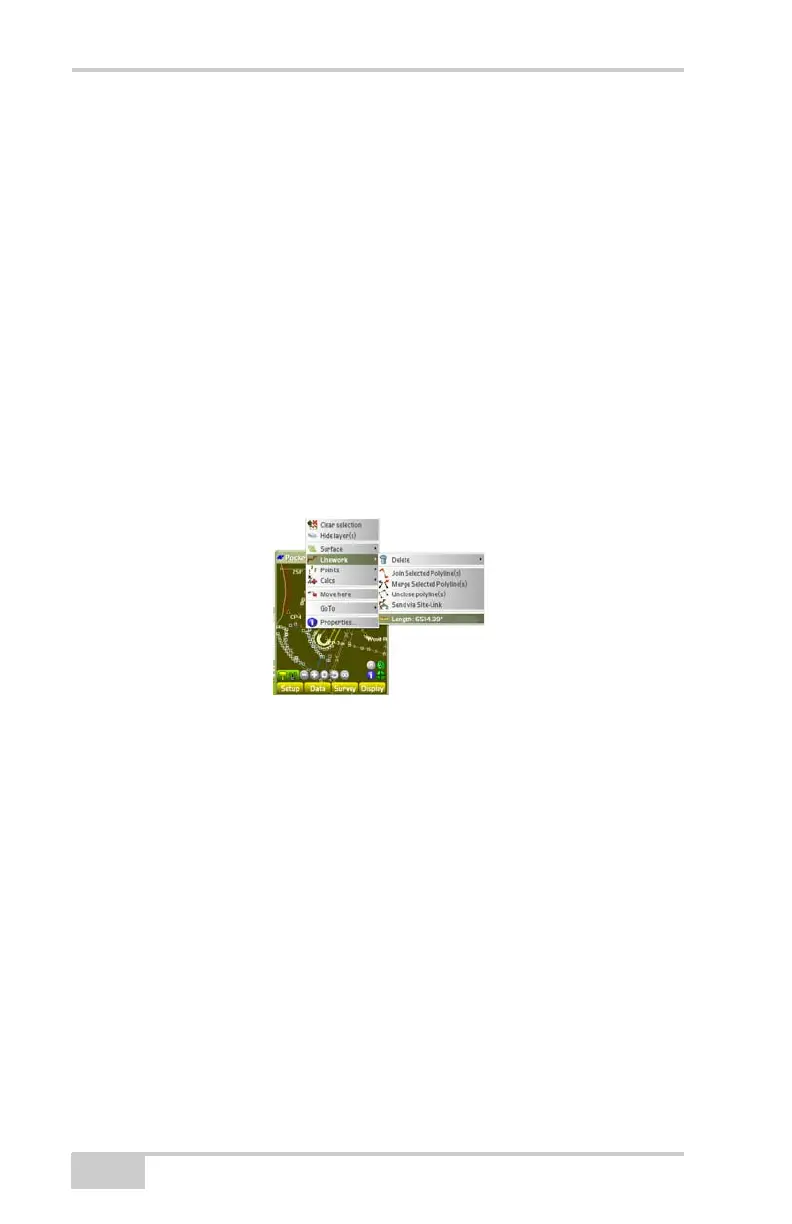
•Linework (Figure 1-10):
– Delete: deletes the selected linework/polyline or the last
segment.
– Join Selected Polyline(s): joins highlighted polylines on the
main screen.
– Merge Selected Polyline(s): merges highlighted polylines on
the main screen.
– Unclose polyline(s): opens previously closed polylines.
– Send via Site-Link: sends a message to the operator in the
field.
– Length: total length of selected polyline
Figure 1-10. Lengths Context Menu Option
• Points – adds, edits, deletes, or stakes-out point(s) (Figure 1-16
on page 1-11)
– Add a point: adds the selected point(s).
– Delete a point: deletes the selected point(s).
– Send via Site-Link: sends a message to the machine operator
in the field.
– Stake-out point: stakes out the selected point(s).
– Use as reference line: uses the selected polyline as a reference
line during a stake-out.
• Calcs – performs common polyline calculations (Figure 1-17 on
page 1-11)
– Create new polyline: creates a new polyline.



 To Next Page