Setup Menu
Pocket-3D Reference Guide
2-4
Figure 2-4. Configuration Name/Type
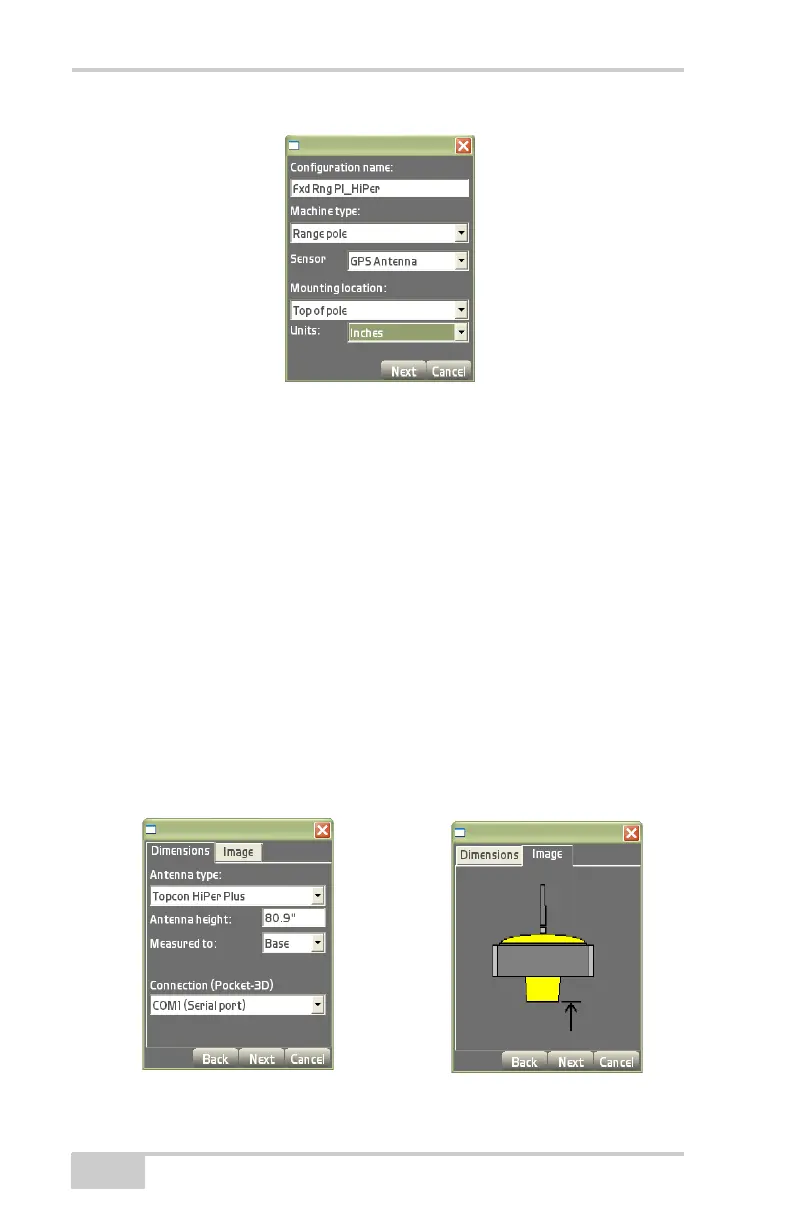
On the antenna information dialog box, enter the following
information using the same units of measure entered in the previous
step and press Next. These settings have a corresponding Image tab to
illustrate the setup.
For range poles, enter the following antenna information
(Figure 2-5):
• Antenna type – select the type of antenna.
• Antenna height – enter the antenna height of the GPS+ antenna
from antenna measurement point to pole tip.
• Measured to – enter where on the GPS+ antenna the antenna
height was measured.
• Connection (Pocket-3D) – select the communication port used
between controller and instrument.
Figure 2-5. Range Pole Antenna Setup Information



 To Next Page