24-Port 10/100Mbps Layer 2 Switch w/ 4 Gigabit Ports and 2 Shared Mini-GBIC Slots
5-6
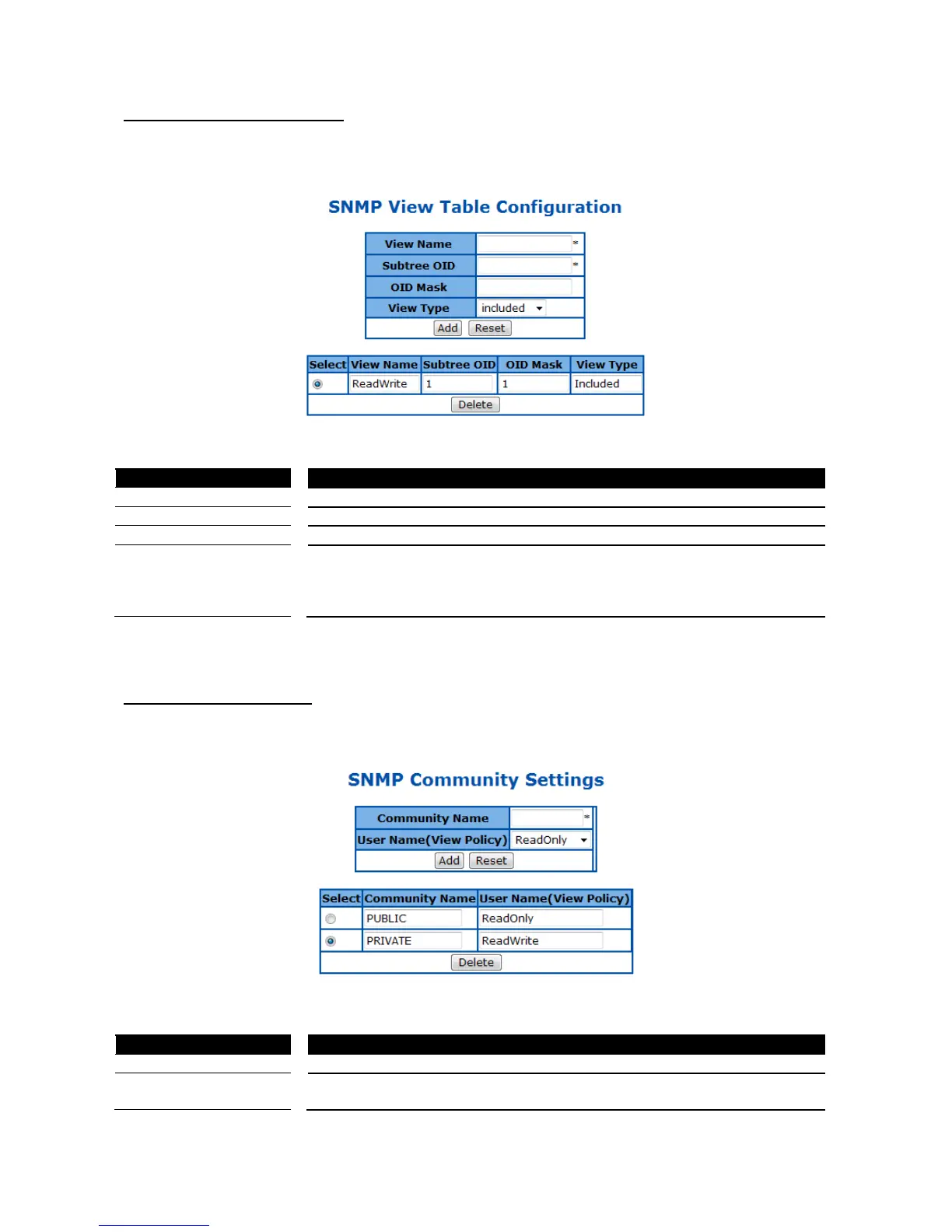
SNMP View Table Configuration
This page is to create a SNMP view, which limits the range of MIB objects that a SNMP administrator can
access to.
Figure 16 – System > SNMP > View Table
The object ID of MIB tree
included – Includes the object in the list that the SNMP administrator can
access.
excluded – Excludes the object from the list that the SNMP administrator can
access.
Click ADD to submit the changes and the Reset button will clear the information. Select and click Delete to
remove an existed entry.
SNMP Community Settings
This page is to create and edit SNMP community information.
Figure 17 – System > SNMP > Community Table
ReadOnly – The community has read-only privilege.
ReadWrite - The community has read write privilege.



 To Next Page