24-Port 10/100Mbps Layer 2 Switch w/ 4 Gigabit Ports and 2 Shared Mini-GBIC Slots
6-16
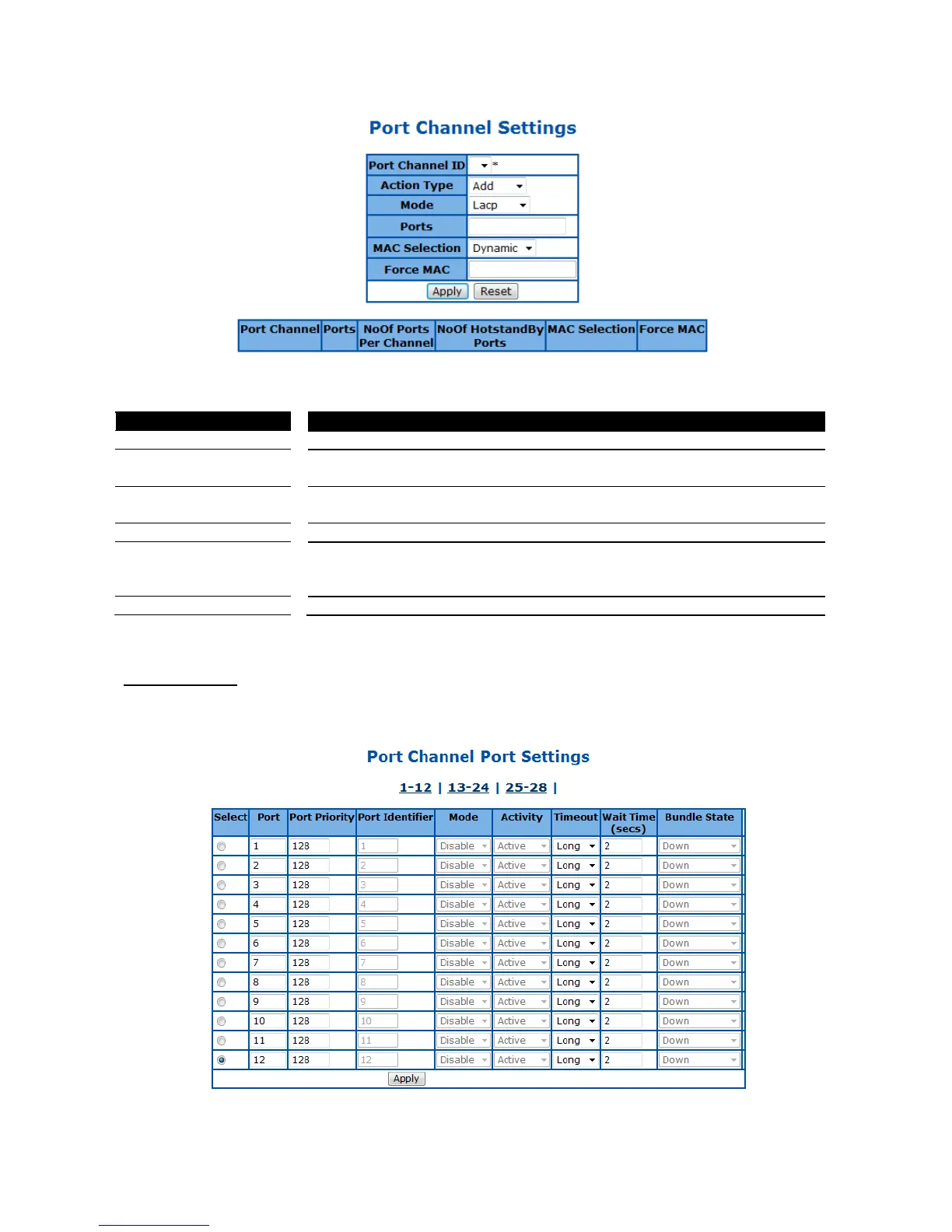
Figure 50 – Layer2 Management > LA > Port Channel Settings
Select a configured port channel group to submit the changes.
To add or delete ports from/to a port channel. Select Add to add ports, Delete
to delete one.
Specify the mode of this port channel. Possible options are Lacp and Manual.
Default is Lacp
Specify which port to be included in this port channel.
Specify the MAC address of the port channel. Select Dynamic to let system
assign the MAC address to the port channel automatically, or select Manual
to use a manual configured MAC address.
Specify the manual configured MAC address of this port channel.
Click Apply to submit the configurations, Reset to clear the value.
LA Port Settings
This page is to configure port related link aggregation settings.
Figure 51 – Layer2 Management > LA > Port Settings



 To Next Page