Click Apply to submit the changes.
Configuration
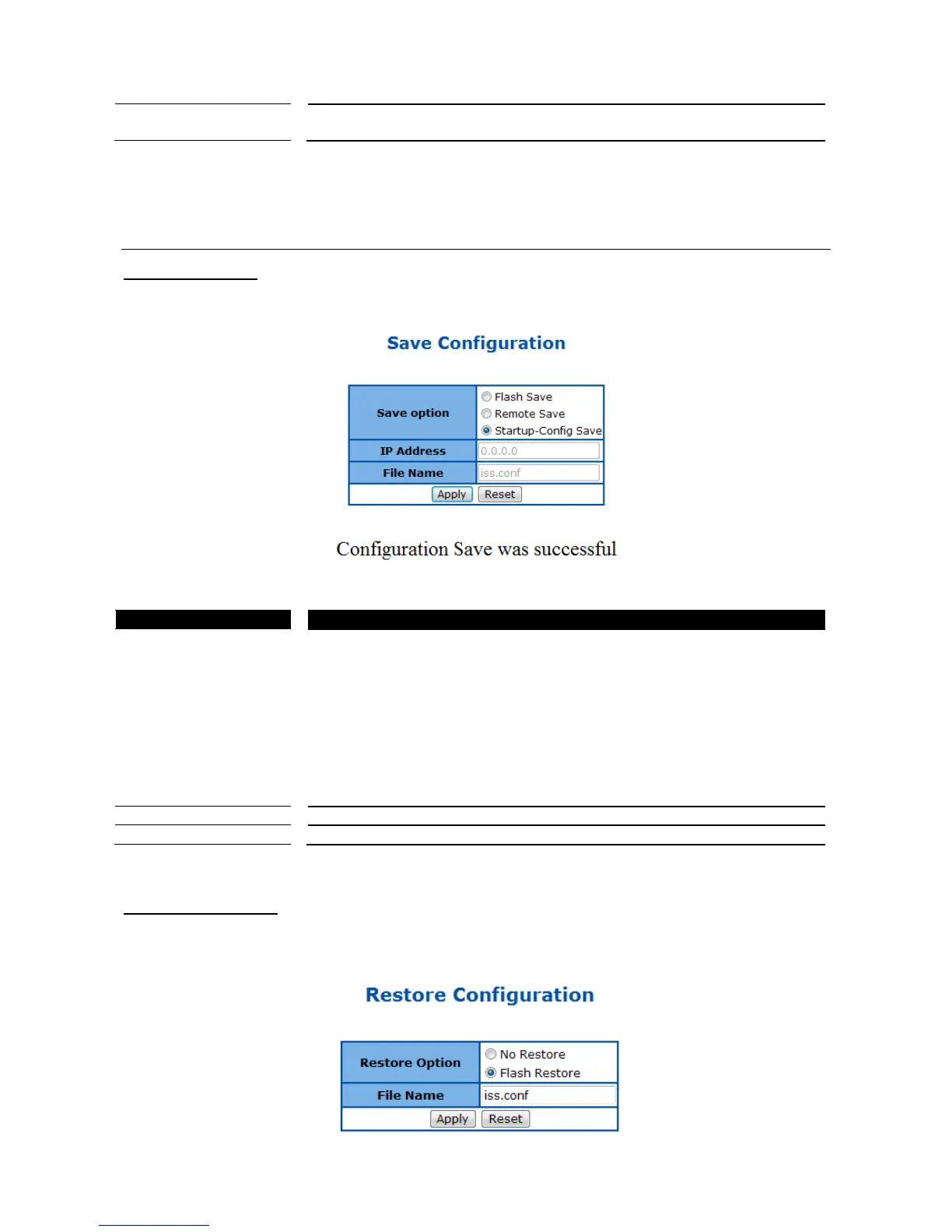
Save Configuration
This page is used to save the running configuration.
Figure 25 – System > Configuration > Save
Options to save the running configuration:
Flash Save: Save to the device‟s flash memory with a designated file name.
Saving the configuration to flash will back up the current configuration in the
device‟s internal memory to be restored later if necessary but will not set the
configuration as active after a device reboot or power cycle.
Remote Save: Save to the remote TFTP server with a designated IP address
and file name. This will back up the configuration to an external location.
Startup-Config Save: Save to the device‟s startup configuration.
Note: This will set the current configuration as the active configuration after a
device reboot or power cycle.
Click Apply to submit the changes and the Reset button will clear the information.
Restore Configuration
This page is used to restore startup configuration from another configuration file in flash memory.



 To Next Page