24-Port 10/100Mbps Layer 2 Switch w/ 4 Gigabit Ports and 2 Shared Mini-GBIC Slots
6-18
Click Apply to submit the changes.
802.1X
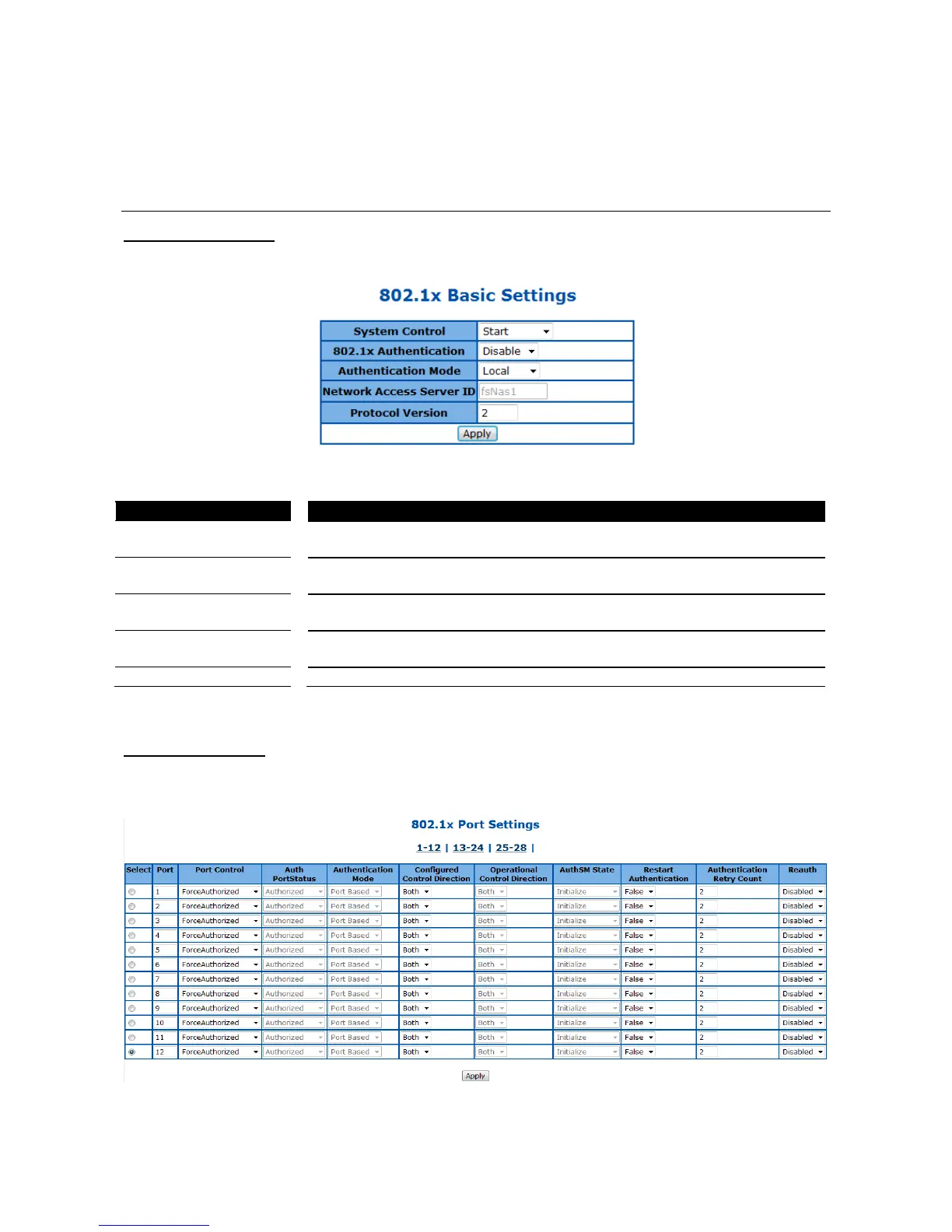
802.1X Basic Settings
This page is used to configure the 802.1X authentication global settings.
Figure 54 – Layer2 Management > 802.1X > Basic Settings
To activate or shutdown 802.1X function of the Switch. Select Start to activate
the function, Shutdown to shutdown it. Default is Start.
To enable or disable the 802.1X authentication of the Switch. Select Enabled
to enable the function, Disabled to disable it. Default is Disabled.
Select the authentication database for 802.1X. Remote is to use the RADIUS
server; Local will use the local database. Default is Local.
Specify the remote RADIUS server authenticator ID.
Specify the protocol version of 802.1X.
Click Apply to submit the changes.
802.1X Port Settings
This page is to configure the port related setting of 802.1X.
Figure 55 – Layer2 Management > 802.1X > Port Settings



 To Next Page