24-Port 10/100Mbps Layer 2 Switch w/ 4 Gigabit Ports and 2 Shared Mini-GBIC Slots
6-19
Select a port to apply the configuration changes.
To set the authenticator control on this port. The possible options are:
ForceUnauthorized - All traffic is blocked to the port.
Auto - Enable the 802.1X authentication on this port, and the port authorized
or unauthorized will based on the 802.1X authentication result.
ForceAuthorized - All traffic is transparent to the port.
Default is ForceAuthorized.
Current authentication status of this port.
The authentication mode of this port. Only Port-based mode is supported
currently.
Configured Control
Direction
To choose the authentication control direction on this port.
In - Authentication control is only for ingress packets.
Both - Authentication control is for both ingress and egress packets.
Default is Both.
Operational Control
Direction
The current authentication direction on this port.
The current authentication state of this port.
To enable periodic re-authentication on this port.
Authentication Retry
Count
To set the maximum 802.1X Extensible Authentication Protocol (EAP) retries
of the client before restarting authentication process.
To enable or disable the authentication retry function. Default is Disabled.
Click Apply to submit the changes.
Click 1-12, 13-24, 25-28 to configure 802.1X port settings for corresponding ports.
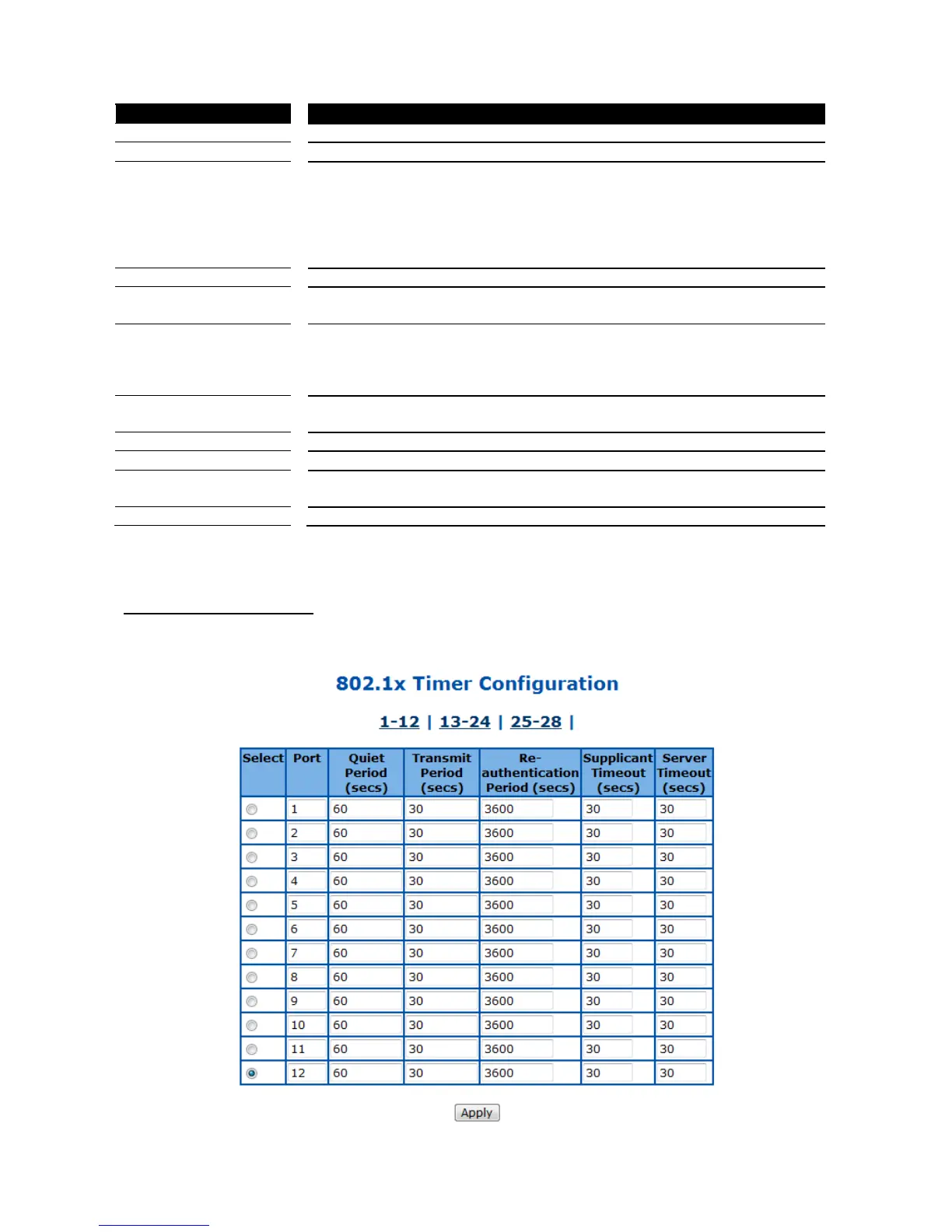
802.1X Timer Configuration
This page is to configure the 802.1X timers of the device.



 To Next Page