Options to restore the startup configuration:
No Restore: Applying this option will reset the NV-RAM to default settings.
Note: This will only reset the settings in NV-RAM, not the entire device
configuration. After rebooting, only the default parameters in NV-RAM will be
reset to defaults. Requires a manual device reboot for changes to take effect.
Please reference the default NV-RAM parameters below.
Default IP Address : 192.168.10.200
Default Subnet Mask: 255.255.255.0
Default IP Address Config Mode: Manual
Default IP Address Allocation Protocol : DHCP
Default Interface Name: Fa0/1
Default RM Interface Name: NONE
Config Restore Option: No restore
Config Save Option: Startup save
Config Save IP Address: 0.0.0.0
Config Save Filename: iss.conf
Config Restore Filename: iss.conf
PIM Mode: Sparse Mode
IGS Forwarding Mode: MAC based
CLI Serial Console: Yes
SNMP EngineID: 80.00.08.1c.04.46.53
SNMP Engine Boots: 1
Default VLAN Identifier: 1
Flash Restore: Restore from a previously backed up configuration file in the
device‟s flash memory to the startup-config. Note: After restoring
configuration, requires a manual device reboot for changes to take effect.
Click Apply to submit the changes and the Reset button will clear the information.
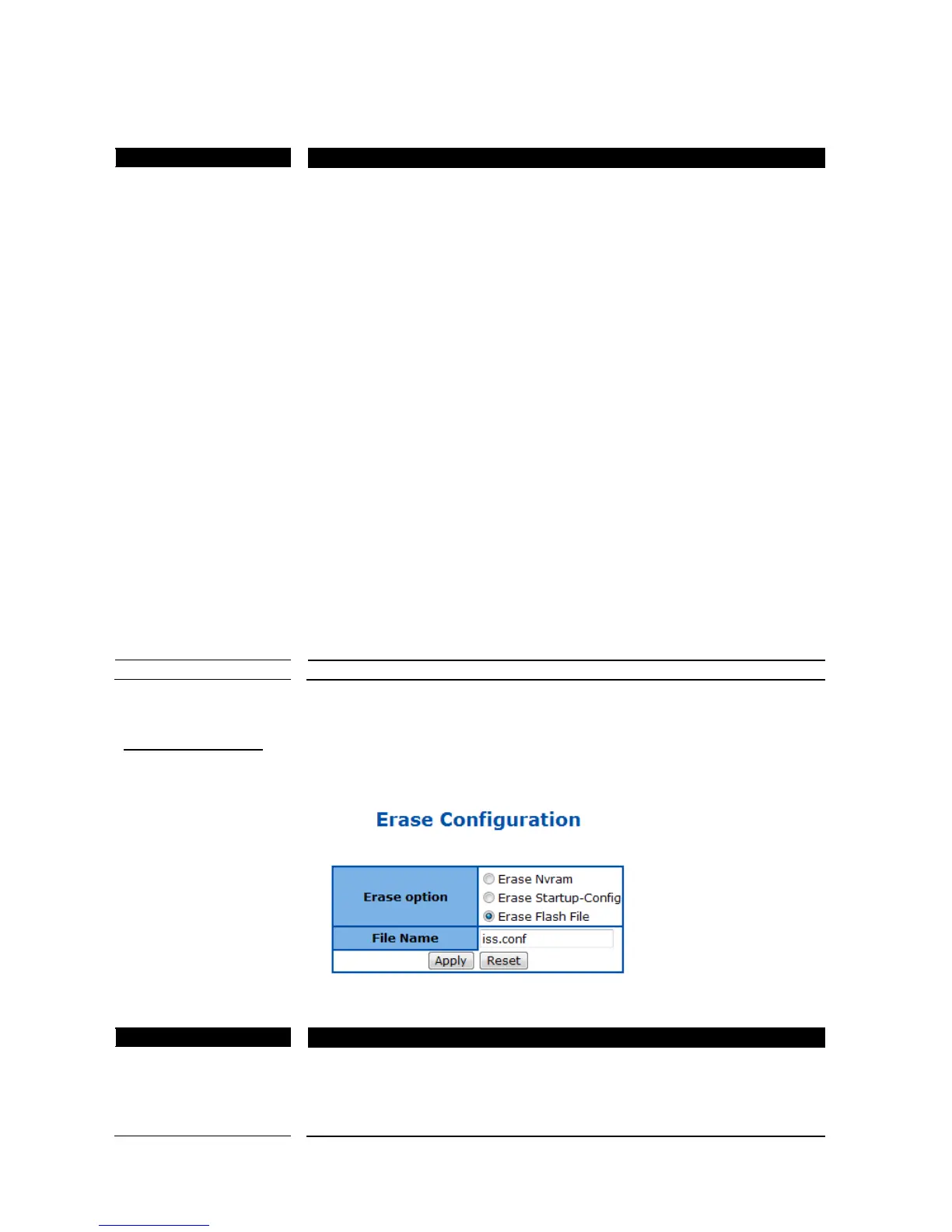
Erase Configuration
This page is used to reset the startup configuration, NV-RAM or the configuration file in flash to default value.
Figure 27 – System > Configuration > Erase
Specify the configuration to be reset:
Erase Nvram: Reset the NV-RAM to default settings and reset all previously
saved configuration files to default that were stored flash memory.
Note: This will only reset the settings in NV-RAM, not the entire device
configuration. After rebooting, only the default parameters in NV-RAM will be



 To Next Page