24-Port 10/100Mbps Layer 2 Switch w/ 4 Gigabit Ports and 2 Shared Mini-GBIC Slots
6-21
Click Apply to submit the changes to existing user account, Delete to delete one.
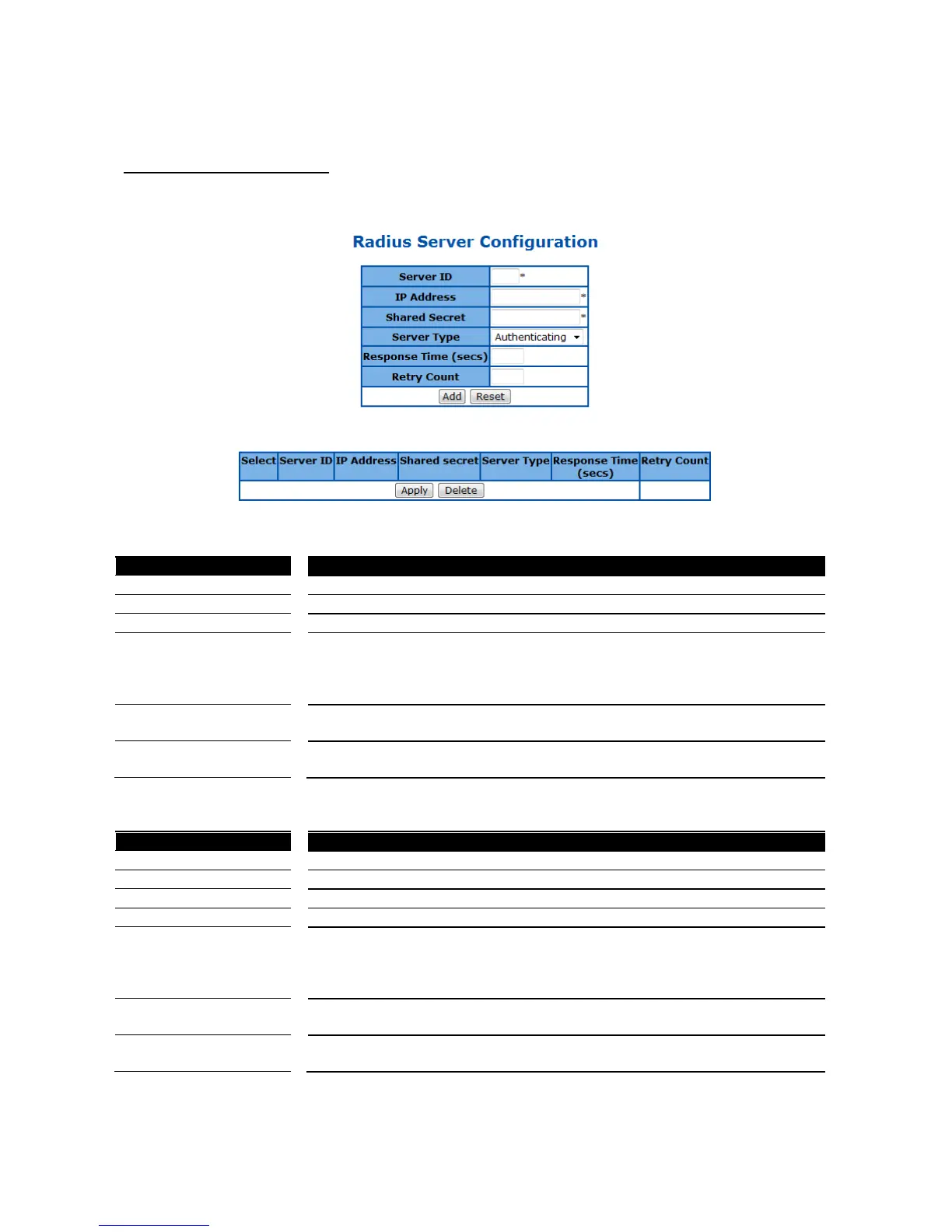
RADIUS Server Configuration
This page is to configure the details of RADIUS server.
Figure 58 – Layer2 Management > 802.1X > Radius Settings
Specify the new RADIUS server ID. The possible ID is 1-10.
Specify the IP address of the new RADIUS server.
Specify the encryption key between RADIUS server and clients.
Specify the server type of the RADIUS server. The options are:
Authenticating – This server is only for RADIUS authentication.
Accounting - This server is only for RADIUS accounting.
Both - This RADIUS server support both authentication and accounting.
Specify the time period that a client waits for the response from the RADIUS
server before re-sending the request. The possible number is 1-120 seconds.
The maximum number that a client re-sends the request when there is no
response from RADIUS server. The possible number is 1-254 times.
Click Add to add a new RADIUS server, Reset to clear the value.
Specify the IP address of the RADIUS server.
Specify the encryption key between RADIUS server and clients.
Specify the server type of the RADIUS server. The options are:
Authenticating – This server is only for RADIUS authentication.
Accounting - This server is only for RADIUS accounting.
Both - This RADIUS server support both authentication and accounting.
Specify the time period that a client waits for the response from the RADIUS
server before re-sending the request. The possible number is 1-120 seconds.
The maximum number that a client re-sends the request when there is no
response from RADIUS server. The possible number is 1-254 times.
Click Apply to submit the changes the setting of an existing RADIUS server, Delete to delete one.



 To Next Page