24-Port 10/100Mbps Layer 2 Switch w/ 4 Gigabit Ports and 2 Shared Mini-GBIC Slots
8-4
Select a port to submit the configuration changes.
Specify 802.1p priority of untagged packets.
Click Apply to submit the changes.
Click 1-12, 13-24, 25-28 to configure port priority for corresponding ports.
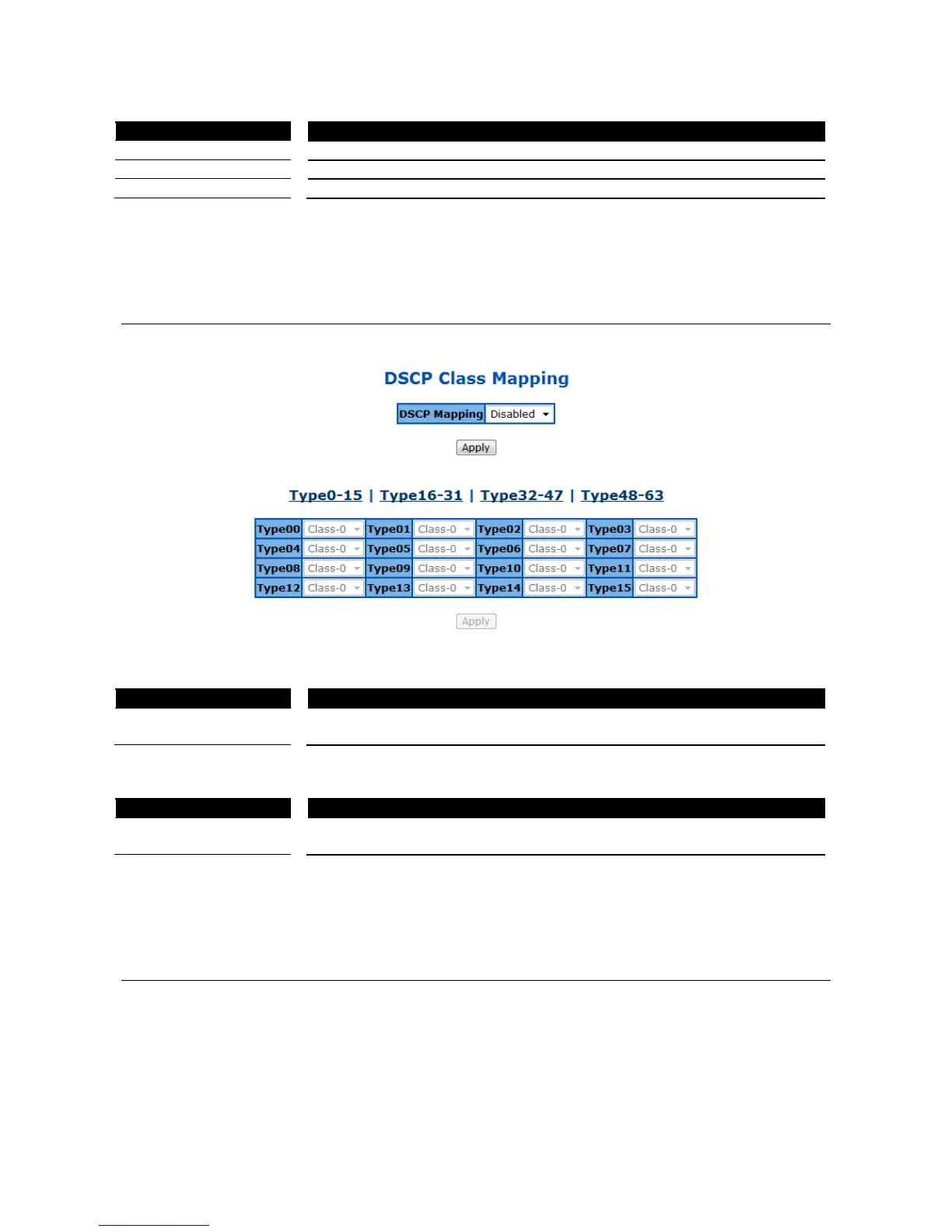
DSCP Queue Mapping
This page is to enable/configure the DSCP and queue mapping.
Figure 76 – QoS > DSCP
To enable the DSCP queue mapping. When disabled, Switch will map queue
with 802.1p priority.
Click Apply to submit the changes.
Specify which switch queue to map. The options are Class-0, Class-1,
Class-2 and Class-3.
Click Type0-15, 16-31, 32-47, 48-63 to configure queue mapping for corresponding DSCP levels.
Click Apply to submit the changes.
Egress Queue Scheduling Settings
This page is to configure the scheduling algorithm for switch queues.



 To Next Page