24-Port 10/100Mbps Layer 2 Switch w/ 4 Gigabit Ports and 2 Shared Mini-GBIC Slots
6-2
Port Manager
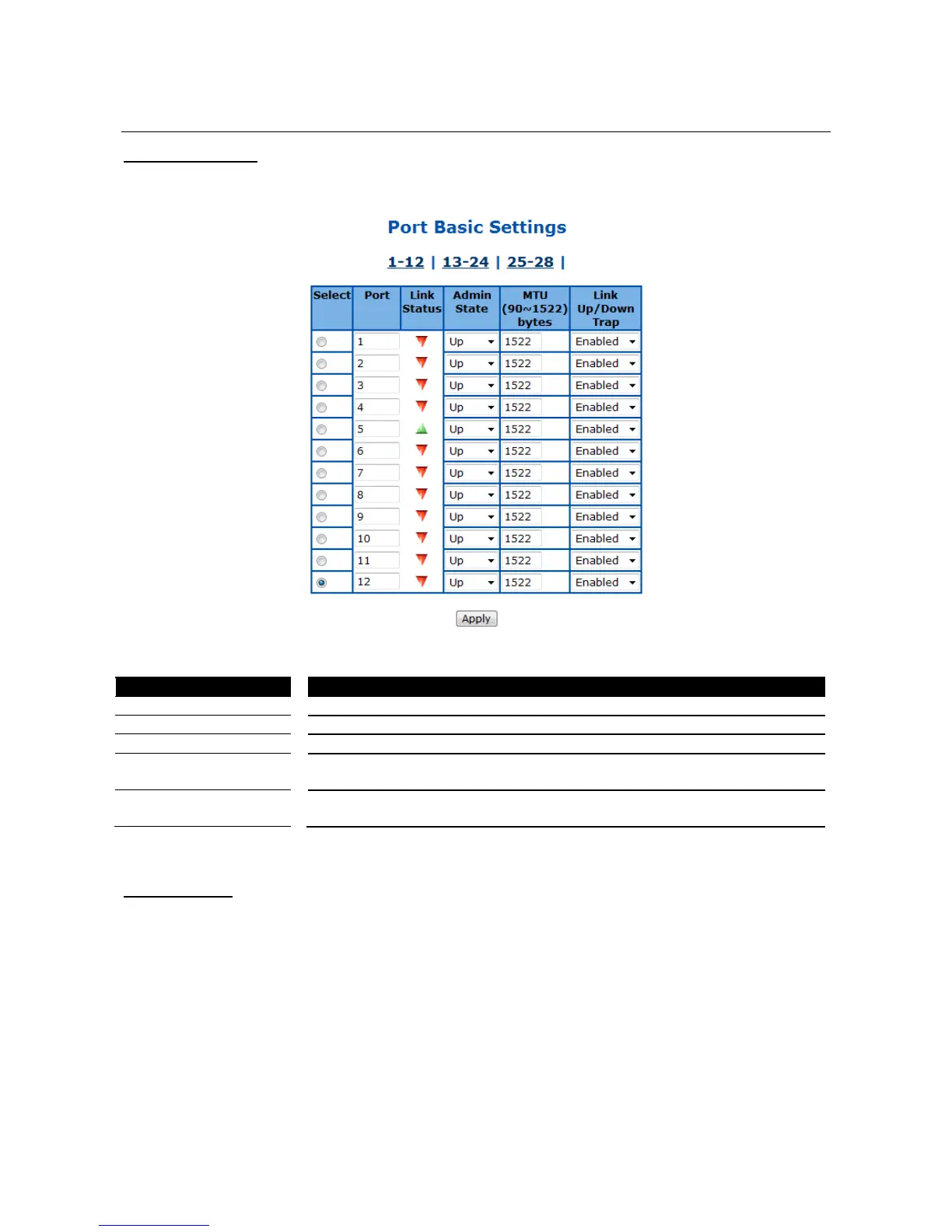
Port Basic Settings
This page is to configure basic settings of switch ports.
Figure 29 – Layer2 Management > Port Manager > Basic Settings
Specify the switch port to be configured.
Display the physical connection states of the port.
Specify the administrative status of the port. Default is enabled.
To setup the Maximum Transmission Unit (MTU) frame size of the interface,
and the range is from 90 to 1522 bytes. Default is 1500.
To enable/disable the link up/down trap information delivery. Default is
enabled.
Click Apply to submit the changes.
Port Monitoring
This page is to configure the port monitoring function on the device.



 To Next Page