24-Port 10/100Mbps Layer 2 Switch w/ 4 Gigabit Ports and 2 Shared Mini-GBIC Slots
5-7
Click ADD to submit the changes and the Reset button will clear the information. Select and click Delete to
remove an existed entry.
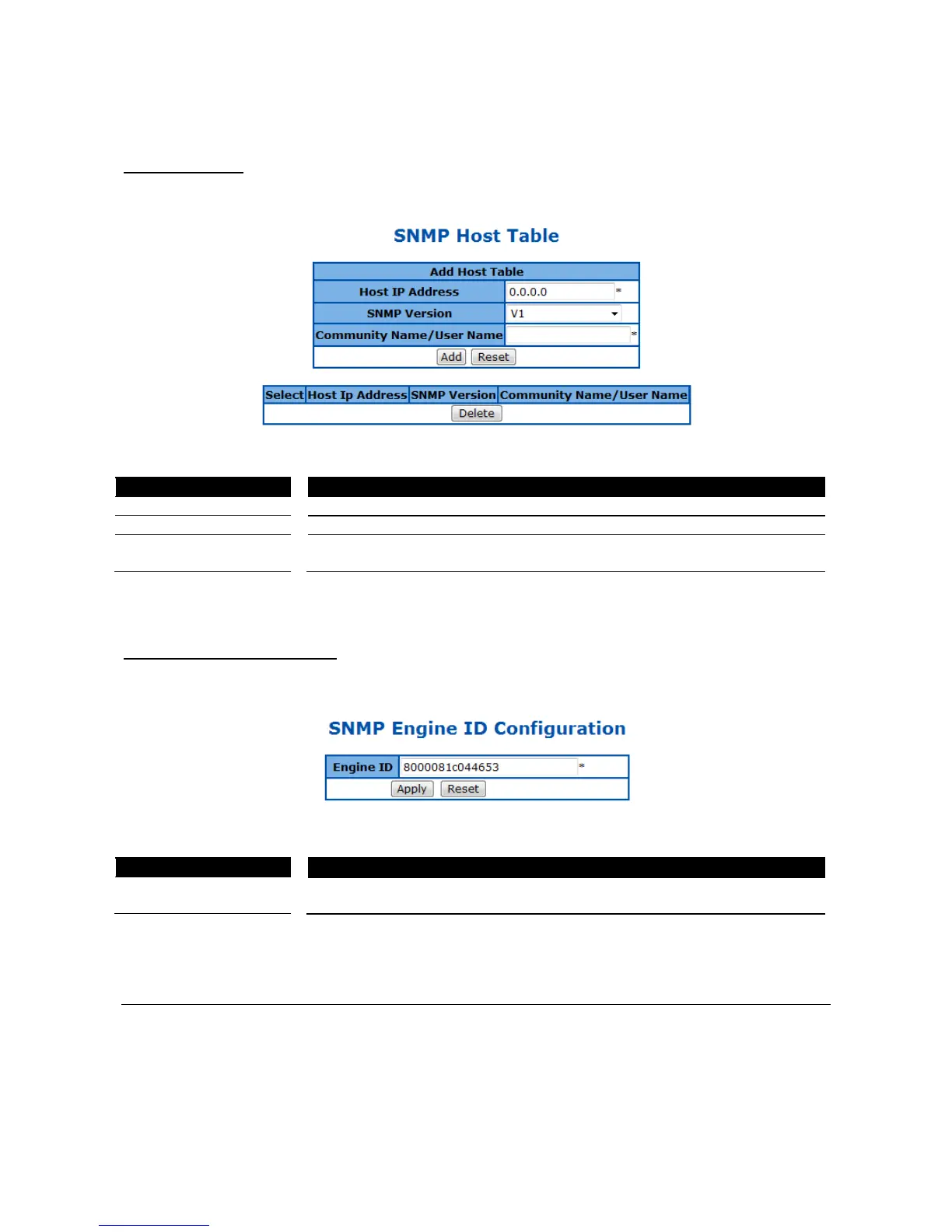
SNMP Host Table
This page is to create a host that can access the device by SNMP protocol.
Figure 18 – System > SNMP > Trap Manager
The IP address of a host that can access to the device by SNMP.
Specify the SNMP version to be used, which can be v1, v2c, or v3.
The name of SNMP community/user that the host belongs to.
Click ADD to submit the changes and the Reset button will clear the information. Select and click Delete to
remove an existed entry.
SNMP Engine ID Configuration
This page is to configure the SNMP engine identifier of the device.
Figure 19 – System > SNMP > Engine ID
A string of between 5 and 32 octets expressed in hexadecimal. The default is
8000081c044653.
Click ADD to submit the changes and the Reset button will clear the information.
SSH Configuration
This page is to configure the SSH server function on the device.



 To Next Page