24-Port 10/100Mbps Layer 2 Switch w/ 4 Gigabit Ports and 2 Shared Mini-GBIC Slots
10-18
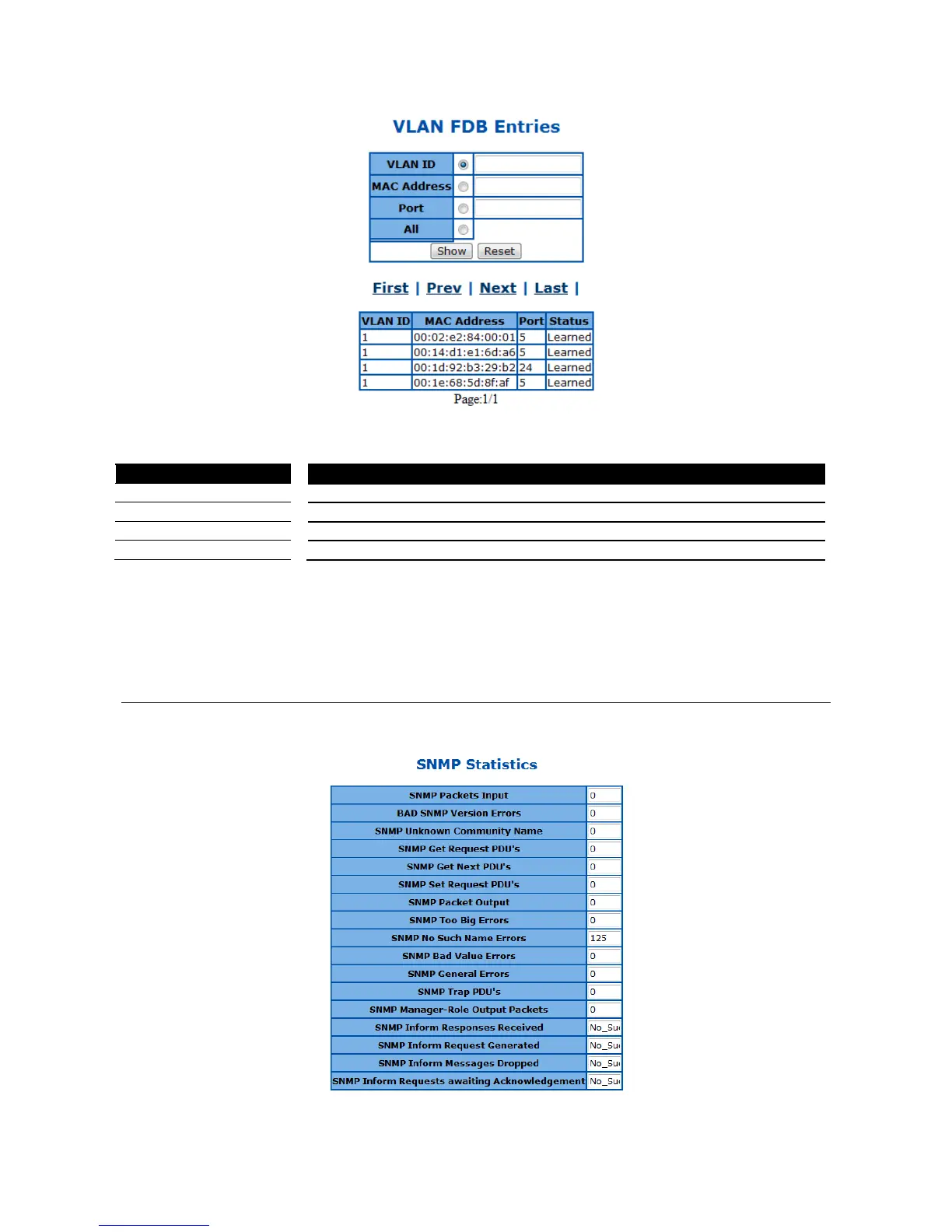
Figure 100 – Statistics > MAC Address Table
Click Show to display the MAC addresses in FDB with given parameter and click Reset to reset the
parameter input.
Click First, Prev, Next, Last to see the first, previous, next or last page of the MAC addresses list discovered.
SNMP
This page is to show the SNMP traffic statistics of the Switch.
Figure 101 – Statistics > SNMP



 To Next Page