EasyManua.ls Logo

TRENDnet TL2-E284 - Port Security Settings

TRENDnet TL2-E284
293 pages
Print Icon
To Next Page IconTo Next Page
To Previous Page IconTo Previous Page
Loading...
24-Port 10/100Mbps Layer 2 Switch w/ 4 Gigabit Ports and 2 Shared Mini-GBIC Slots
6-26
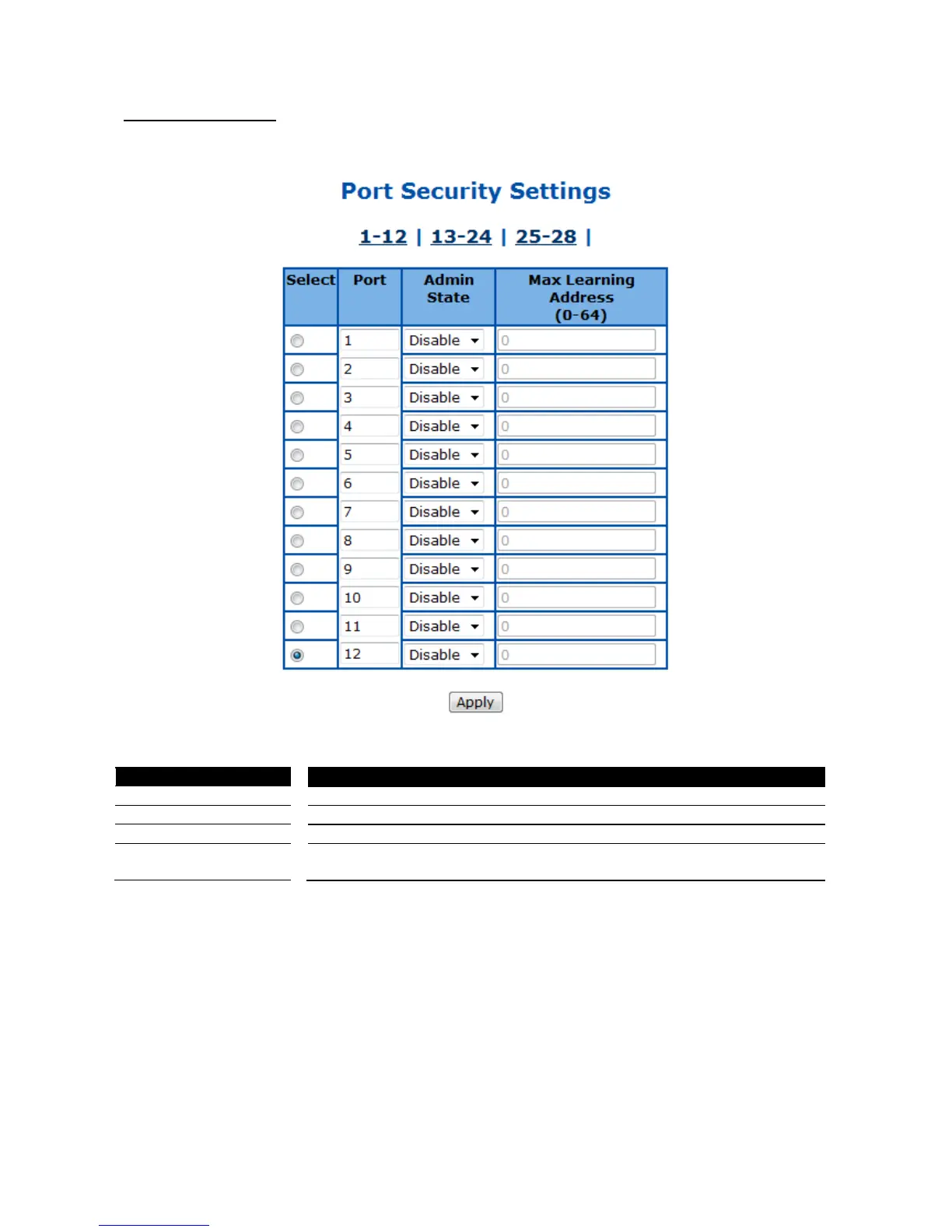
Port Security Settings
This page is to configure the port security function for each port.
Figure 66 Layer2 Management > Static MAC Entries > Port Security Settings
Parameter
Description
Select
Select a port to apply the configuration changes.
Port
Port ID.
Admin State
To enable or disable the port security function. Default is disable.
Max Learning Address
(0-64)
Specify the maximum MAC address number of this port.
Click Apply to submit the changes.
Click 1-12, 13-24, 25-28 to configure port security function for corresponding ports.

Table of Contents

Other manuals for TRENDnet TL2-E284

Related product manuals