24-Port 10/100Mbps Layer 2 Switch w/ 4 Gigabit Ports and 2 Shared Mini-GBIC Slots
6-25
Select which MAC address to apply the configuration changes.
VLAN ID of this MAC address belongs to.
Specify the port allowed to forward the MAC address.
Specify the attribute of this static MAC. The options are:
Permanent - The static multicast will keep alive.
DeleteOnReset - The static multicast will be deleted after switch reset.
DeleteOnTimeout - The static multicast will be deleted when aging time out.
Default is Permanent.
Click Apply to submit the changes the static MAC, Delete to delete it from the FDB.
Static Multicast Address Configuration
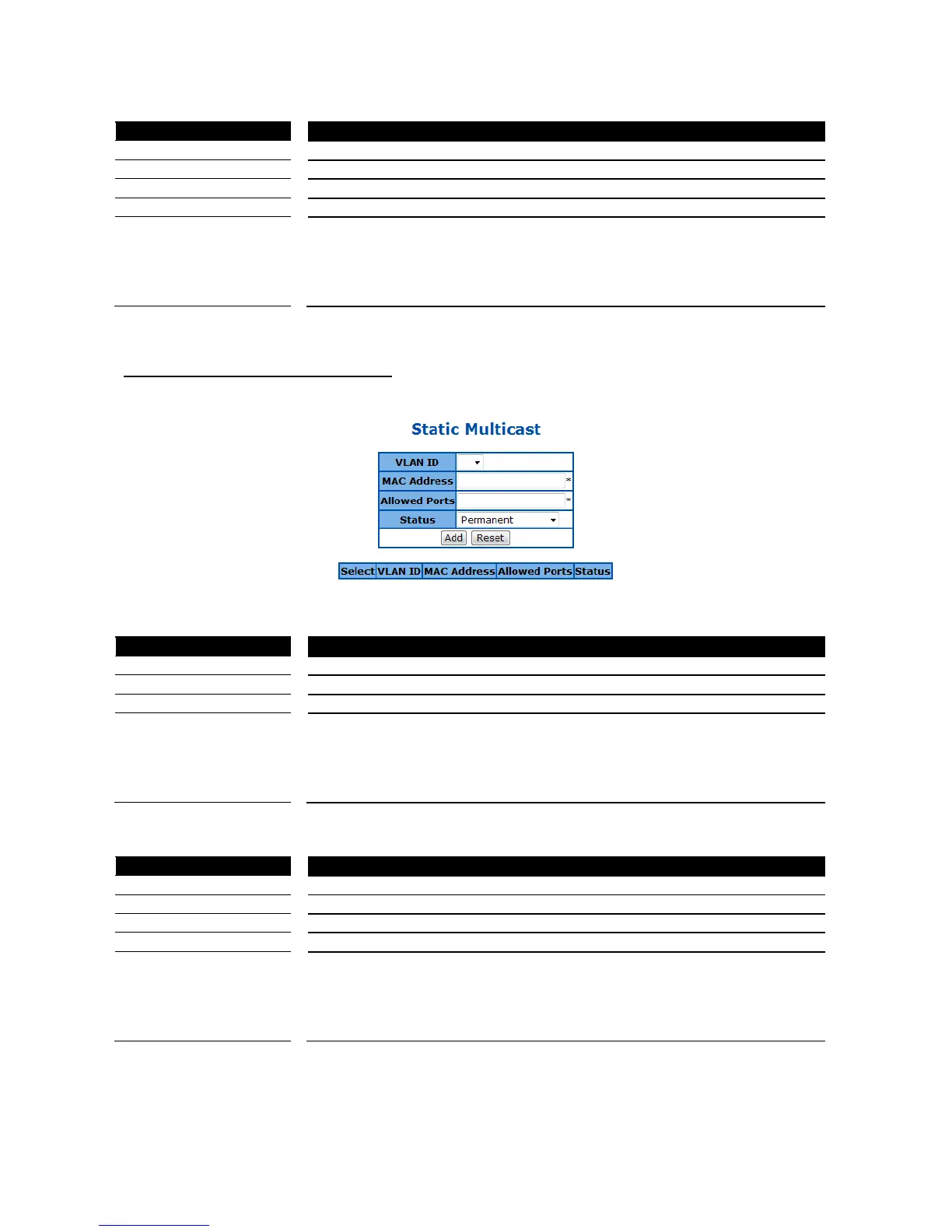
This page is to create/configure a static multicast MAC address in the L2 forwarding database.
Figure 65 – Layer2 Management > Static MAC Entries > Multicast Entries
Specify the VLAN ID of the new MAC address entry.
Specify the MAC address if this new entry.
Specify the port allowed to forward the MAC address.
Specify the attribute of this static MAC. The options are:
Permanent - The static multicast will keep alive.
DeleteOnReset - The static multicast will be deleted after switch reset.
DeleteOnTimeout - The static multicast will be deleted when aging time out.
Default is Permanent.
Click Add to create a new static MAC, Reset to clear the value.
Select which MAC address to apply the configuration changes.
VLAN ID of this MAC address belongs to.
Specify the port allowed to forward the MAC address.
Specify the attribute of this static MAC. The options are:
Permanent - The static multicast will keep alive.
DeleteOnReset - The static multicast will be deleted after switch reset.
DeleteOnTimeout - The static multicast will be deleted when aging time out.
Default is Permanent.
Click Apply to submit the changes the static MAC, Delete to delete it from the FDB.



 To Next Page