24-Port 10/100Mbps Layer 2 Switch w/ 4 Gigabit Ports and 2 Shared Mini-GBIC Slots
6-9
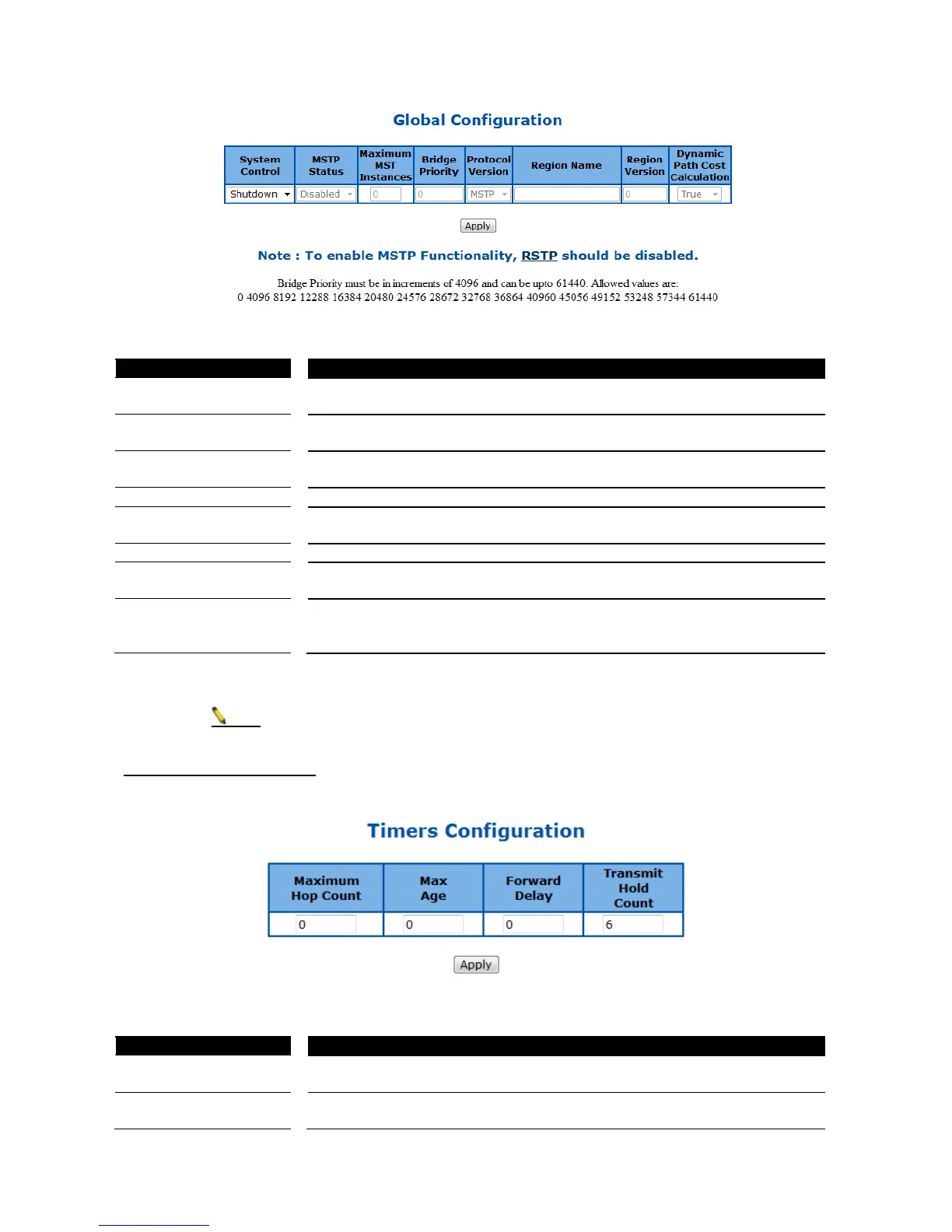
Figure 38 – Layer2 Management > MSTP > Global Configuration
To activate or shutdown the MSTP function. Select Start to activate the MSTP
function, Shutdown to shutdown MSTP function.
To enable or disable the MSTP. Select Enabled to enable the MSTP function,
Disabled to disable the MSTP function.
Specify the maximum number of MSTP instance allowed. The possible
number is 1-64. Default is 64.
Specify the bridge priority of spanning tree. Default is 32768.
Select the spanning tree compatibility version. The possible options are STP,
RSTP and MSTP. Default is RSTP.
Specify the region name of MST.
Specify the MST region revision. The possible numbers are 0~65535, default
is 0.
Dynamic Path Cost
Calculation
Select the path cost calculation mode of spanning tree. Select True to enable
dynamic path cost according to the port speed, False to disable it. Default if
False.
Click Apply to submit the changes.
1. RSTP function must be shutdown before activate MSTP.
2. MSTP status must be enabled before configure other MSTP details.
MSTP Timers Configuration
This page is to configure the MSTP timers of the Switch.
Figure 39 – Layer2 Management > MSTP > Timers Configuration
Specify the maximum hops permitted in MST. Possible value is 6-40. Default
is 20.
Specify the maximum age in second for STP information learned from the
network on any port before it is discarded. The possible value is 6-40. Default



 To Next Page