24-Port 10/100Mbps Layer 2 Switch w/ 4 Gigabit Ports and 2 Shared Mini-GBIC Slots
6-20
Figure 56 – Layer2 Management > 802.1X > Timers
Select a port to apply the configuration changes.
The period that Switch will not do anything after a failed authentication.
Possible value is 0-65535 seconds. Default is 60.
The period that Switch waits for a response to an EAP-request/identity frame
from the client before retransmitting the request. Possible values are 1-65535
seconds. Default is 30.
Re-authentication
Period (secs)
The period between re-authentication attempts. Possible value is 1-65535
seconds. Default is 3600.
Supplicant Timeout
(secs)
The period that Switch waits for the re-transmission to the client. Possible
value is 1-65535 seconds. Default is 30.
The period that Switch waits for the re-transmission to the RADIUS server.
Possible value is 1-65535 seconds. Default is 30.
Click Apply to submit the changes.
Click 1-12, 13-24, 25-28 to configure 802.1X timer settings for corresponding ports.
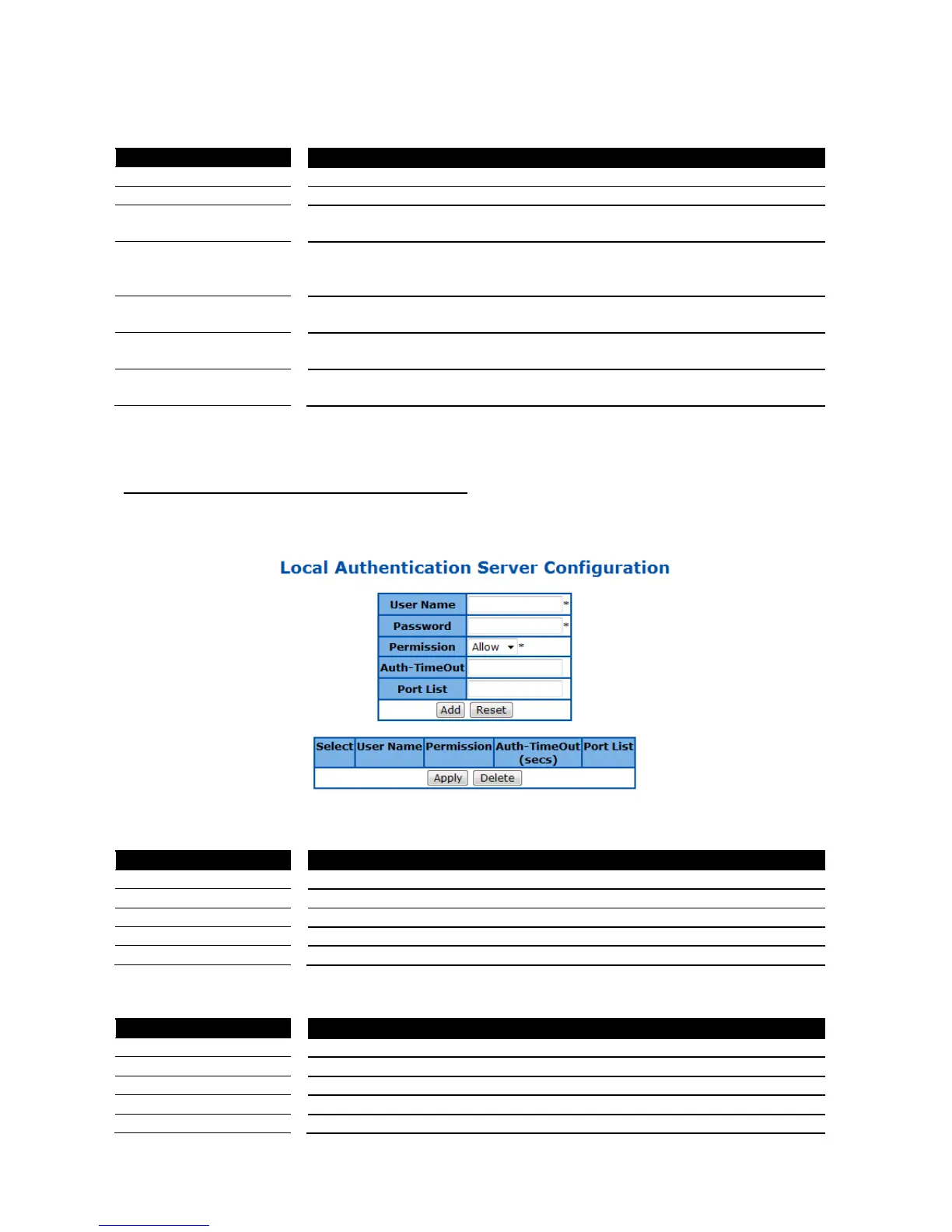
802.1X Local Authentication Server Configuration
This page is to configure the 802.1X local user database.
Figure 57 – Layer2 Management > 802.1X > Local AS
Specify the user name of the new user entry.
Specify the password of the new user entry.
Specify if the new user is allowed to access the network.
Specify the authentication timeout for the new user.
Specify which port that the new user is allowed to access.
Click Add to add a new user entry, Reset to clear the value.
Select an existing user entry to apply new settings.
Specify if the user is allowed to access the network.
Specify the authentication timeout for the user.
Specify which port that the user is allowed to access.



 To Next Page