Change range is:
LSB 8 bits for MAC address and IPv4 address
LSB 16 bits for IPv6 address
Example is shown below:
When copied MAC
address by setting with
Decrement
When copied IPv6 address by setting with
Increment
00-00-00-00-00-04 0000:0000:0000:0000:0000:0000:FFFF:FFFC
00-00-00-00-00-03 0000:0000:0000:0000:0000:0000:FFFF:FFFD
00-00-00-00-00-02 0000:0000:0000:0000:0000:0000:FFFF:FFFE
00-00-00-00-00-01 0000:0000:0000:0000:0000:0000:FFFF:FFFF
00-00-00-00-00-00 0000:0000:0000:0000:0000:0000:FFFF:0000
00-00-00-00-00-FF 0000:0000:0000:0000:0000:0000:FFFF:0001
00-00-00-00-00-FE 0000:0000:0000:0000:0000:0000:FFFF:0002
00-00-00-00-00-FD 0000:0000:0000:0000:0000:0000:FFFF:0003
: :
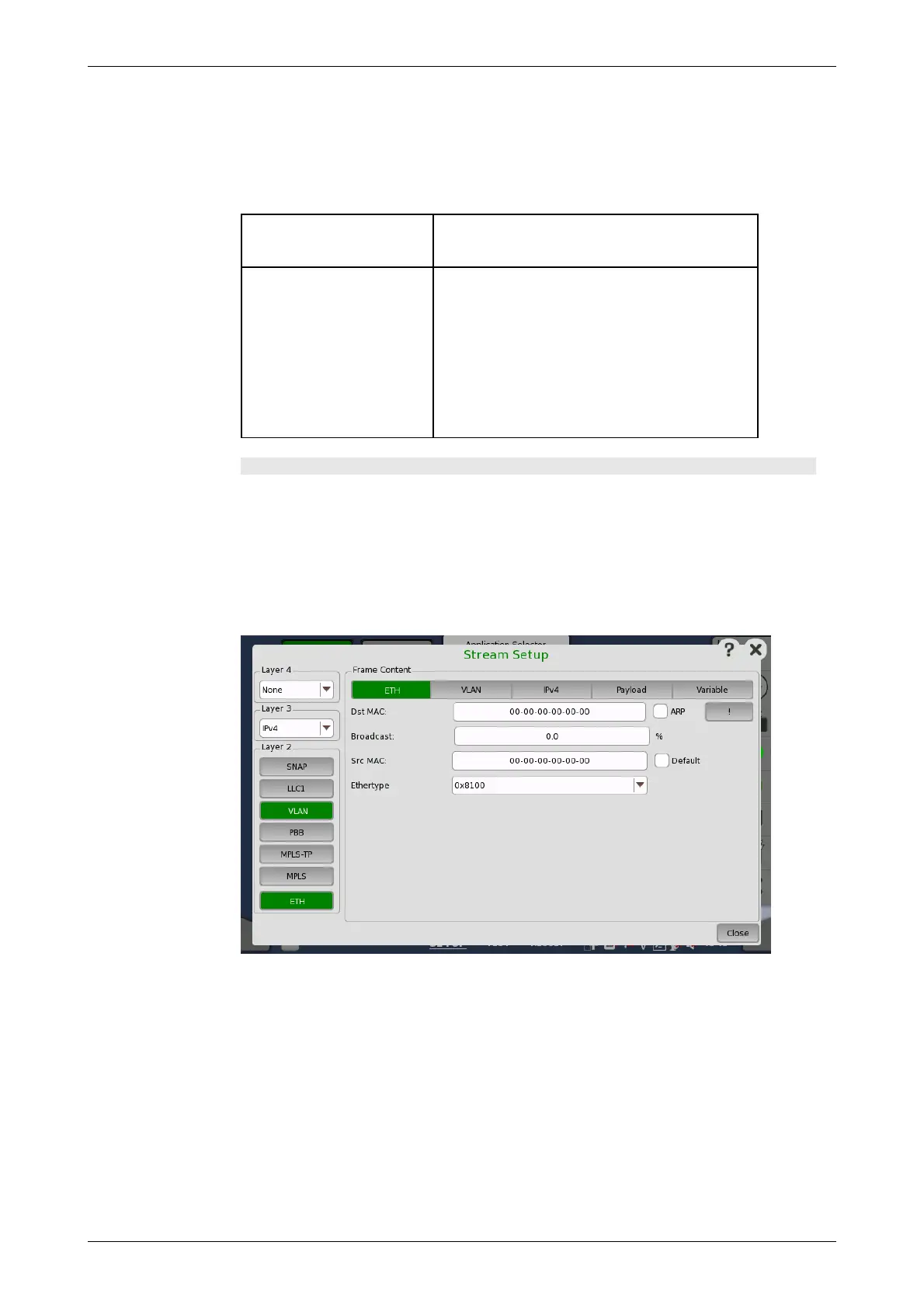
Stream Setup (detailed mode dialog box)
This dialog box provides you with the advanced options for configuring the
Ethernet frame content for a specific stream. Use the buttons in the following
figure to select the stream.
The buttons on the left-hand side of the dialog box allow you to select the
relevant layers. The current selection is shown at the top of the Frame
Content area. Touching one of the layer buttons in the Frame Content
area will display the setup parameters for that layer.
The layer buttons are arranged in order from bottom to top and from left to
right. The TCP/UDP protocols are the uppermost layer and Ethernet the
lowermost as depicted below compared to the OSI model.














 To Next Page