Unframed
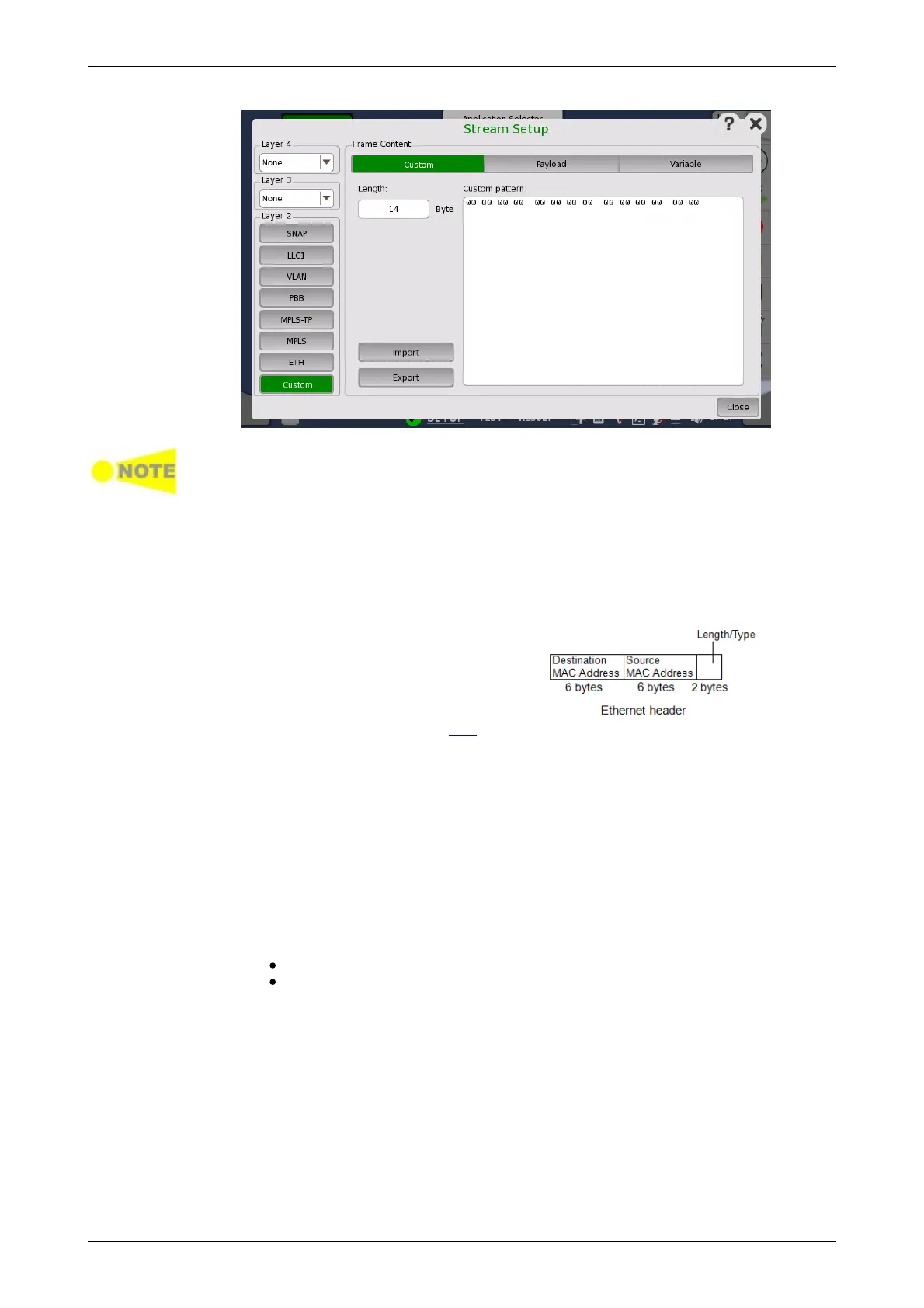
Custom appears for BERT application only.
Length
Touch the field to set header length in bytes. The bit pattern with the
specified length appears in the Custom pattern field.
Touching the Custom pattern field launches the Pattern Editor similar to
that of dialog box.
To add the header corresponding to
Ethernet header, enter 14 in Layer 2
Custom header.
To add the hader corresponding to IPv4
header , enter 20 in layer 3 Custom
header.
Be sure to set Ethertype in ETH layer.
Import
Touching this button launches the Import Custom Header dialog box.
Select the header file (*.txt), and touch Import button.
Export
Touching this button launches the Export Custom Headere dialog box.
Enter the file name and touch Export button.
Following operation on Steam Setup dialog box will display the parameter of
the unframed stream.The frames of Unframed stream do not contain MAC
header, but are consisted from the preamble and the payload pattern.
Touching the ETH button on green in Layer 2
Touching the Custom button on green in Layer 2














 To Next Page