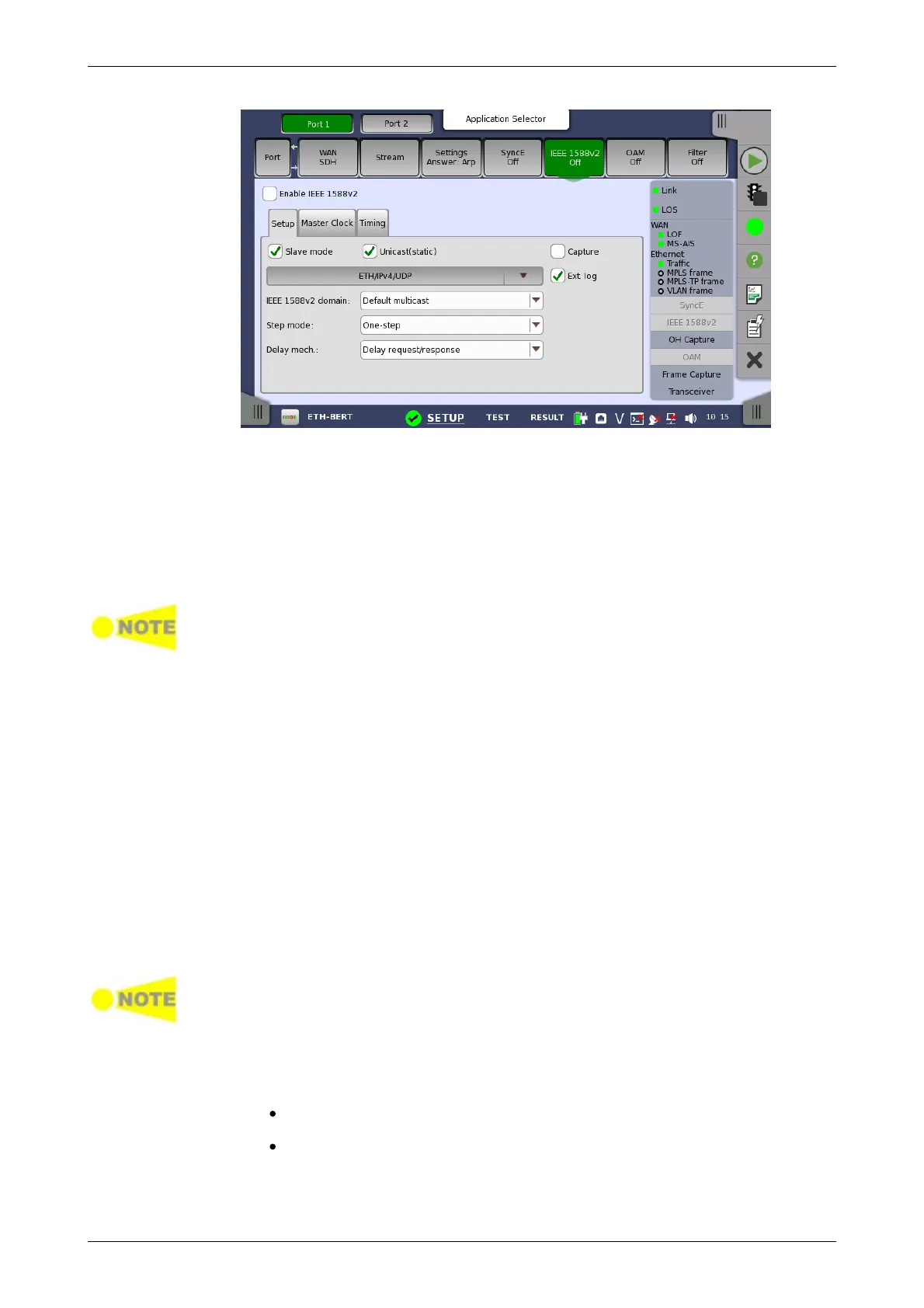
Slave mode
Used to specify that the port can only act as a slave clock. Used in both
multicast (normal) and unicast mode.
Unicast(static)
Used to enable the unicast profile. For domains 0 to 3 static unicast is
enabled. For domains 4 to 23 the Telecom Profile (ITU-T G.8265.1 IEEE 1588
v2 profile for telecommunication) is used.
If Slave mode is checked, the clock will always run as a slave in both normal and
unicast mode. If Slave mode is not checked in normal mode, the best master
clock algorithm is run and the result of this will determine if the Network Master
can become a grandmaster clock. In unicast mode, if the Slave mode is not
checked, the Network Master will become a grandmaster clock.
Capture
Used to capture the packets concerning IEEE 1588 v2 protocol. The captured
packet data are saved to file with extension "pcap" when the measurement
has ended. The destination folder of the captured data file is the same folder
where the measurement result file is saved.
Ext. Log
Used to record the external log. If you select this, the IEEE1588v2 Log
button appears in the navigation area of Test Result.
IEEE 1588v2 domain
Allows you to select between some predefined domains. Depending on other
settings different Multicast / unicast MAC and IP destination address will be
used. For multicast domains from 0 to 3 may be used, and for unicast
domains 4 to 23 may be used.
In multicast mode please review the attributes in the timing section when
changing the domain. Otherwise the best master algorithm may fail for all IEEE
1588v2 clocks in the domain.
Step mode
Allows you to choose between the two step modes: One-step and Two-
step.
One-step: The transmitted timestamp of a frame is inserted into the
frame itself.
Two-step: The timestamp is sent in a follow-up message.
Delay mech.














 To Next Page