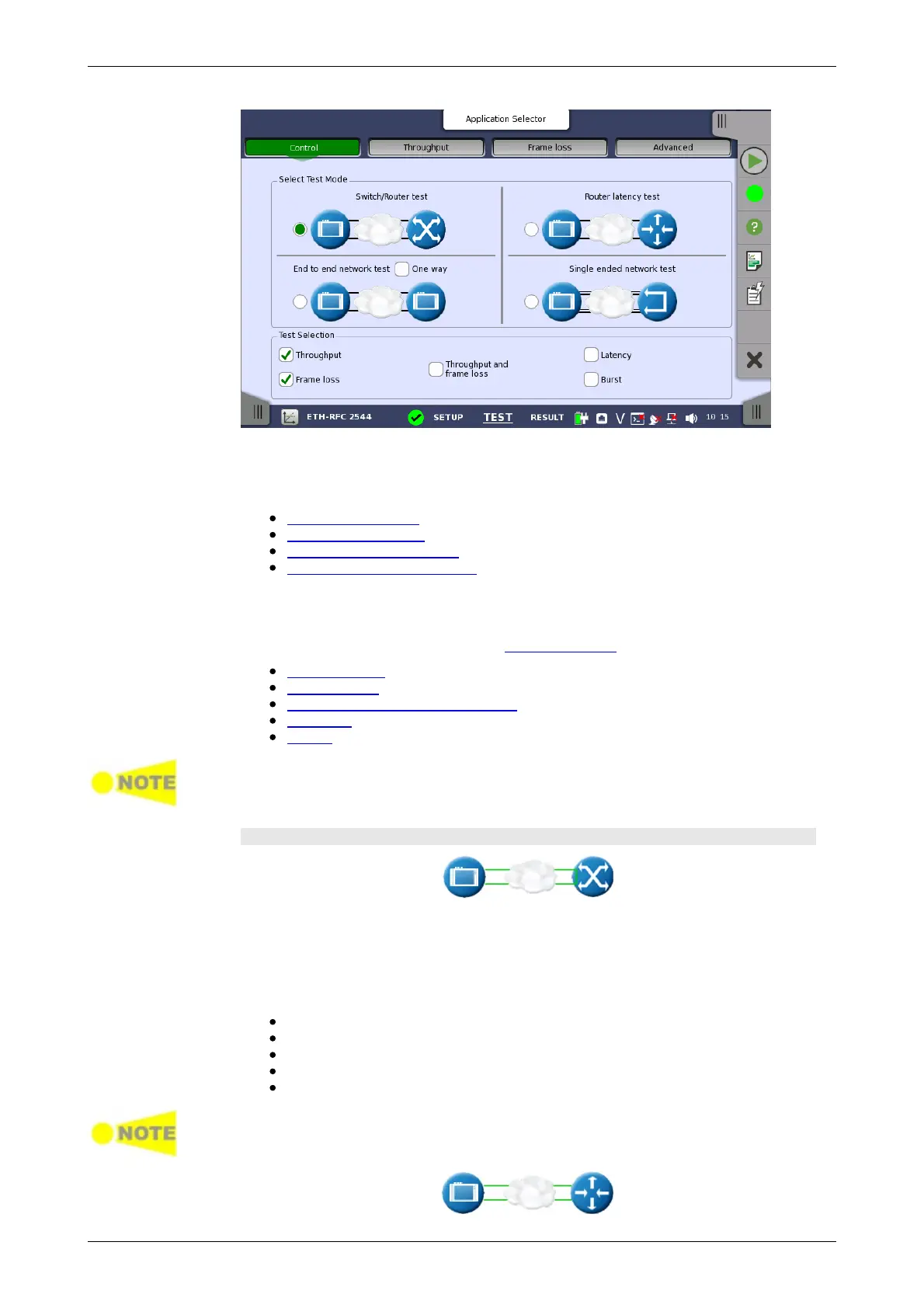
Select Test Mode
Test Selection
Switch/Router
test
Router latency
test
This screen allows you to specify your test mode and select which RFC 2544
tests to carry out.
4 different test modes are available:
Switch/Router test
Router latency test
End to end network test
Single ended network test
Select the test mode to define your test configuration. See the description of
the test modes below.
Select one or more of the following RFC 2544 tests:
Throughput
Frame loss
Throughput and frame Loss
Latency
Burst
For each test that you select, a separate test setup screen will become available,
containing the relevant setup parameters for that test. Similarly, the test results
will include only the tests that you have selected in 'Test Selection'.
Test Mode Descriptions
In this test mode one instrument is able to test, e.g. the data link layer of a
switch or router. Both ports must be active and linked in this mode, with port
2 in follow port 1 mode. IP and MAC-addresses must be swapped, ensuring
that the switch will forward frames from port 1 to port 2 and vice versa.
Testing in this mode
Throughput test
Frame Loss test
Throughput and Frame Loss test
Latency test
Burst test
Both ports must be activated in order to perform the Switch/Router test.
You cannot select 'Throughput and Frame Loss' and 'Throughput' / 'Frame Loss'
at the same time.














 To Next Page