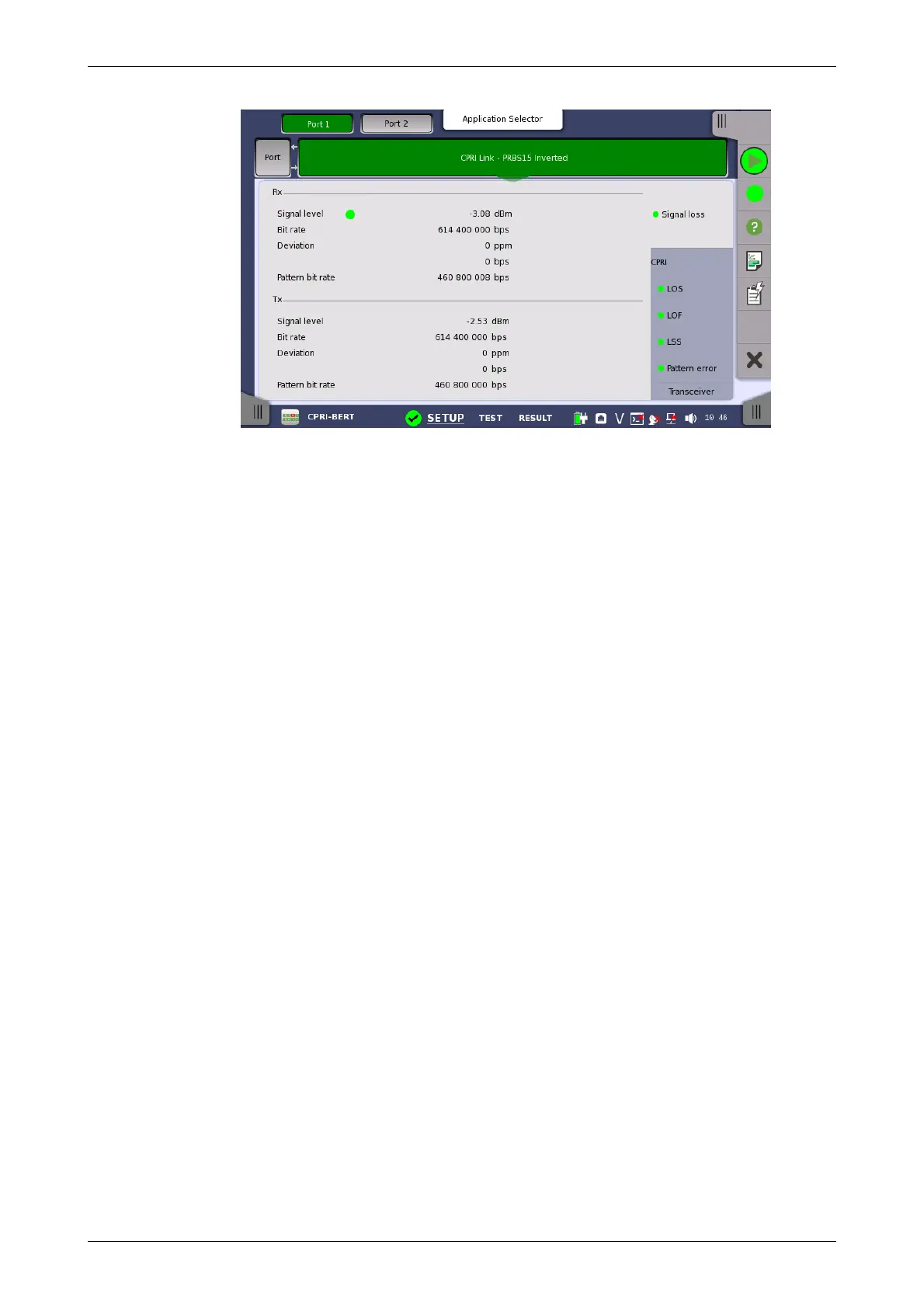
This screen presents information about the current state of the link.
Rx signal level
Shows the optical signal level in dBm. If the optical signal detection failed, a
red indicator appears on the right.
Rx Bit rate
Shows the actual bit rate of the receiver (in bps).
Deviation
Shows the deviation from the relevant nominal bit rate.
Rx Pattern bit rate
Shows the bit rate of the pattern in received frames (in bps).
Tx signal level
Shows the output power of the optical transmitter.
Tx Bit rate
Shows the actual bit rate of the transmitter (in bps).
Deviation
Shows the deviation from the relevant nominal bit rate.
Tx Pattern bit rate
The bit rate of the pattern in transmitted frames (in bps).
8.1.3.3 Alarms and Errors
Touching the lower summary box in the status area of the Ports Setup
screen displays the status shown below.














 To Next Page