Statistics
Category
Transport
Pattern
Pattern Error
Insertion
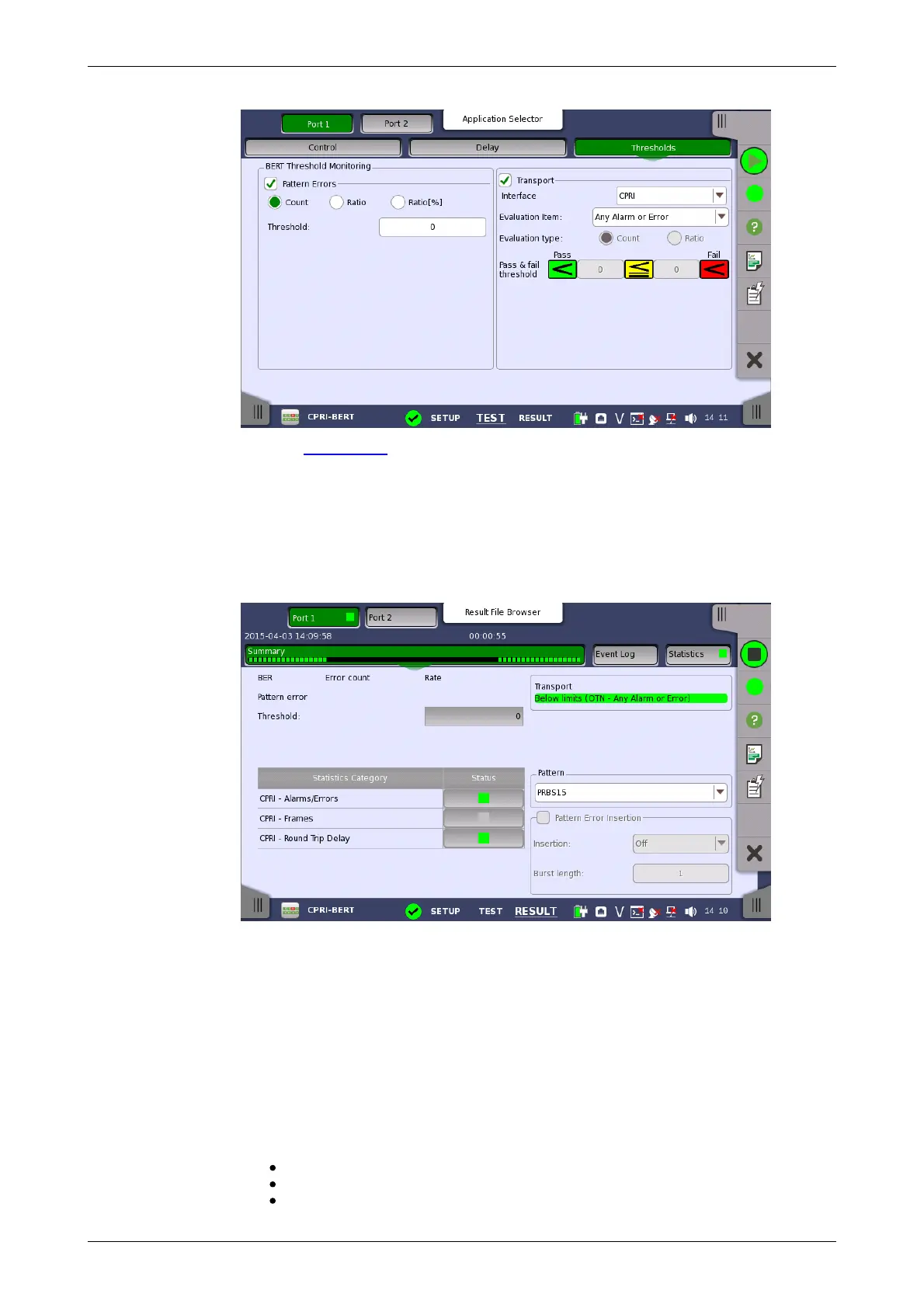
Refer to Thresholds of BERT section in "SDH/SONET/PDH/DSn Applications".
8.2.3 Test Results
8.2.3.1 Summary
When you go to the test results of the CPRI/OBSAI BERT application, the
following screen is displayed.
This screen contains a summary of OTN/CPRI/OBSAI BERT results.
The lamp icon in Status column shows the Pass or Fail results for each
category. Touching the Status column displays the statistics results.
Displays the results of Transport test. This result appears if 'Transport' check
box is selected in the Test Setup screen.
Select the pattern.
Select the checkbox to enable the pattern error insertion.
Insertion
Select the timing of the error insertion from the drop-down menu.
Off: Stops the error insertion.
Manual
1E-04 to 1E-09














 To Next Page