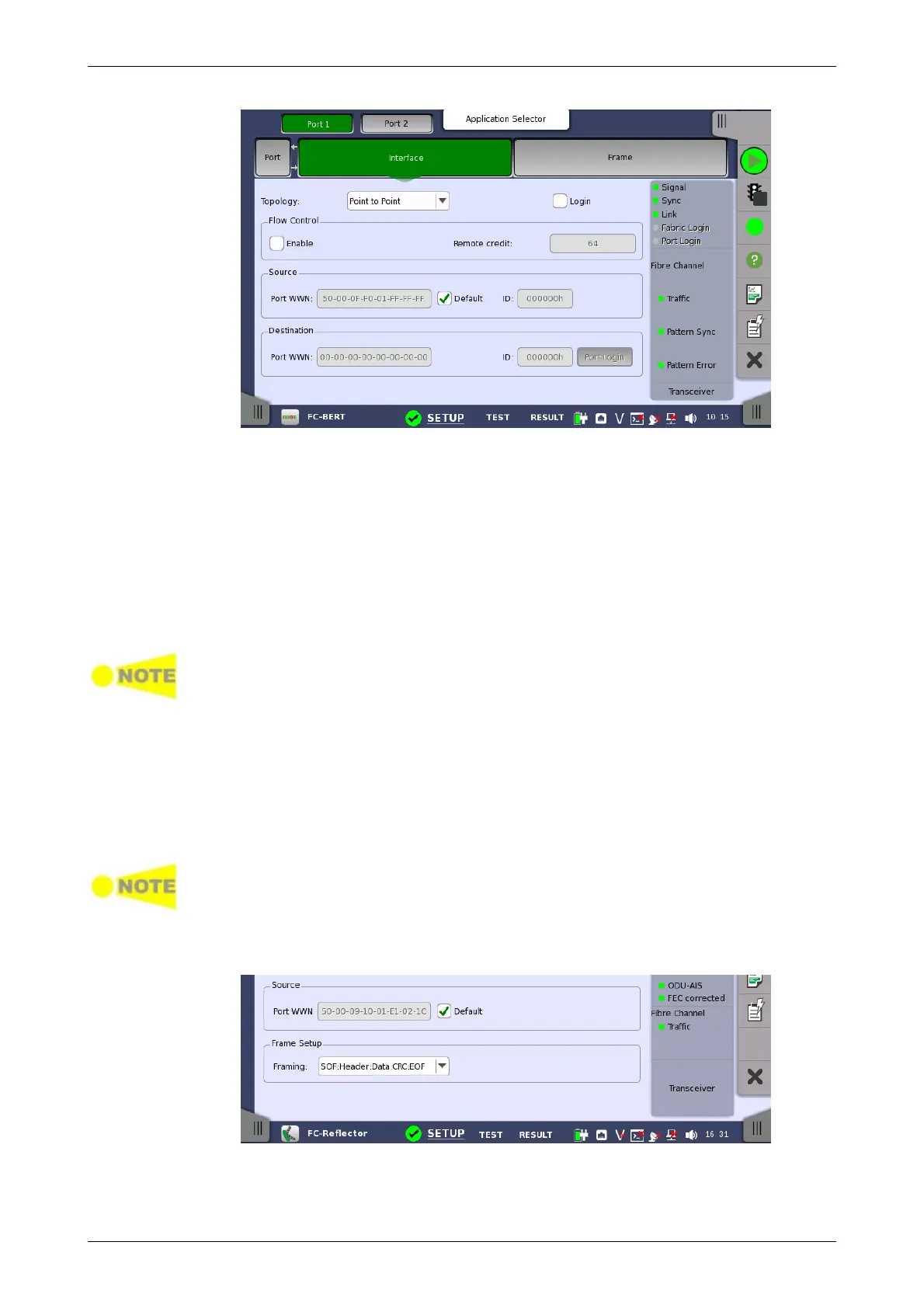
Topology
Flow Control
Source
Destination
Frame Setup
Point to Point is the point to point connection. Select the Login check box
to establish the connection. For FC Reflector, selecting the Login check box
requires peer to do an actual login.
Fabric is the connection using fibre channel switch. Touch Fabric Login
button to access to the fabric login server.
Select the Enable check box to allow the flow control when 'Topology' is set
to Point to Point.
If you are not logged in, touch Remote credit field to set the buffer size of
the flow control.
The field name changes to Local credit when you login.
Even if a sufficient number of credits are set, the phenomena that transmitting
rate does not reach 100% may occur when the traffic is being received.
When selecting the Default check box, Port WWN (World Wide Number) will
be set automatically. When 'Topology' is set to Point to Point, set the
Source Identifier in the frame header by touching the ID field.
Set the destination Port WWN. When 'Topology' is set to Point to Point,
set the Destination Identifier in the frame header by touching the ID field.
Touch the Port Login button to establish the connection with the
destination.
Destination setting is not used in FC Reflector.
Set the Framing type of frames to reflect. Using Point to Point with login
or Fabric requires a header in the frames.














 To Next Page