Configuring the ECN330-switch
270 1553-KDU 137 365 Uen D 2006-06-16
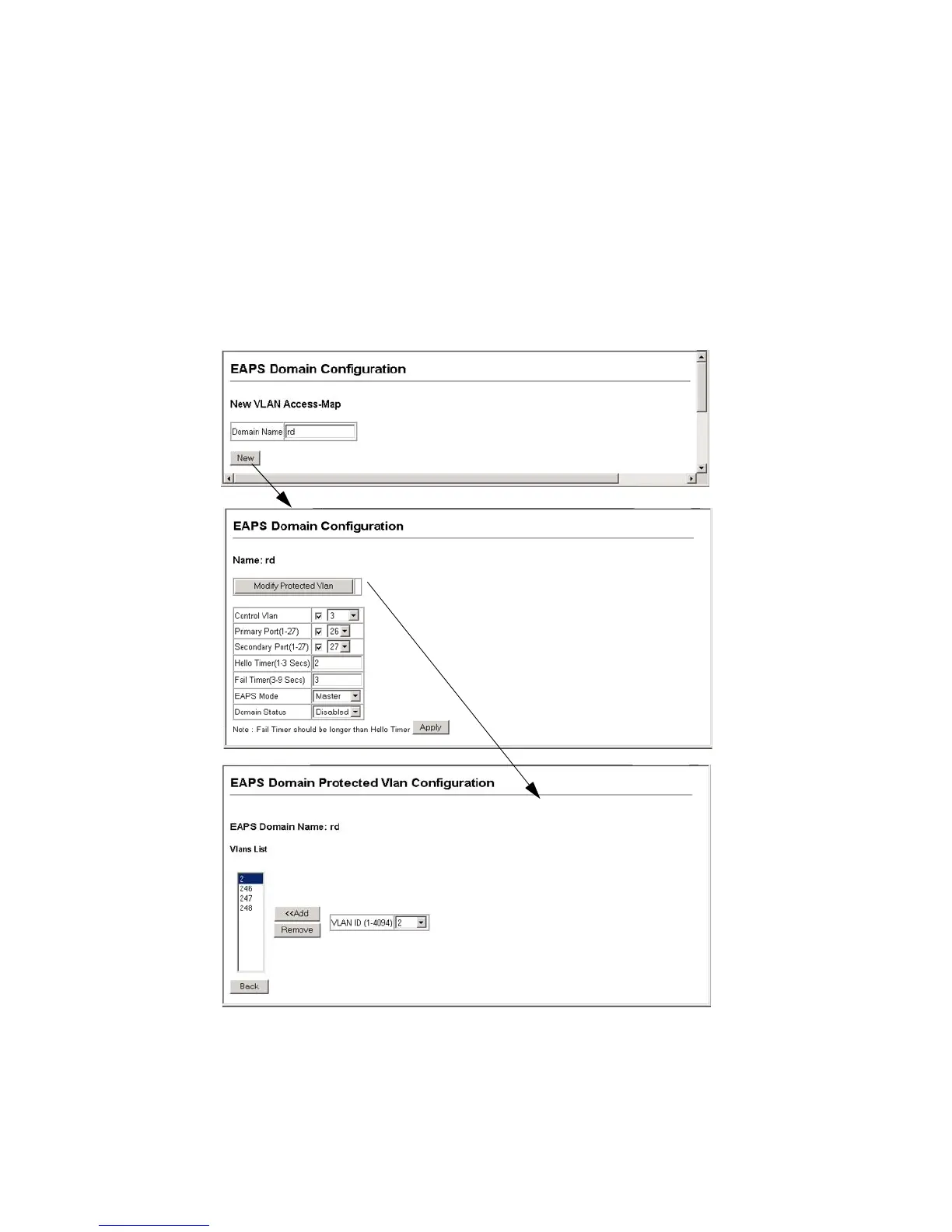
Web – Click EAPS, Domain Configuration. Enter a domain name, and click New
to open the EAPS Domain Configuration page. Configure the EAPS parameters
for this node, including the control VLAN, the primary and secondary ports, the
timers, EAPS node type, and domain status, and click Apply. Then click the
"Modify Protected VLAN" button to open the EAPS Domain Protected VLAN
Configuration page, select the protected VLANs, and click Apply.
Figure 105 Configuring EAPS Domains



 To Next Page