1054 Matrix ETERNITY NE System Manual
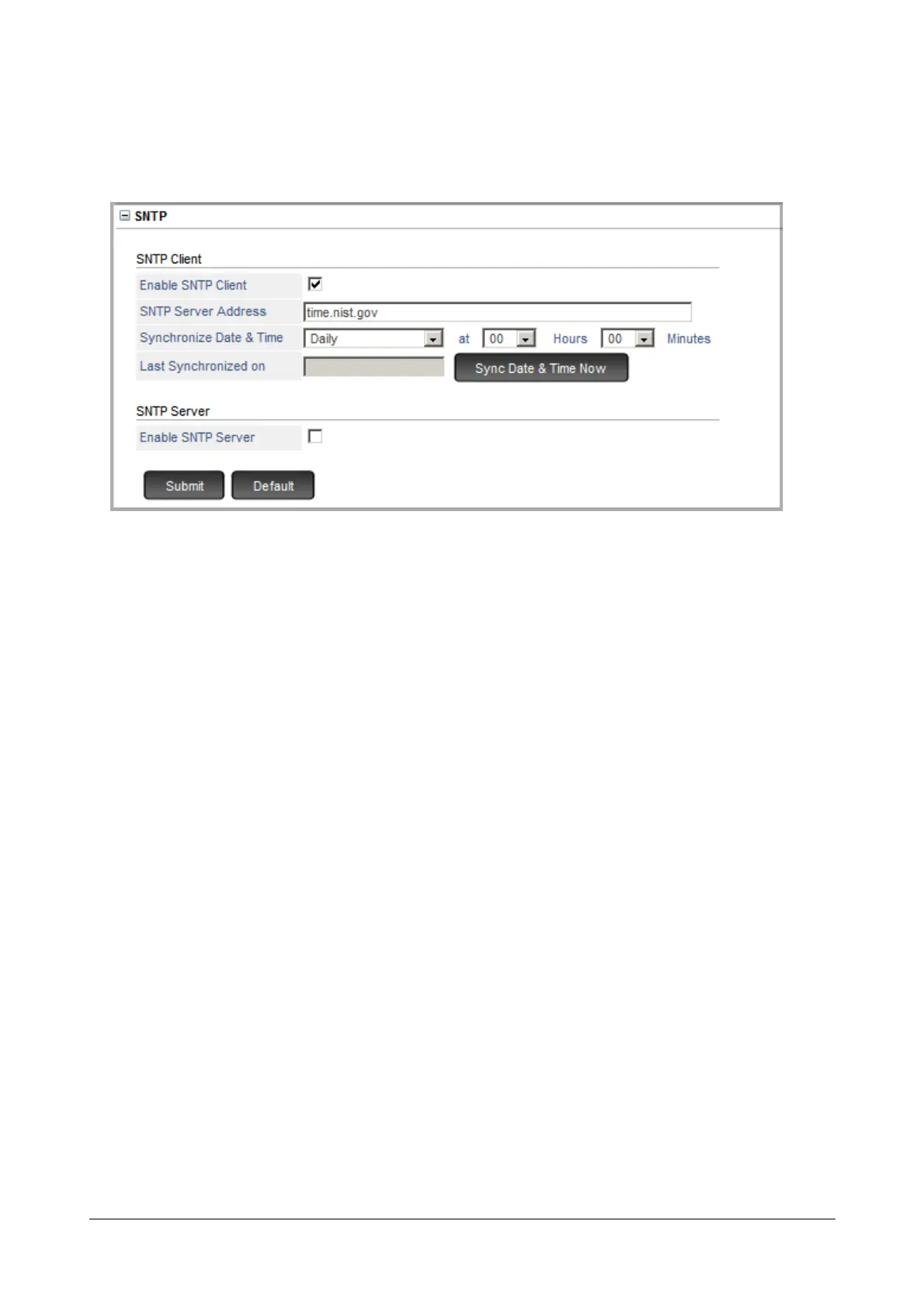
SNTP Client
• Configure the following parameters:
• Enable SNTP Client: When this check box is enabled, SARVAM UCS behaves as SNTP Client. This
parameter enables you to synchronize RTC of system with the SNTP server in the external network.
Default: Enabled.
• SNTP Server Address: Enter the SNTP Server Address. SNTP Server address can be of maximum
64 characters. Default: time.nist.gov
• Synchronize Date and Time: You can Synchronize Date and Time with the SNTP Server on daily or
weekly basis. If you select weekly, the system will sync the date and time with the SNTP Server on
every Monday. Select the desired option as per your requirement. Default: Daily.
• Last Synchronized On: This field displays the time when the system last synchronized with the SNTP
server.
• Sync Date and Time Now: Click this button to synchronize date and time of SARVAM UCS with the
SNTP server, whenever required.
SNTP Server
• Configure the following parameters:



 To Next Page