Matrix ETERNITY NE System Manual 107
Extension and Feature Codes
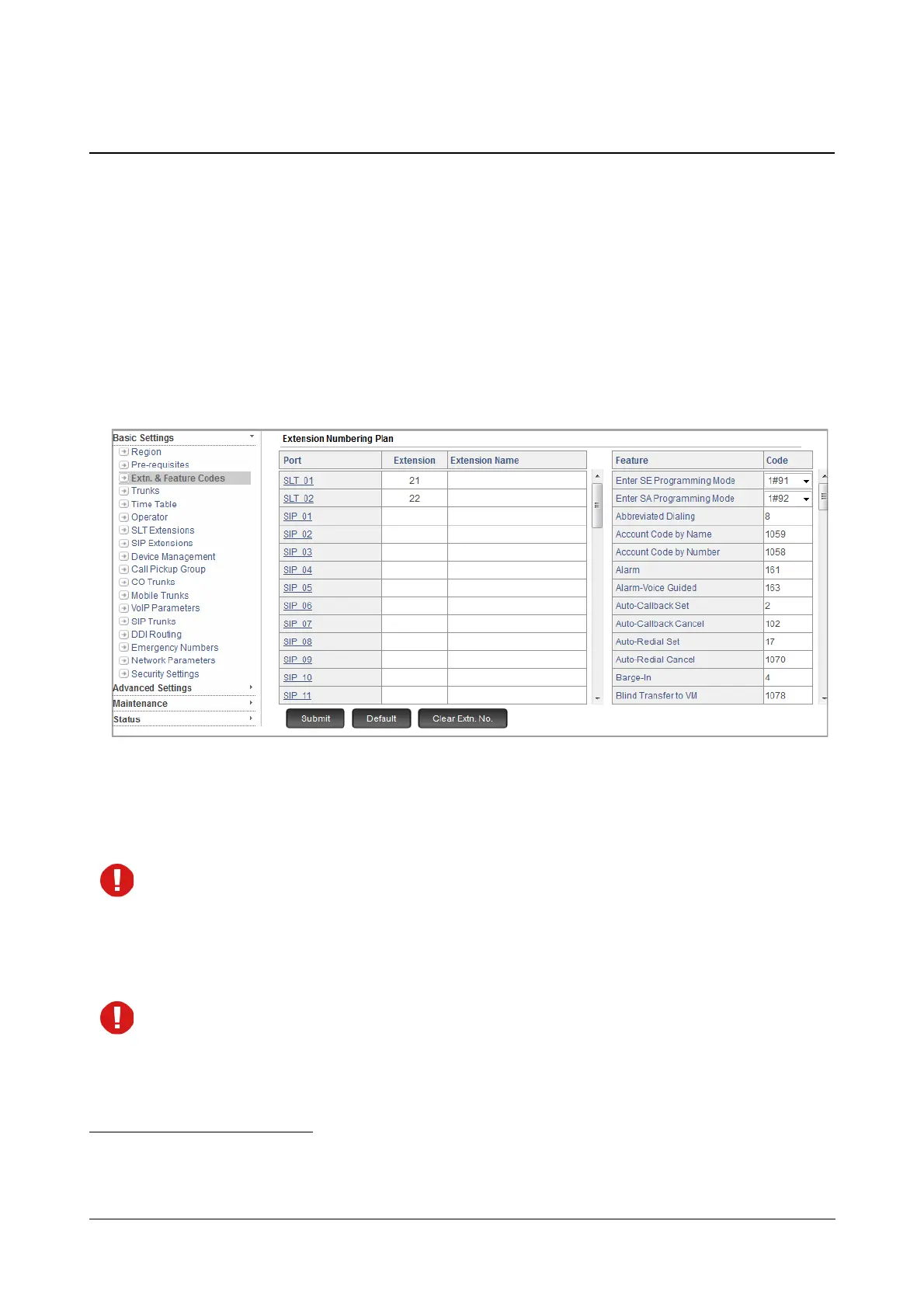
The default Extension Numbers and Feature Access Codes
13
appear on this page.
SARVAM UCS assigns default extension numbers to the extension port types:
• 21- 22 to SLT port number 01 to 02, depending on the model
14
.
• By default, the Extension Numbers of SIP extensions are blank.
The default Feature Access Codes that appear on this page are country-dependent.
To configure,
• Click Extn. & Feature Codes.
• You may re-assign extension numbers to SLT and SIP Extensions.
• The length of the extension number may be 6 digits. The digits 0 to 9, # and * are allowed. ('*' and '#'
can be used only as the first digit.)
When you change the extension numbers, make sure that they do not clash with any other Feature Access
Codes in the dialing phase (codes starting with 1, 9, etc.). To know more, refer the “Access Codes” and
“Conflict Dialing”.
Each time there is a conflict of access codes, you will get an alert message prompting you to resolve the
conflicting numbers. You must resolve the conflict first.
If you want to change the Feature Access Code that is conflicting with the extension number you have
assigned, you can do so on this page.
• Assign names to extensions. Extension names may consist of a maximum of 18 characters.
13. Feature access codes are short digit codes used to invoke a feature or function. See “Access Codes”.
14. Here, the model type is ETERNITY NENXIP50. For ETERNITY NENX312 and ETERNITY NENX416, refer to “Technical Specifica-
tions of ETERNITY NENX”.



 To Next Page