484 Matrix ETERNITY NE System Manual
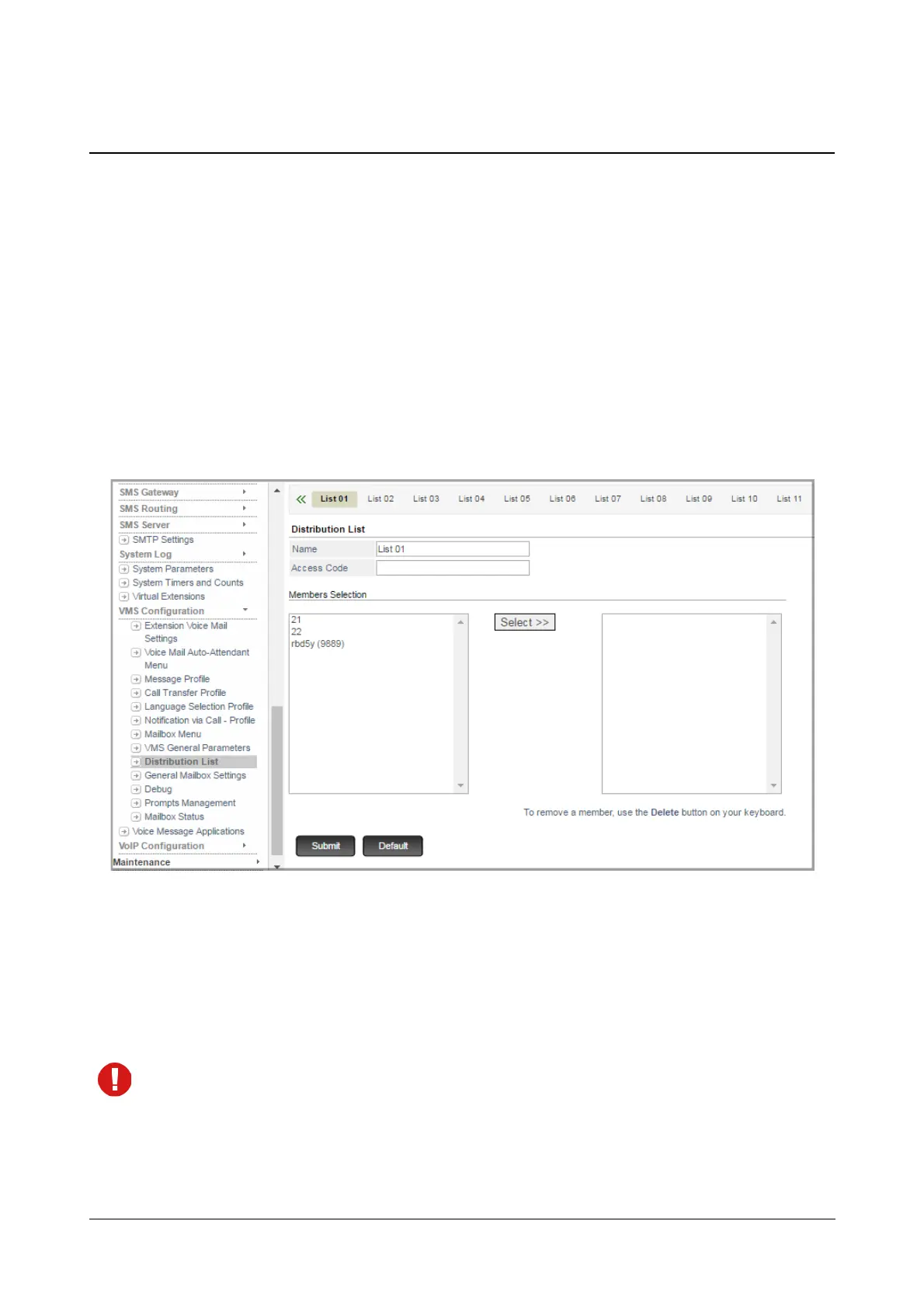
Distribution List
A Distribution List enables extension users to send the same message to a group of extensions at the same time.
Any extension with a mailbox can be included in a Distribution List. You can create 30 Distribution Lists of 50
members each.
How to configure
To configure Distribution List using Jeeves,
• Login as System Engineer.
• Under Advanced Settings, click VMS Configuration.
• Click Distribution List.
You may add a new list, edit the default list or delete a Distribution List.
To add a new List,
• Click Add New List. A new List xx will be created. You may now configure this as per your requirement.
To delete a list, click Delete.
The default Distribution List cannot be deleted.



 To Next Page