Matrix ETERNITY NE System Manual 1263
System Debug
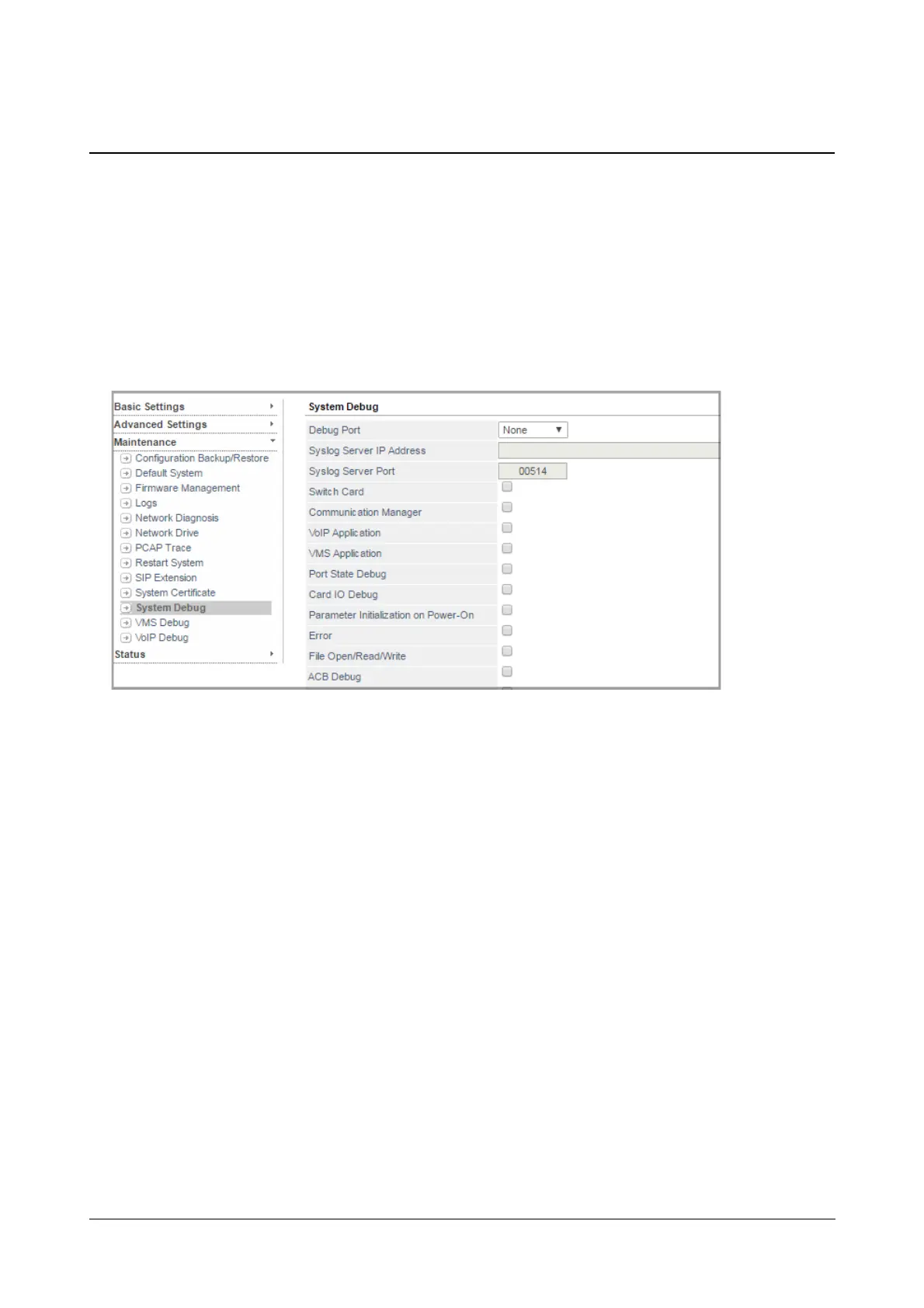
You can monitor the state of ports and IO operations for troubleshooting and identifying faults and errors
using System Debug. SARVAM UCS supports Syslog Client for debugging. Debug messages are sent to the
remote Syslog Server.
How to configure
• Login as System Engineer.
• Under Maintenance, click System Debug.
Debug Settings
• Select the Debug Port to which you want to send the debug. Default: Ethernet.
•In Syslog Server IP Address and Port, enter the desired server address. and server port number.
Default: port number 514.
• Now, select the respective check box of the events/processes you want to debug:
•Switch card
• Communication Manager
• VoIP Application
• VMS Application
• Port State Debug
• Card IO Debug
• Parameter Initialization on Power-On
• Error
• File Open/Read/Write
• ACB Debug
• Maturity/AOC Debug
• Auto-upgradation/RCOC Debug
• WebJeeves



 To Next Page