780 Matrix ETERNITY NE System Manual
Customer Name
Customer Name is the name of the organization/enterprise that has deployed SARVAM UCS. As the User, you can
program the name of your company/organization in the system.
When Customer Name is programmed in the system, this name will appear as header on the various System
Reports generated and printed by the SARVAM UCS like SMDR Incoming, Outgoing and Internal Call Reports,
Alarm Status reports, etc.
The Customer Name may consist of a maximum of 80 alphanumeric characters, including punctuation marks. So,
you can add a contact address to the Customer Name.
How to configure
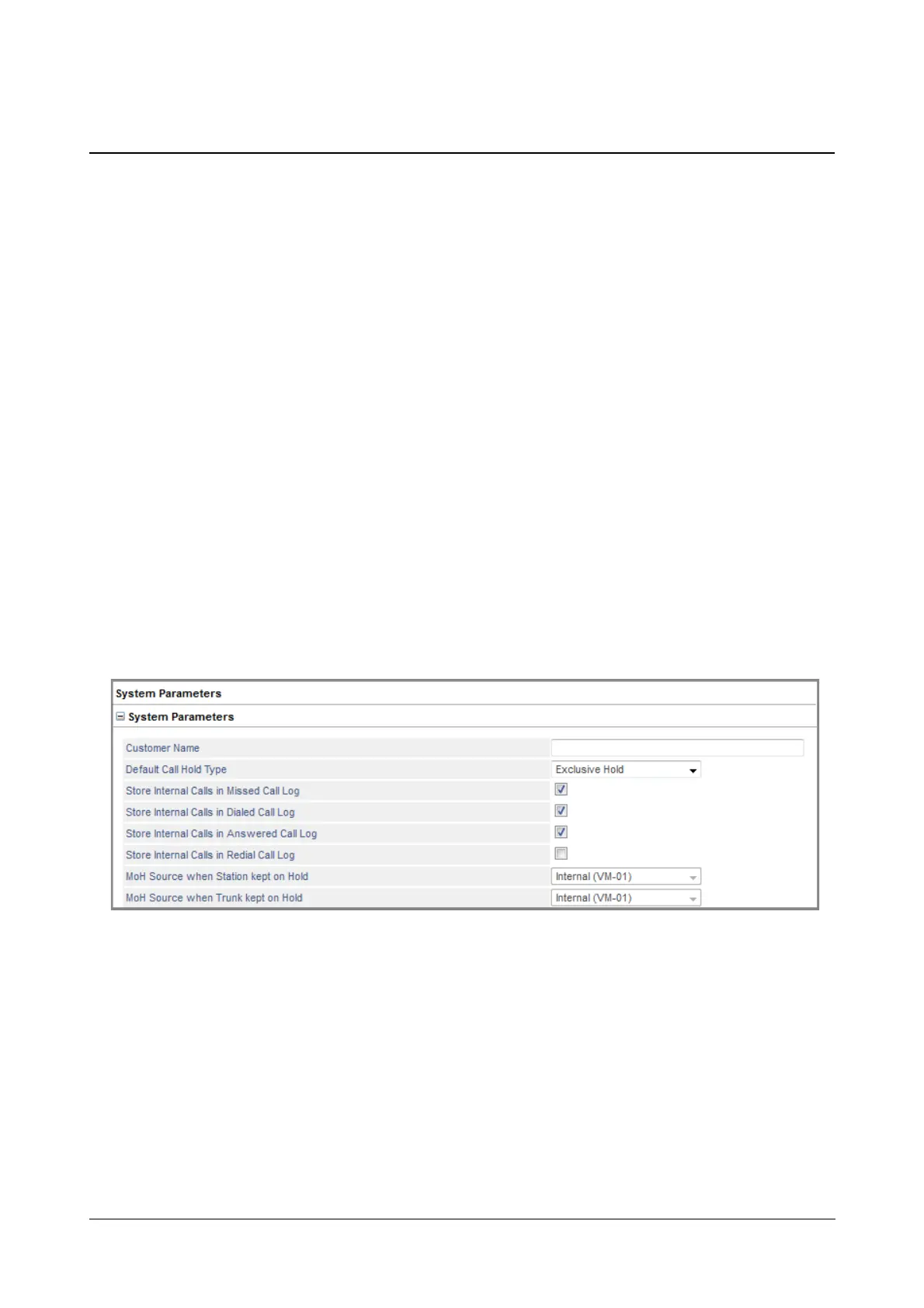
Customer Name can be programmed at the time of installation on the “Pre-requisites” page under Basic Settings,
or any time thereafter on the “System Parameters” page under Advanced Settings.
You can also change or correct the Customer Name you have assigned any time.
If you have not assigned the customer Name to the system,
• Login as System Engineer.
• Under Advanced Settings, click System Parameters
• Click System Parameters to expand.
• Under General Parameters, enter the name (and address, if desired) of the organization/enterprise in
Customer Name. For example: Prudent Investment, 701 Sunshine Boulevard, Bangalore.
• Click Submit.



 To Next Page