Matrix ETERNITY NE System Manual 1027
Real Time Clock (RTC)
Various features and facilities supported by SARVAM UCS, such as Alarms, Station Message Detail Records,
System Activity Log, Time Zones, Daylight Savings, certain Voice mail features need the correct time and date for
their proper functioning.
SARVAM UCS has a built-in Real Time Clock (RTC) circuit that maintains date and time. When you select Region,
the RTC is automatically set to the current date and time of the country/region where SARVAM is installed.
Since the RTC circuit may drift over a period, it is recommended that you check and reset RTC values at least once
every month to correct this drift. The RTC of SARVAM UCS takes care of leap years.
How to Configure
• Login as System Engineer.
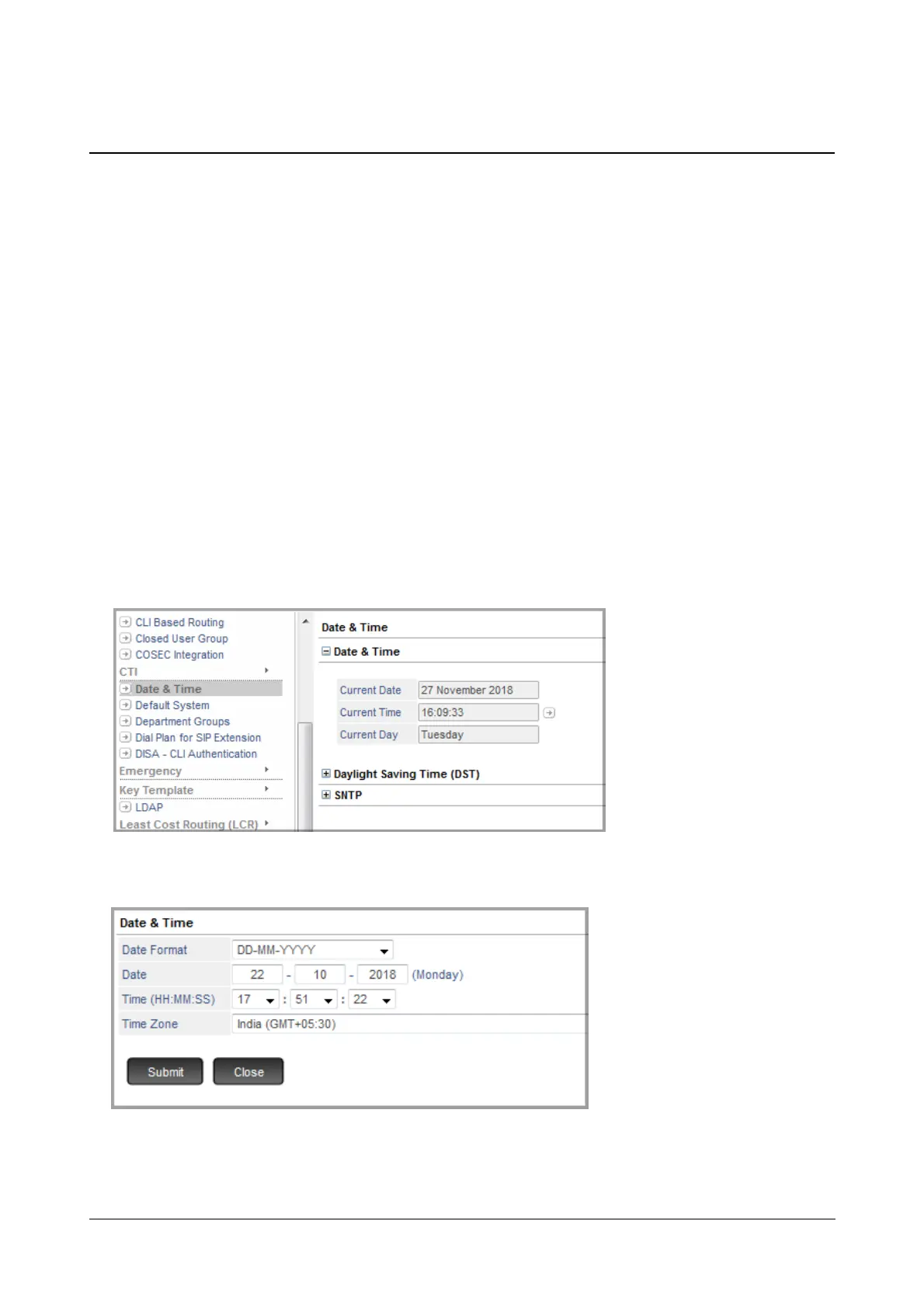
• Under Advanced Settings, click Date & Time.
The Date & Time page opens.
• Click Date and Time to expand.
• Click the Settings icon and set the following parameters to the desired values:
• Date Format: Select the format to display the Date as DD-MM-YYYY or MM-DD-YYYY.
• Date: Enter the current Date in DD-MM-YYYY format.



 To Next Page