224 Matrix ETERNITY NE System Manual
VARTA License Management
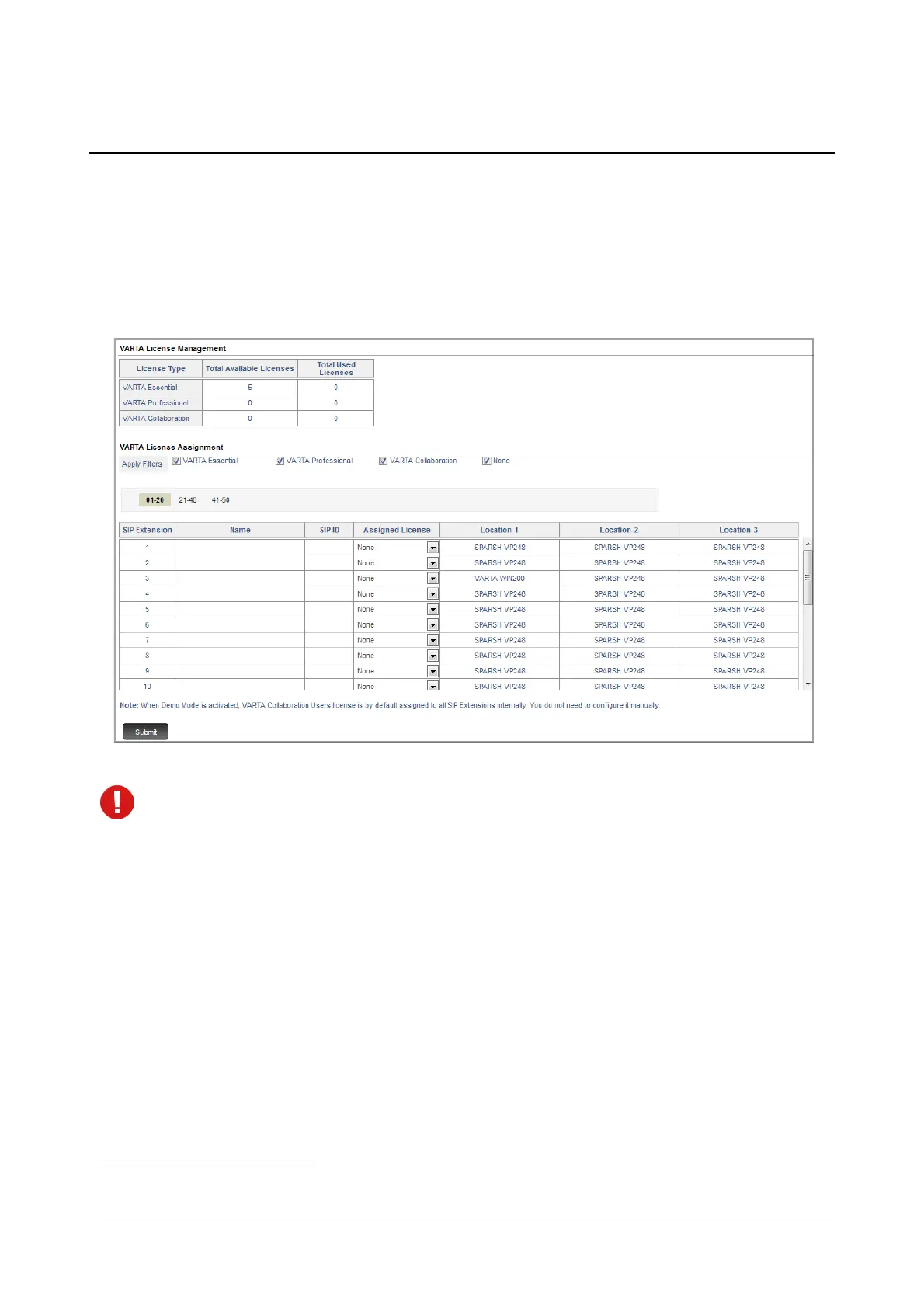
To view the VARTA License Status and to assign licenses to SIP Extensions,
• Login as System Engineer.
• Under Advanced Settings, click the VoIP Configuration link.
• Click VARTA License Management.
When Demo Mode is activated, VARTA Collaboration license is assigned to all the SIP Extensions
46
internally. You do not need to configure it manually.
VARTA License Management
The following information will be displayed for the license you activated (VARTA Essential/Professional/
Collaboration).
• License Type: This displays the name of the licenses — Essential, Professional or Collaboration.
• Total Available Licenses: This displays the total number of licenses activated.
• Total Used Licenses: This displays the total number of VARTA users registered as SIP extensions.
46. Applicable for ETERNITY NENXIP50.



 To Next Page