Matrix ETERNITY NE System Manual 1053
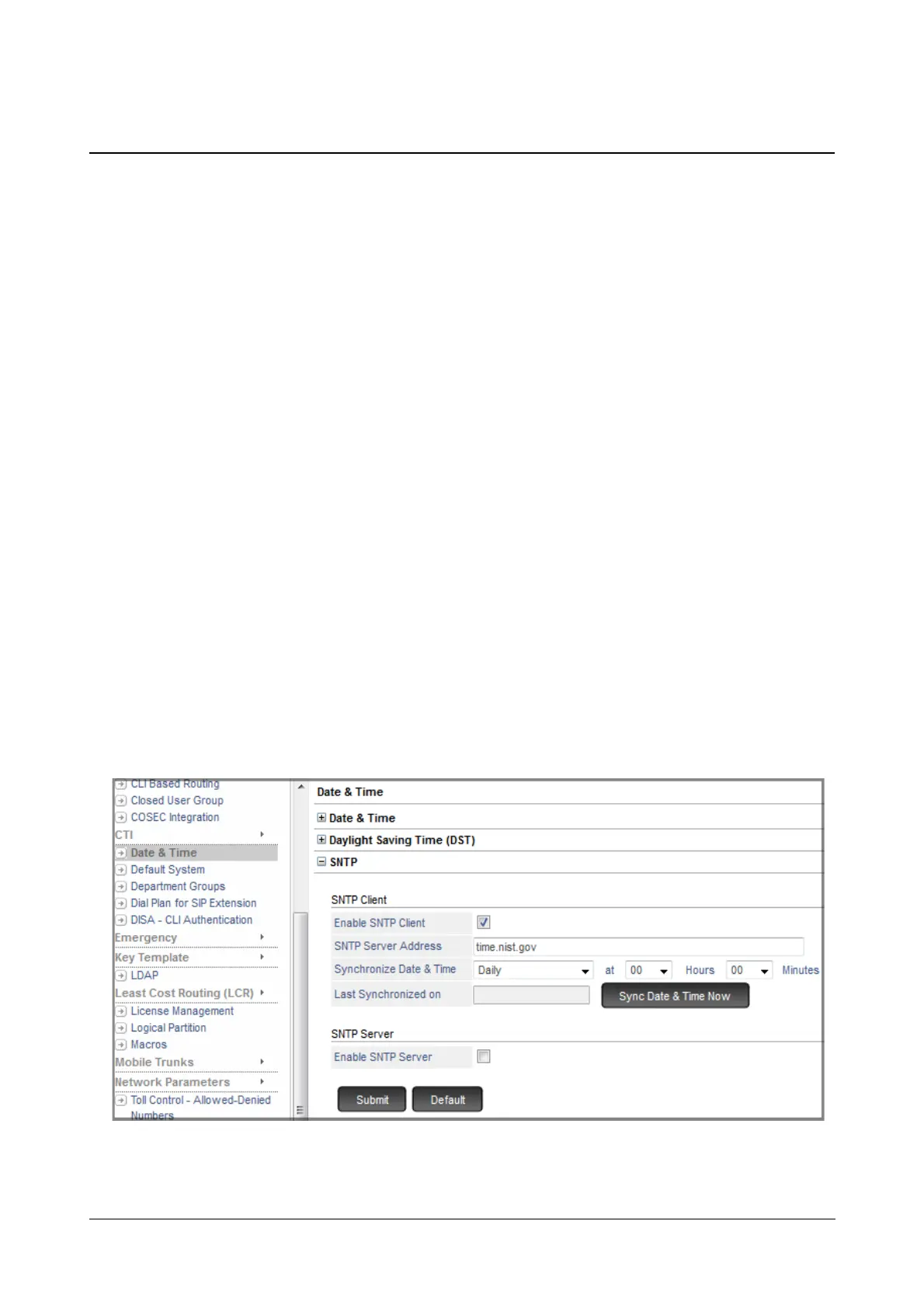
Simple Network Time Protocol - SNTP
SNTP is a protocol used to synchronize the clocks to some time reference. SARVAM UCS supports both, SNTP
Client as well as SNTP Server.
SNTP Client
SARVAM UCS has its own Real Time Clock (RTC) to store date and time. When you select the Region, the RTC
parameters are set automatically.
However, the RTC can drift over a long period. So, you may check and reset the RTC values at regular intervals to
correct this drift. You can set the RTC manually (see “Real Time Clock (RTC)”) or synchronize it with any SNTP
Server in the Public Network. To synchronize time with the SNTP Server SARVAM UCS supports SNTP Client.
SNTP Server
SARVAM UCS supports IP Phones and these phones have SNTP Clients so that they can synchronize their clock
with a SNTP Server.
These SNTP Clients in the phones can synchronize their clock with the SNTP Server on the public network only if
Internet is available in the network. Hence, to overcome this SARVAM UCS also supports an SNTP Server with
which the SNTP Clients can synchronize their time without internet connectivity.
How to configure
• Login as System Engineer.
• Under Advanced Settings, click Date and Time.
• Click SNTP to expand.



 To Next Page