1266 Matrix ETERNITY NE System Manual
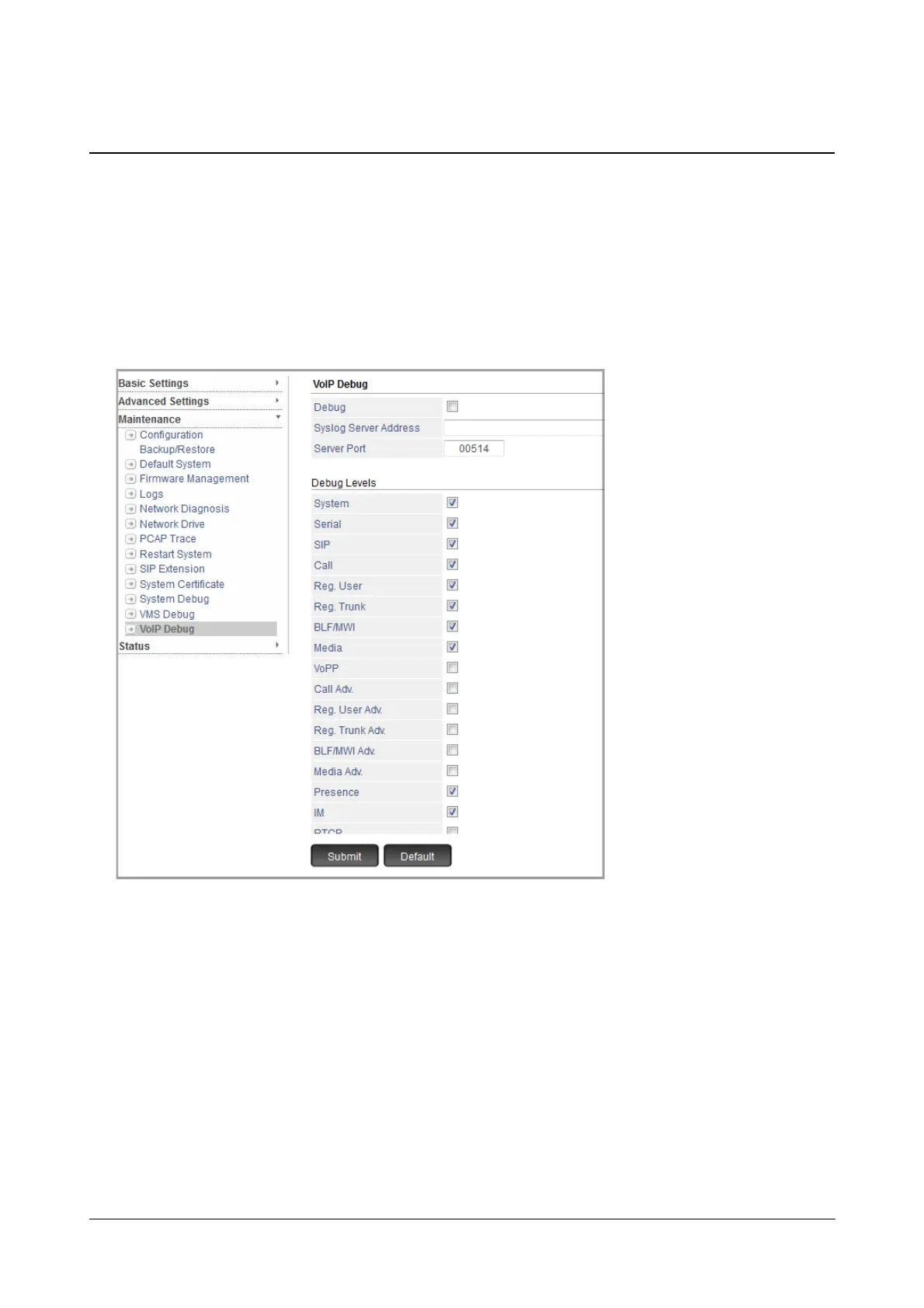
VoIP Debug
SARVAM UCS supports a feature by which SE can view the VoIP debugs on the server over IP network. This is
done by 'Syslog Client' in SARVAM UCS which supports multiple debug levels.
How to configure
• Login as System Engineer.
• Under Maintenance, click VoIP Debug.
• Select the Debug check box to enable.
• Configure Syslog Server Address and Server Port.
Both IPv4 and IPv6 addresses are supported. By default, the Port is 514. Valid range of the port is from
1025 to 65535 and 514.
• Now, select the desired Debug Levels check box to enable:
• System
•Serial
•SIP
•Call
• Reg.User (Registered User)
• Reg. Trunk (Registered Trunk)



 To Next Page