26 Matrix ETERNITY NE System Manual
Connecting to Mobile Networks
The Mobile interface is optional in the ETERNITY NENX. The Mobile Port connects ETERNITY NENX to the GSM/
UMTS/LTE network. It routes calls made and received over mobile networks, like a mobile handset
2
.
The Mobile Port does not support Fax and network supported services, except CLIR and USSD.
The Mobile Port1 of ETERNITY NENX can also be used as the WWAN Interface to connect the system to
the Internet.
Installing the GSM/UMTS/LTE Module
• Unpack the GSM/UMTS/LTE Module and verify package contents.
The 4G module will be supported only with PCB V3R1 onwards with CPLD version V3R2 or later.
• Make sure power supply is turned off before you begin installation.
• Unscrew and remove the top cover of the enclosure. Keep the screws and the cover aside.
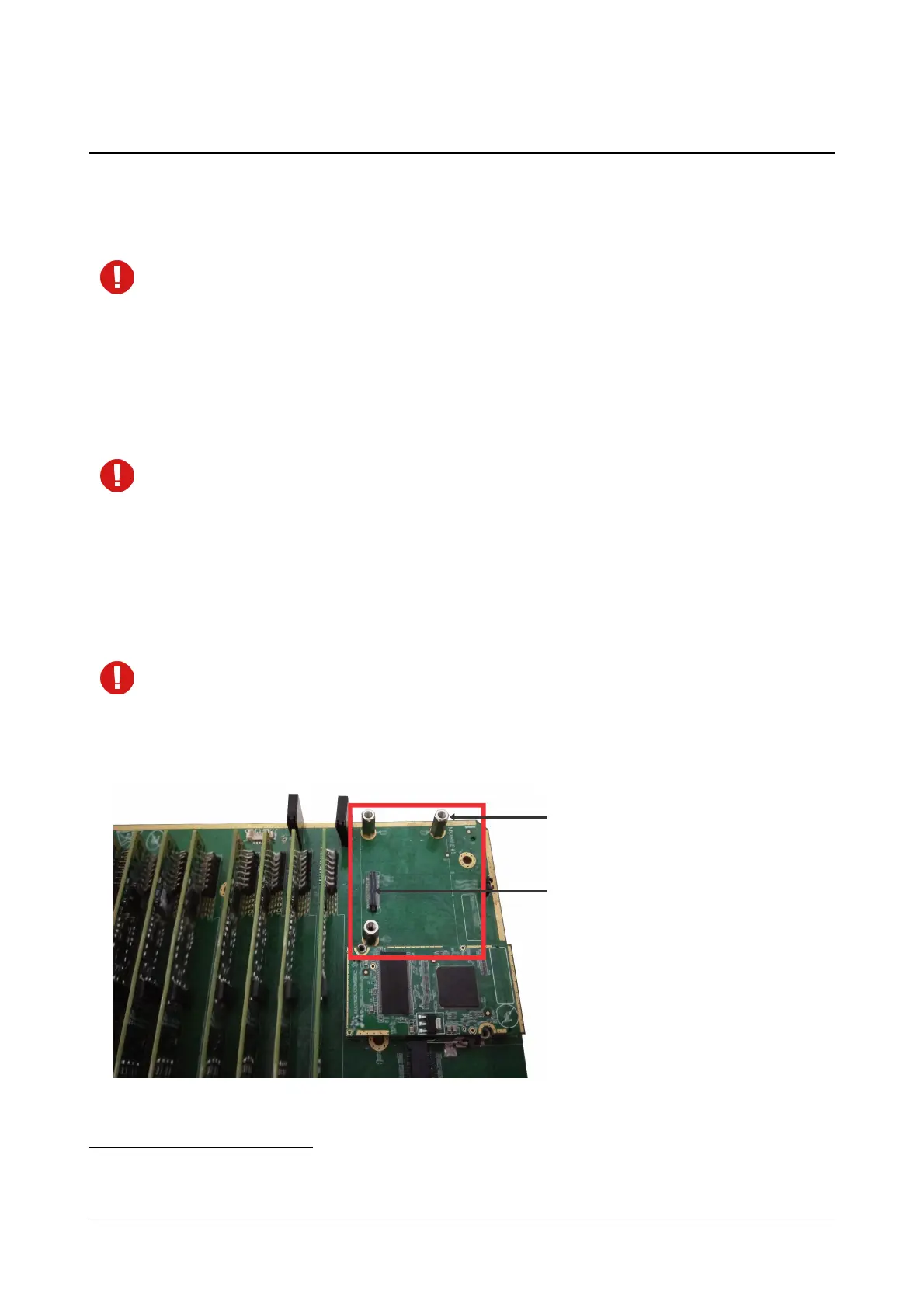
• Select the Mobile Port for which you want to install the GSM/UMTS/LTE module on the mainboard. Locate
the studs for GSM/UMTS/LTE module on the mainboard to install the GSM/UMTS/LTE module.
If you want to use Internet for SIP services, you must install 3G or 4G module in Mobile Port1 slot. Whether
you install 2G or 3G or 4G module in Mobile Port2 slot, it will be used only for voice calls.
• Gently seat the GSM/UMTS/LTE module on the studs on the mainboard. The connector pins on the
module must make complete contact with those on the mainboard. Do not apply pressure.
• When the module is seated firmly on the studs on the mainboard, secure the module with the screws.
2. Just like mobile handsets, each Mobile Port has a unique IMEI (International Mobile Equipment Identity) number, pasted on the
mobile engine.
Studs for GSM/UMTS/LTE
Module on mainboard
Connector Pins for
GSM/UMTS/LTE module
on mainboard



 To Next Page