Matrix ETERNITY NE System Manual 445
Call Transfer Profile
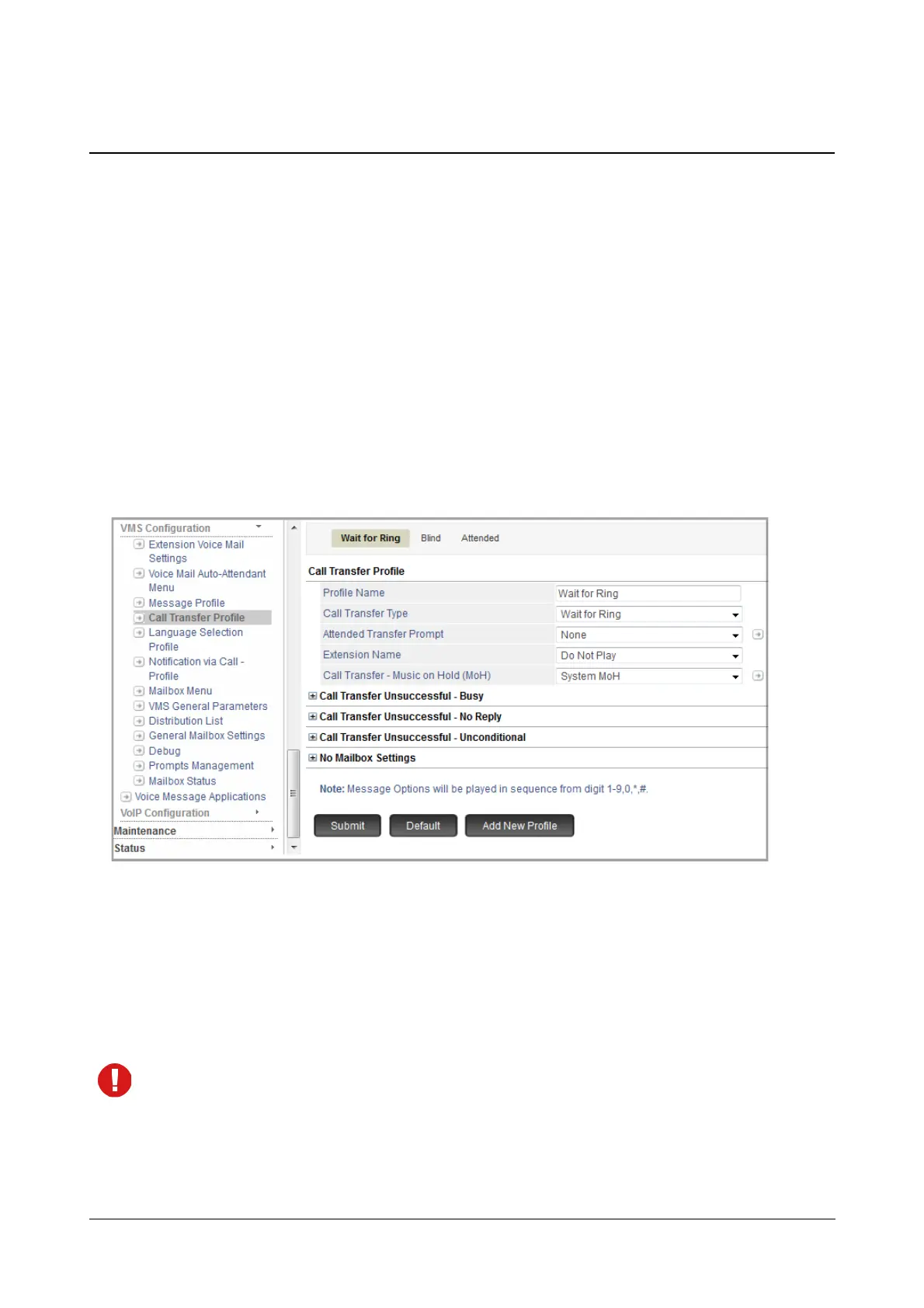
Call Transfer Profile allows you can select the Call Transfer Type — Blind, Wait for Ring, Wait for Answer,
Screened, None — and customize parameters related to it as per your requirement.
VMS supports a maximum of 32 Call Transfer Profiles.
By default, three Call Transfer Profiles — Wait for Ring, Blind and Attended — are provided to you. These three
profiles cannot be deleted but you may edit their settings as per your requirement.
How to configure
• Login as System Engineer.
• Under Advanced Settings, click VMS Configuration.
• Click Call Transfer Profile.
You may add a new profile, edit the default profile or delete a Call Transfer Profile.
To add a new Call Transfer Profile,
• Click Add New Profile. A new Transfer Profile xx will be created. You may now configure this as per your
requirement.
To delete a profile, click Delete.
The default Call Transfer Profiles cannot be deleted.



 To Next Page