Matrix ETERNITY NE System Manual 1127
System Log Notification
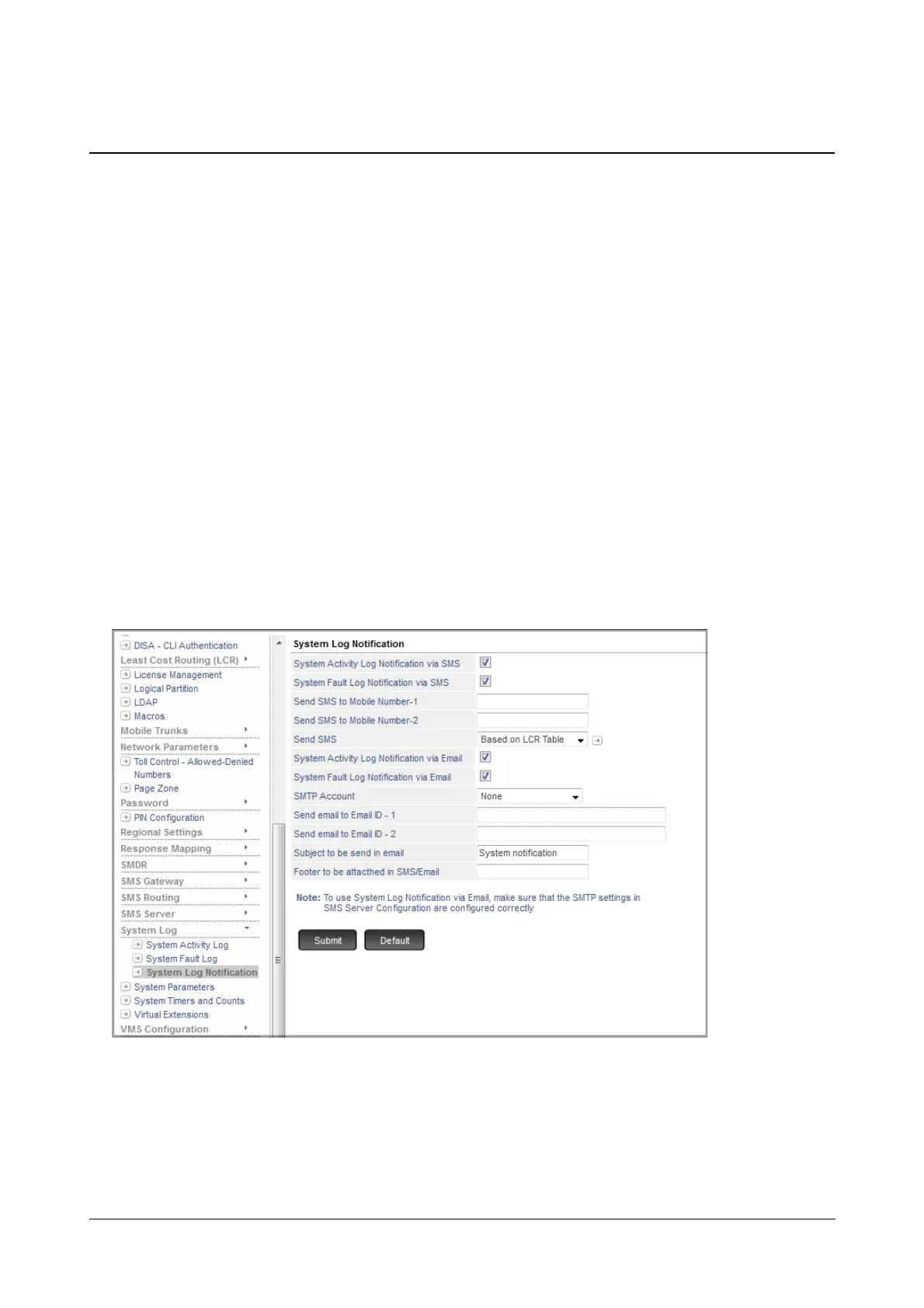
Whenever a fault occurs in the system or an activity takes place, the details of the fault/activity can be sent to the
concerned person to notify him/her of the same.
The notification can be sent,
• as a message to the specific mobile number.
or/and
• as an email to the specific email id.
SARVAM UCS maintains a log of all the system activities and faults. These logs can be printed on a printer or
downloaded on a computer in the form of a report. To know more, see “System Activity Log” and “System Fault
Log”.
How to Configure
To be able to use this feature, you must configure the following parameters.
• Login as System Engineer.
• Under Advanced Settings, click System Log.
• Click System Log Notification.
• By default, System Activity Log Notification via SMS check box is enabled. Clear this check box, if you
do not want the system to send notifications for the system activities via SMS.
• By default, the System Fault Log Notification via SMS check box is enabled. Clear this check box, if you
do not want the system to send notifications for the system faults via SMS.



 To Next Page