262 Matrix ETERNITY NE System Manual
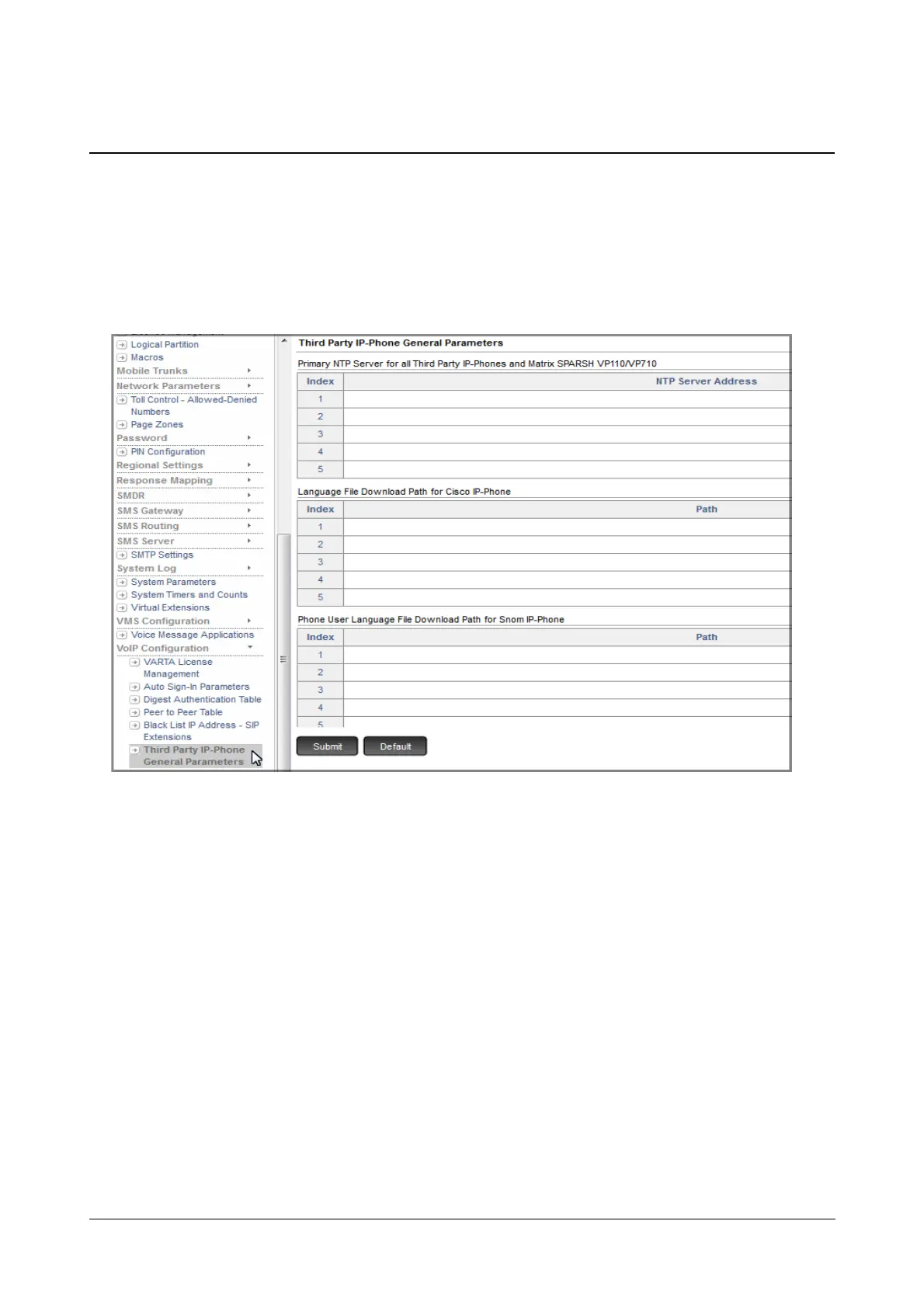
Third Party IP-Phone General Parameters
To configure the Third Party IP-Phone General Parameters,
• Login as System Engineer.
• Under Advanced Settings, click VoIP Configuration.
• Click Third Party IP-Phone General Parameters.
Primary NTP Server for all Third Party IP-Phones and Matrix SPARSH VP110/VP710
• Under NTP Server Address, configure the Primary NTP Server Address with which you want to
synchronize the Date and Time of the Open SIP Phones. Default: Blank.
You may configure maximum 5 different Server Addresses.
Language File Download Path for Cisco IP-Phone
• Under Path, configure the path from which you want the Open SIP Phone to fetch the Language files.
Default: Blank.
You may configure maximum 5 different Paths.
Phone User Language File Download Path for Snom IP-Phone
• Under Path, configure the path from which you want the Open SIP Phone to fetch the Language files for
the Phone user. Default: Blank.



 To Next Page