324 Matrix ETERNITY NE System Manual
SIP Trunks
SARVAM UCS supports 8 SIP Trunks. On this page, the number of SIP Trunks you have specified on the “Pre-
requisites” page will be displayed.
• SIP Trunk page is displayed only if you have specified the Number of SIP Trunks Used on the 'Pre-
requisites' page.
• SIP Trunks are to be configured only if you are using the services of Internet Telephony Service
Providers for VoIP calls.
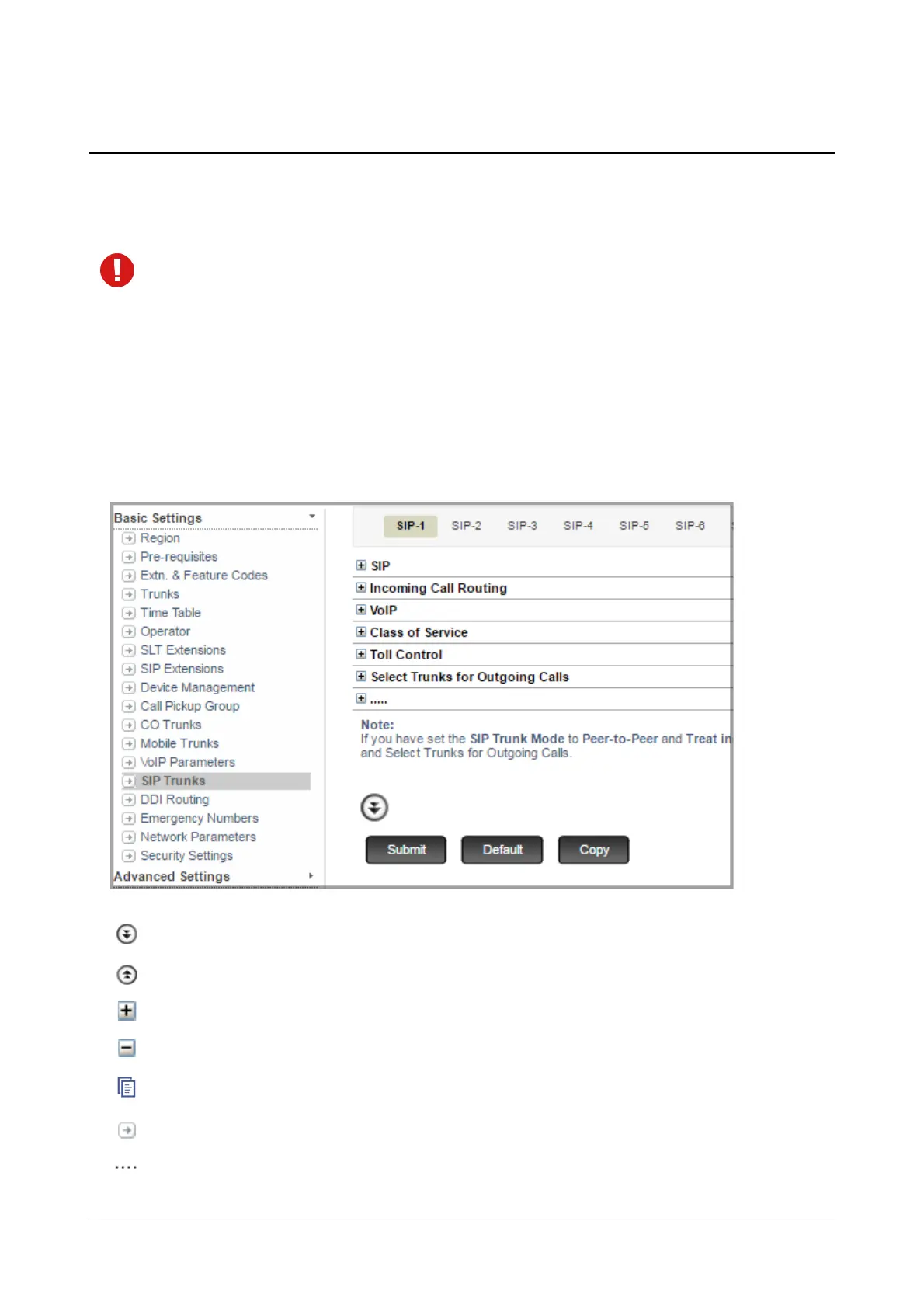
To configure,
• Click SIP Trunks.
On this page,
More: Click this button to view all parameter links on the page.
Less: Click this button to view only the essential parameter links on the page.
Expand: Click to expand a link to display all parameters under the link.
Collapse: Click to collapse a link. Hides all parameters under the link.
Copy: Click to copy the parameters under a specific link of a page to the same link under any other trunk page.
Settings: Click to configure the settings of a parameter further.
More link: Click to view all additional parameters on the page.



 To Next Page