Matrix ETERNITY NE System Manual 501
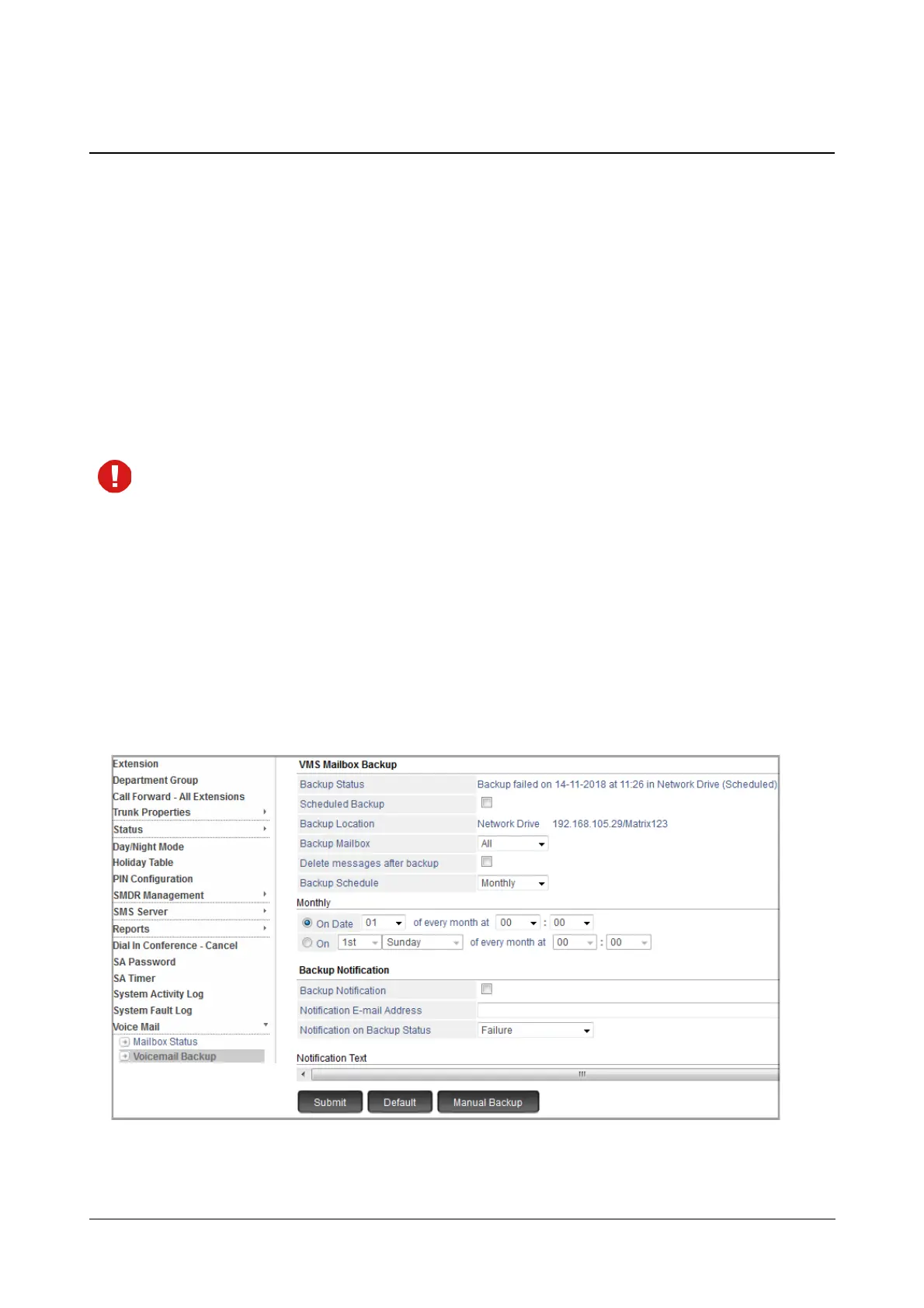
Voicemail Backup
The Voicemail Backup allows you to store the Backup of the desired — Extensions, Department Groups, General
Mailbox— voicemail messages on the Network Drive. For details regarding the Network Drive configuration, see
“Network Drive”.
SARVAM UCS allows you to take the voicemail backup of a single extension, range of extensions, all extensions or
selected extensions.
You can take Voicemail Backup, either
• Manually: The backup is taken whenever you want.
Or
• as per Schedule: The backup is taken on a preset Day, Date and Time.
• If you want to store the backup files in a PC having Windows as the Operating System, make sure it
has IPv4 address.
• Backup is not possible in Apple PCs.
How to configure
Scheduled Backup
• Login as System Administrator.
• Click Voice Mail.
• Under Voice Mail, click Voicemail Backup.



 To Next Page