1056 Matrix ETERNITY NE System Manual
Static Routing Table
Static Routing Table is required when, you have more than one router (gateway) in your network and you want
SARVAM UCS to send packets to multiple routers/gateways for different types of calls.
Static Routing Table helps route calls between point to point sites (connected through Multi Protocol Label
Switching-MPLS, Frame Relay, etc.) and to public internet at the same time.
How it works
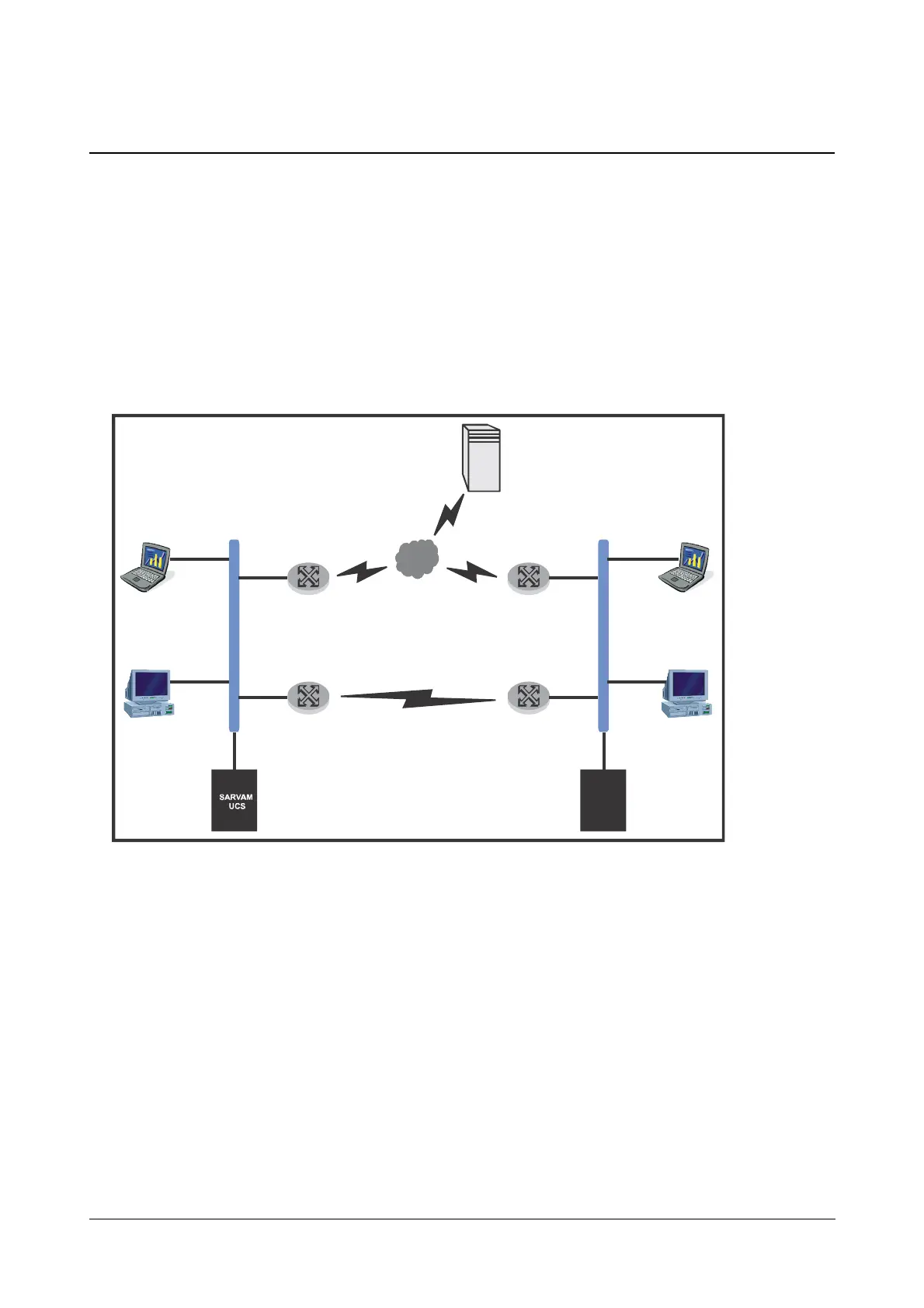
For example, two Local Area Networks, Network A and Network B, are connected through Frame Relay/ Multi
Protocol Label Switching (MPLS) network to give access to local resources and also to make Peer-to-Peer calls.
At both sites SARVAM UCS is connected behind a router.
These sites are also connected to public IP network to:
• give internet access to local hosts.
• access DID service provided by ITSPs to make PSTN/ GSM calls over IP network.
Network A and Network B are in different subnets.
The Static Routing Table makes it possible to route different types of outgoing calls—Peer to Peer or Proxy—made
to different subnets through different Gateways.
The Static Routing Table defines the appropriate Gateway Address (or Router’s LAN Address) where the IP
packets are to be sent.
In the Static Routing Table, you must configure:
• The address of the final Destination where the packets are to be sent.
• The Subnet Mask to be applied on the final destination address.



 To Next Page