Matrix ETERNITY NE System Manual 1057
• The Gateway Address where the IP packets are to be sent.
When SARVAM UCS sends packets, if the final destination IP Address and SARVAM UCS are not in the same
Subnet, the system will check the Static Routing Table.
If a perfect match is found, SARVAM UCS will start sending the IP packets to the corresponding Gateway Address
configured in the table.
If no match is found, SARVAM UCS will send the IP Packets to the Default Gateway Address (Network
Connection Type) you configured in the Network Parameters. For detailed instructions, see “Network Parameters”.
How to configure
The Static Routing Table must be configured at each location where SARVAM UCS is installed. You may configure
the Static Routing Table using Jeeves.
Configuring Static Routing Table
• Login as System Engineer.
• Under Configuration, click Network Parameters.
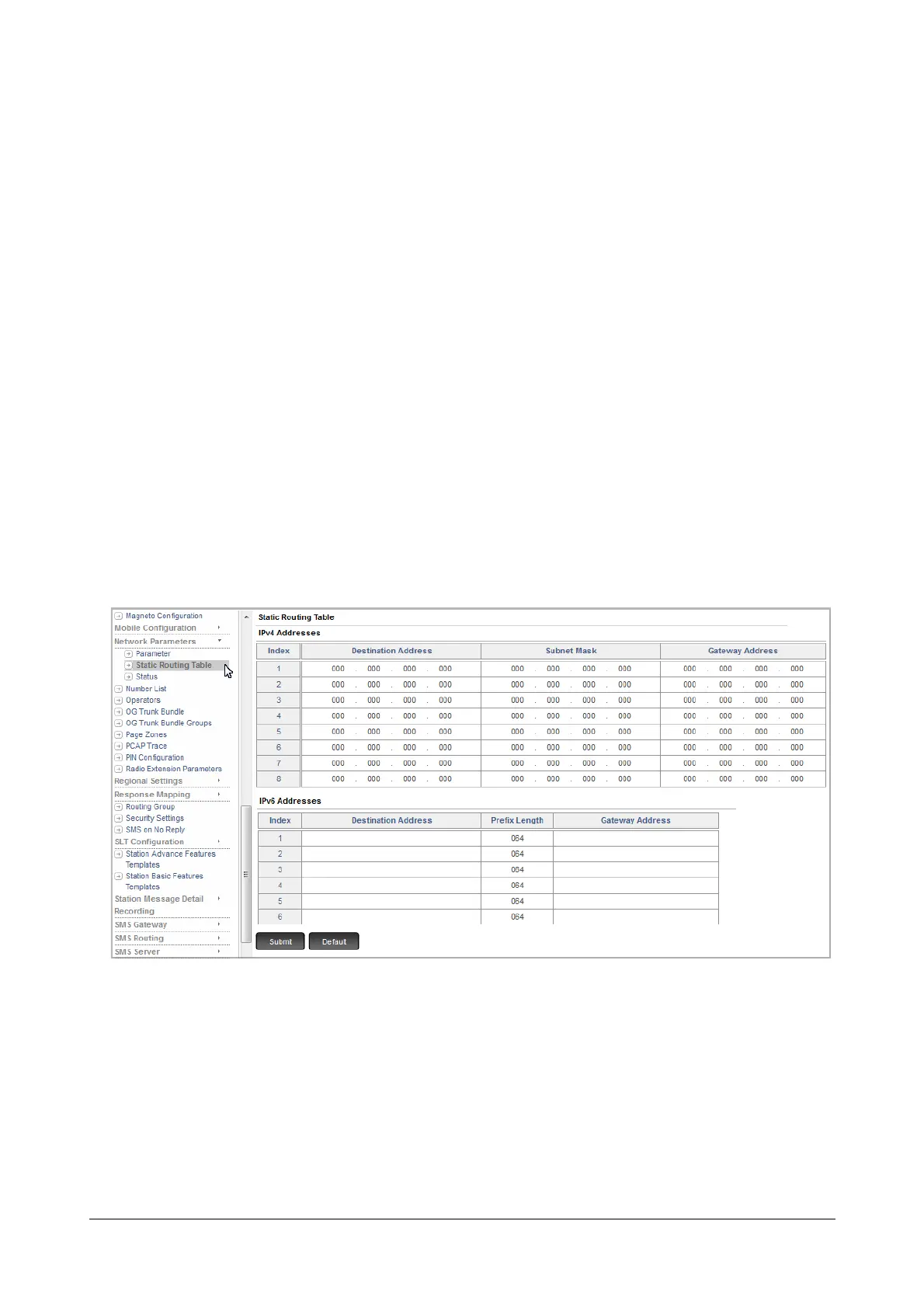
• Click Static Routing Table. The Static Routing Table page opens.
The Static routing table allows you to configure upto 8 entries in each table, IPv4 Addresses table and IPv6
Addresses. Each entry is stored against an Index number.
IPv4 Addresses table
For each entry, you must configure the following fields:
• Destination Address: This is the address of the final destination where the call is to be made. This
can be a device IP Address or Network Address.



 To Next Page