994 Matrix ETERNITY NE System Manual
Peer-to-Peer Calling
Making an IP call without the intervention of a proxy server is called Peer-to-Peer Calling. As Peer-to-Peer calling
does not require a proxy server, voice communication using this application can be done virtually free of cost. The
major cost savings offered by this application makes it a very attractive mode of inter-branch or intra-office voice
communication.
For dialing a number use ‘*’ in-place of ‘.’
How it works
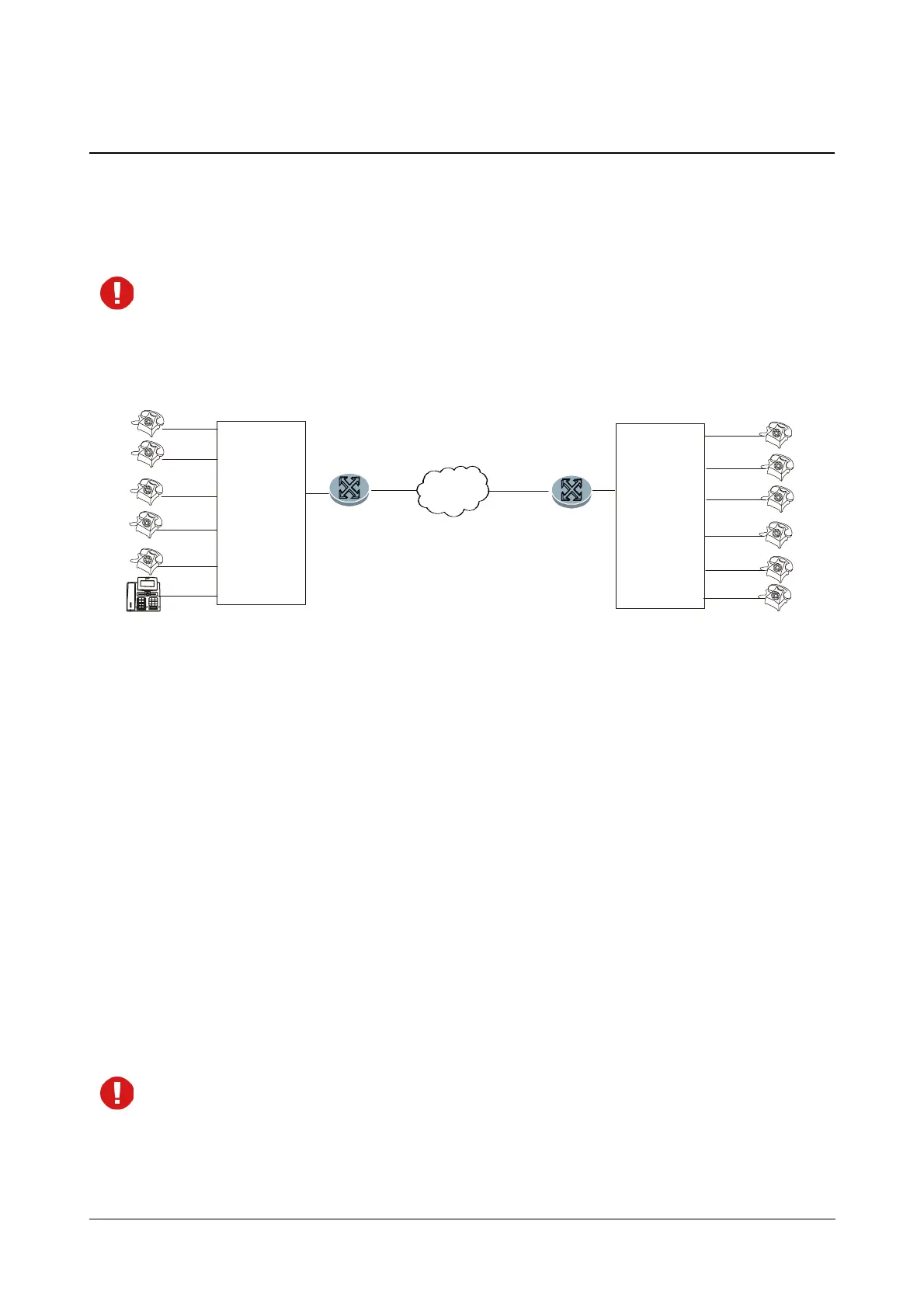
Let us understand how to use Peer-to-Peer Calling with the following illustration:
• Two offices are directly connected over an IP network.
• SARVAM UCS is installed at Location A.
• The PBX at Location B may also be SARVAM UCS.
• Peer-to-Peer calls can be made between the two locations with suitable configuration of SARVAM UCS
and the PBX.
• At Location A, you need to do the following configuration in SARVAM UCS:
• Select a SIP Trunk to be used for this application and enable it. For example, SIP 1.
• Set the SIP Trunk Mode of this trunk to Peer-to-Peer.
• Keep the SIP ID field of the SIP trunk blank.
• Set the Treat Incoming call as option on the SIP trunk to Station.
For instructions on configuring the above parameters, see “SIP” under “SIP Trunks”.
In the Router, you must configure the same SIP and RTP Ports as configured in SARVAM UCS. In other
words, you must configure Port Forwarding for SIP and RTP on the Router.
PBX A
303
Location A
304
305
306
WAN
Broadband
Router/Modem
IP
ETERNITY
Ethernet
WAN
Broadband
Router/Modem
204
203
205
206
12
3
456
789
0
*
#
abc
def
ghi jkl mno
pqrs
tuv
wxyz
Fwd BusyFw d NRCa ncel
DND Voic e Mail Names
MuteConferenceTransfer
HoldRejectRe dial
CLIR
Hotline
SI P2
SI P1
CA4
CA3
CA2
CA1
Menu Sat 01 05:30
Location B
115.118.161.165
121.124.130.110
SIP1
202
201
302
301



 To Next Page