82 Matrix ETERNITY NE System Manual
Installing the Voice Mail System
The optional Voice Mail System (VMS) of the ETERNITY NENX provides mailbox facility to all extension users.
Each Mailbox has the capacity of storing 10,000 voice messages. The maximum size of each Mailbox is 60,000
minutes. By default, the size of each Mailbox is set to 5 minutes. The maximum Message Length for each Mailbox
is 3600 seconds. By default, the Maximum Message Length for each Mailbox is set to 120 seconds.
The VMS in the ETERNITY NENX requires a license. The VMS in ETERNITY NENX is delivered as Pen Drive
(factory -fitted), containing VMS configuration files, and voice messages for prompts and greetings. The Pen Drive
is also the storage device for mailbox messages.
Matrix provides a 8GB Pen Drive. You can replace the Matrix’s Pen Drive with another, if required and can use a
Pen Drive of up to 32GB. To replace the Pen Drive, see “Replacing the Pen Drive” at the end of this topic.
Installing the VMS
• The Voice Mail System (VMS) is provided in a Pen Drive along with the system. This Pen Drive is factory
fitted in the system. However to activate it, you must purchase the VMS License.
• In case you need to remove/insert the Pen Drive, you can follow the steps given below.
• Make sure power supply is turned off before you begin installation.
• Unscrew and remove the top cover of the enclosure. Keep the screws and the cover aside.
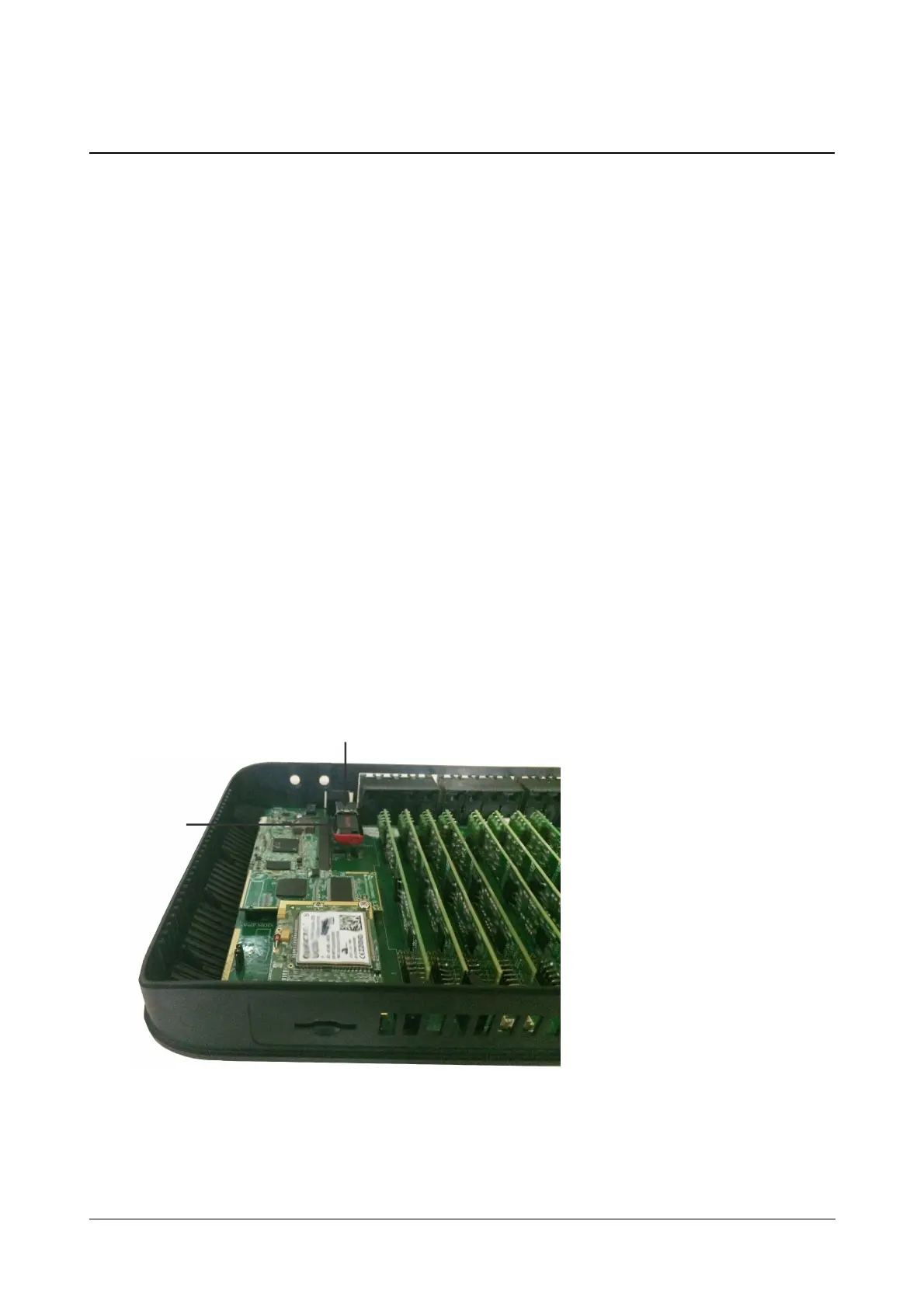
• Locate the USB port on the mainboard. Insert the Pen Drive into the upper USB port on the mainboard.
• If you have no other modules to install, replace the top cover and secure the cover with the screws.
• Connect a computer to the Ethernet Port of ETERNITY NENX with the Ethernet cable supplied for the port.
• Open a Web browser on the computer to access the embedded Web server, Jeeves.
USB Port
on mainboard
Pen Drive
inserted in
USB Port



 To Next Page