Matrix ETERNITY NE System Manual 779
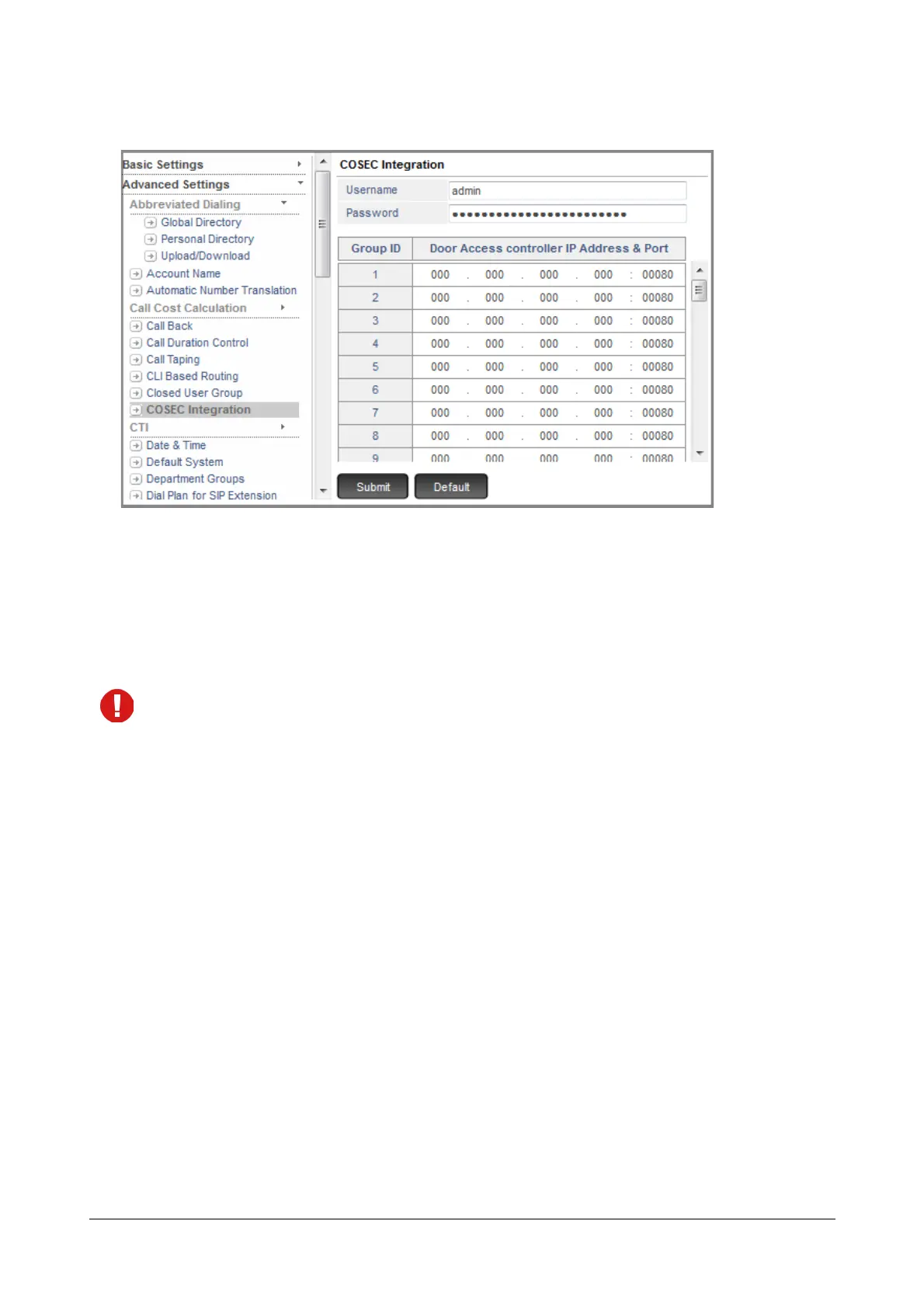
• Under Advanced Settings, click COSEC Integration.
• For COSEC Integration, enter the User Name and Password. Default User Name: admin, Password:
1234.
Make sure the same User Name and Password is configured in the COSEC Door Controllers you have
installed.
• Against each Group ID, enter the COSEC Door Controller IP Address and Port.
The same COSEC Door Controller IP Address and Port cannot be assigned to different Group ID’s.
• Click Submit.
To assign Group IDs to SLT users, see parameter COSEC Door Group in “SLT Extensions”.
To assign Group IDs to SIP users, see parameter COSEC Door Group in “SIP Extensions”.
To assign a DSS key to COSEC Door Open, refer the topic Phone Key Settings under “Configuring Matrix
SPARSH VP248”, “Configuring Matrix SPARSH VP310”, “Configuring Matrix SPARSH VP330” and “Configuring
Matrix SPARSH VP510”.



 To Next Page