1134 Matrix ETERNITY NE System Manual
• Silent: If this option is selected, the extension user will get Silence (no tone), while the call is being
routed.
For routing the second call the system will always play Ring Back Tone to the second caller.
Alarm
• Click Alarm to expand.
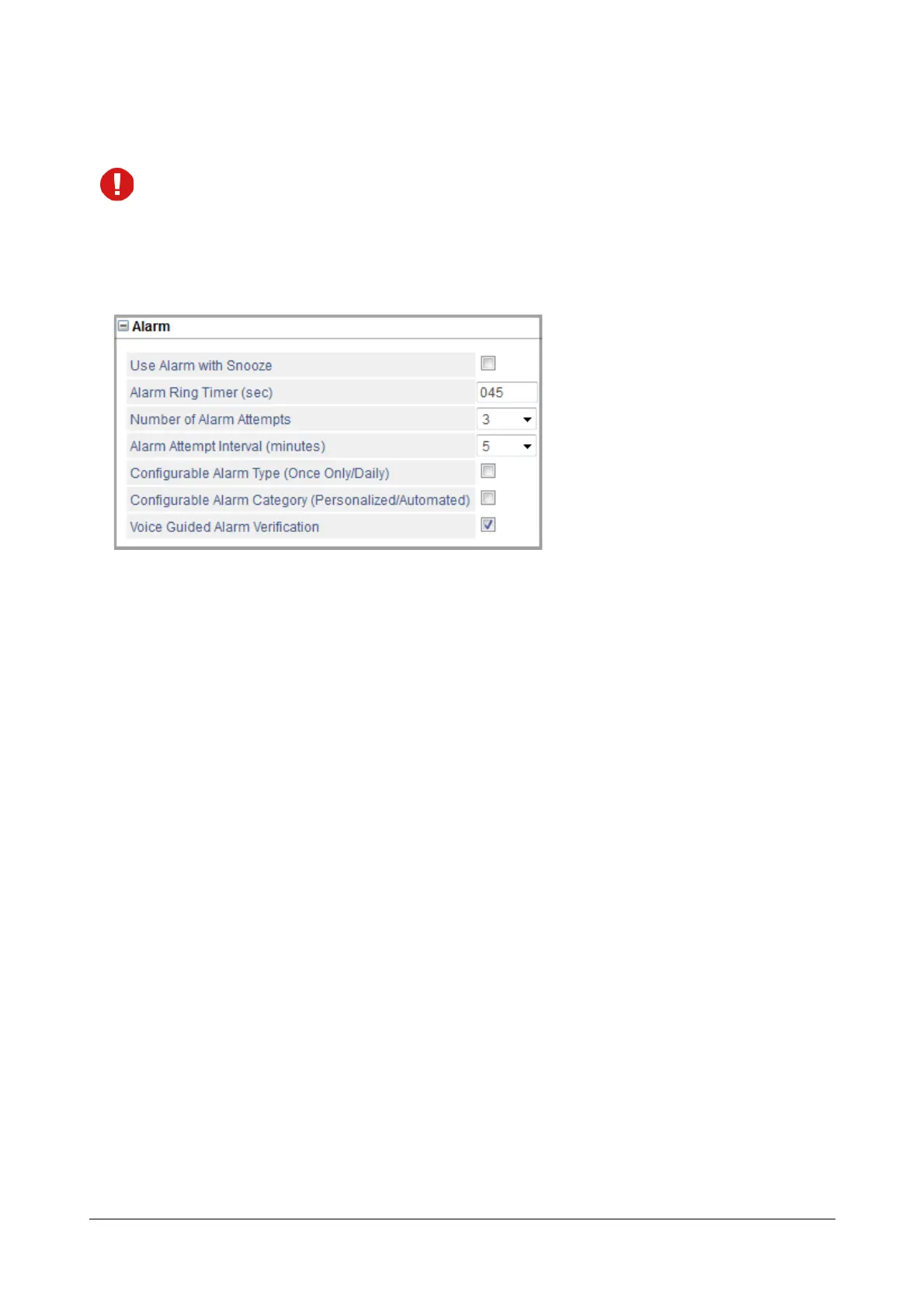
• Configure the following Alarm and Reminder parameters:
• Use Alarm with Snooze: When you use Snooze functionality with an Alarm, the system does not consider
an alarm call as answered until the extension user has dialed the acknowledgement code ‘0’ after going
Off-Hook. By default, Snooze is disabled.
• Alarm Ring Timer (Sec.): You may change the time for which the Alarm Call will ring on the extension
phone and the time for which the Operator phone will ring to notify an unanswered Alarm Call.
• Number of Alarm Attempts: You may increase or decrease the number of attempts the system should
make to serve an Alarm call.
• Alarm Attempt Interval: You may increase or decrease the time gap between each attempt the system
makes to serve an Alarm call.
• Configurable Alarm Type: Disable this flag, if you do not what the system to provide the Operator and the
extension users the option of setting 'Once Only' or 'Daily' Alarms. When this flag is disabled, the system
will allow only 'Once Only' alarms to be set.
• Configurable Alarm Category: Disable this flag, if you do not want the system to provide the Operator
the option of setting 'Personalized' or 'Automated' Alarm calls. When this flag is disabled, the system will
follow the 'Automated' Alarm call serving mechanism. The Operator will not be prompted to choose
between 'Automated' and 'Personalized' Alarm calls when setting Alarm calls for an extension phone.
• Voice Guided Alarm Verification: Enable this flag if you want to enable extension users to confirm the
Time they have set for an alarm or the Date and Time they have set for a reminder. Default: Disabled.



 To Next Page