1142 Matrix ETERNITY NE System Manual
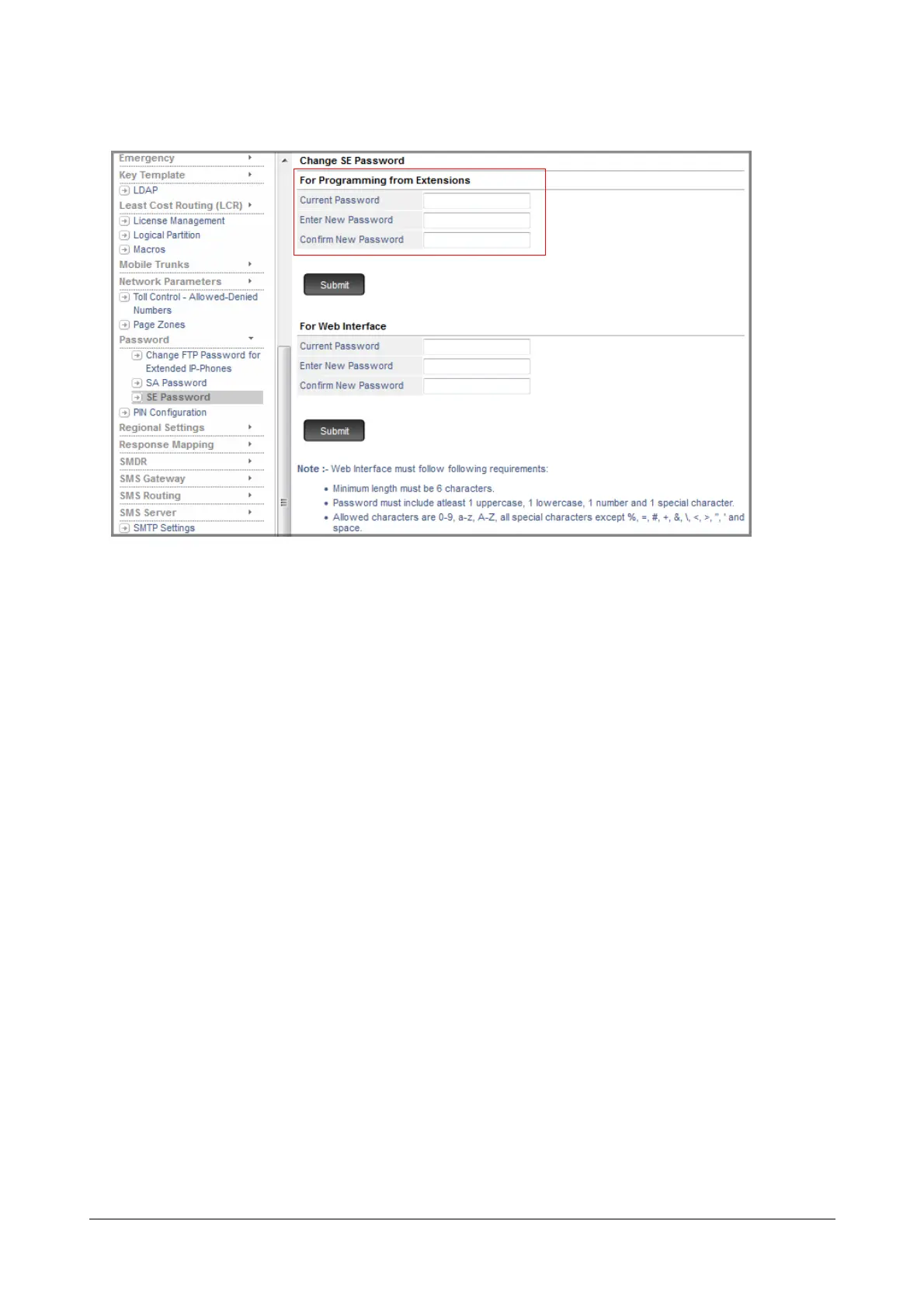
• Click SE Password.
• Under For Programming from Extensions,
• Enter Current Password.
• Enter New Password. The new password can be a minimum of 4 digits to a maximum of 12 digits. The
valid digits are from 0 to 9.
•In Confirm New Password, re-enter the new password to confirm.
• Click Submit.
Forgot the SE Password?
If you have already changed the default SE Password (1234) and are unable to recall or locate it, you must restore
the default SE password.
Restoring Default SE Password
Restoring the Default SE Password requires you to change the Jumper Settings on the CPU module. To do this,
• Remove the top cover of the enclosure.
• Locate and change the position of the Jumper J7 from BC to AB.
• Replace the cover of the enclosure.
• Switch ON the system and wait for 15 seconds.
• Switch OFF the system and remove the enclosure cover.
• Change the Jumper position from AB to the original position BC.
• Replace the enclosure cover.
• Switch ON the system.
The default SE password will be restored to 1234. You can now enter the programming mode by dialing 1#91-
1234 (the default password).



 To Next Page